

Task dependencies in Project Workflow
Task dependencies define the execution order, specifying that one task must begin before or after another.
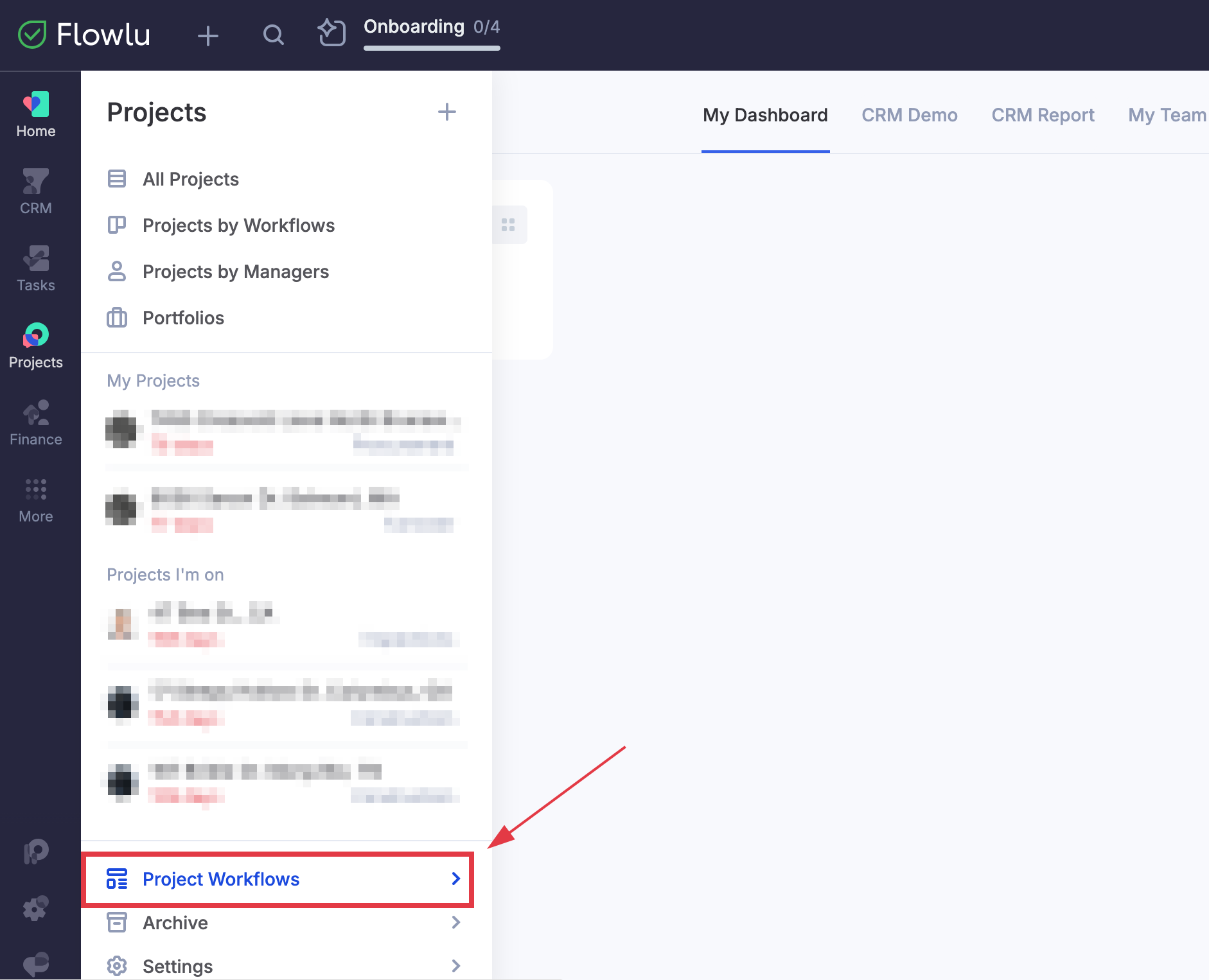
To add a dependency within a project template, navigate to the Projects app in the left-side menu and select Project Workflows at the bottom.
Click on a project template to open it, then click the name of a task you want to create a dependency for.
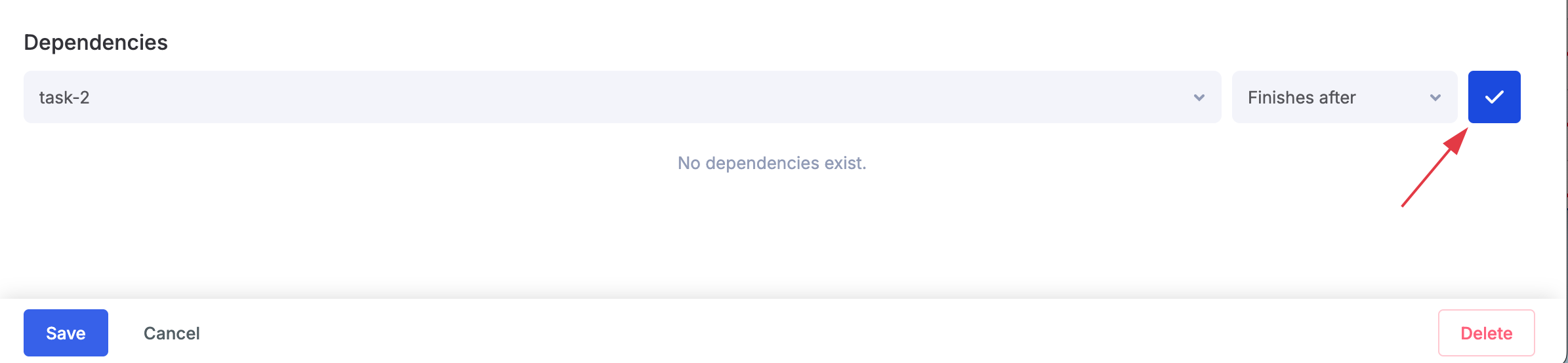
Scroll down to Dependencies section and click Add a dependency. Select the task you want to link and choose whether it should start before or after the linked task. Click the blue check mark on the right to save the dependency.
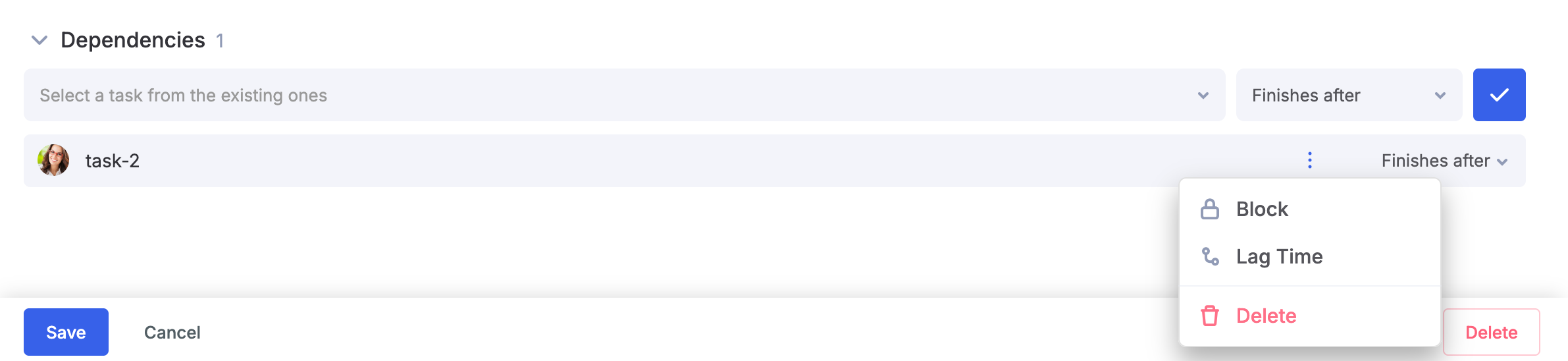
You can also set Lag time between dependent tasks and enable blocking dependencies by clicking the three dots to the right of the added dependency.
Note: The start date of the following task will be determined by the deadline of the previous task.
All configured dependencies will automatically apply to every new project created using this template.
