

How to Publish an App
Once you have Public Developer status, you can publish apps.
Before you publish, make sure your app:
- is fully tested and bug-free,
- has a clear description and purpose,
- complies with the Flowlu Marketplace Developer Terms,
- includes complete documentation for end users.
In the Developer Console, click Create App, then:
- Enter the app name.
- Select the app type:
- Private runs only on your own portal.
- Public is published in the Marketplace.
- Set a code, which appears in the app's URL.
Important: The app URL may only contain Latin characters and underscores.
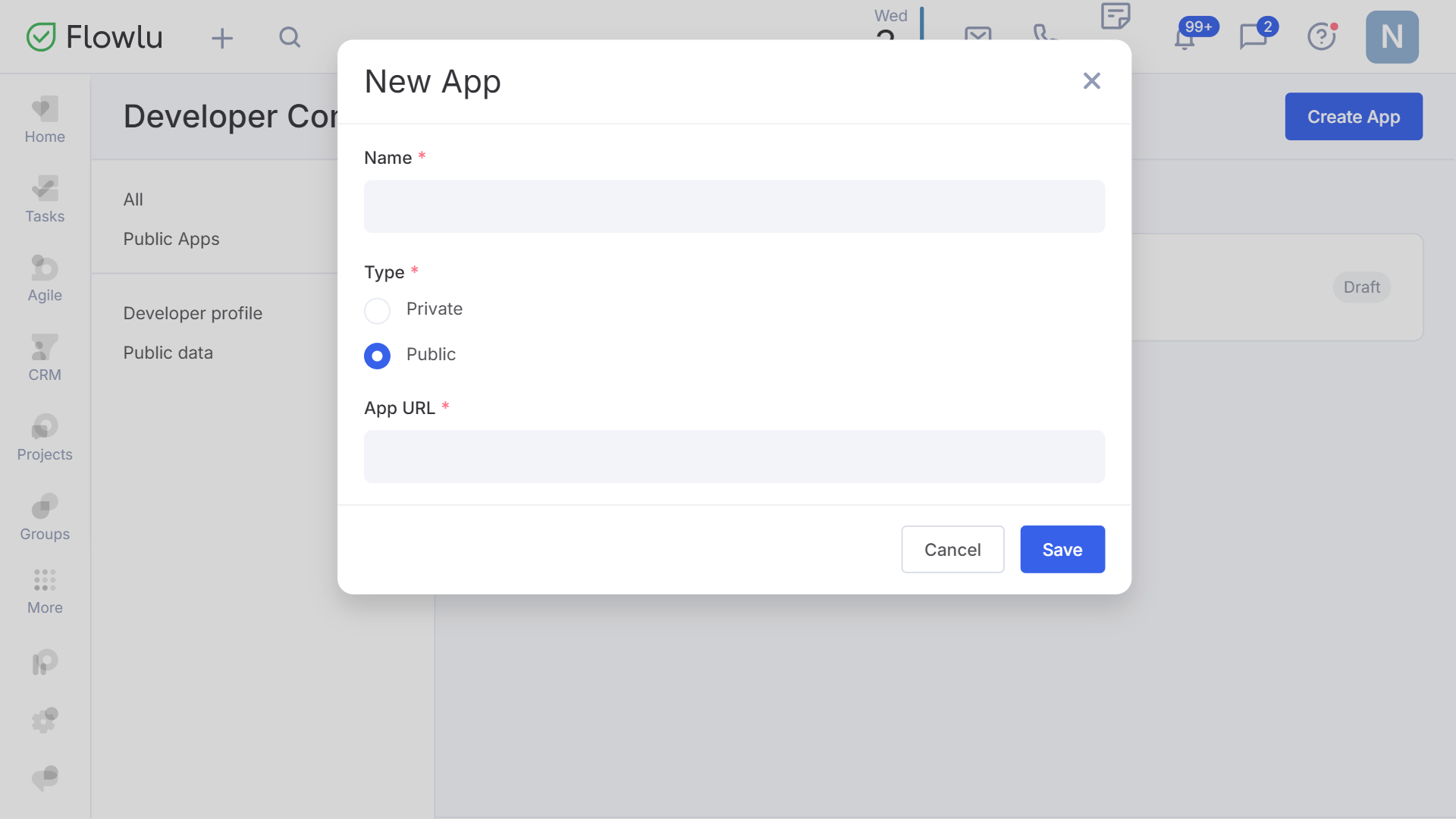
Click Save. The app appears in the Developer Console with Draft status.
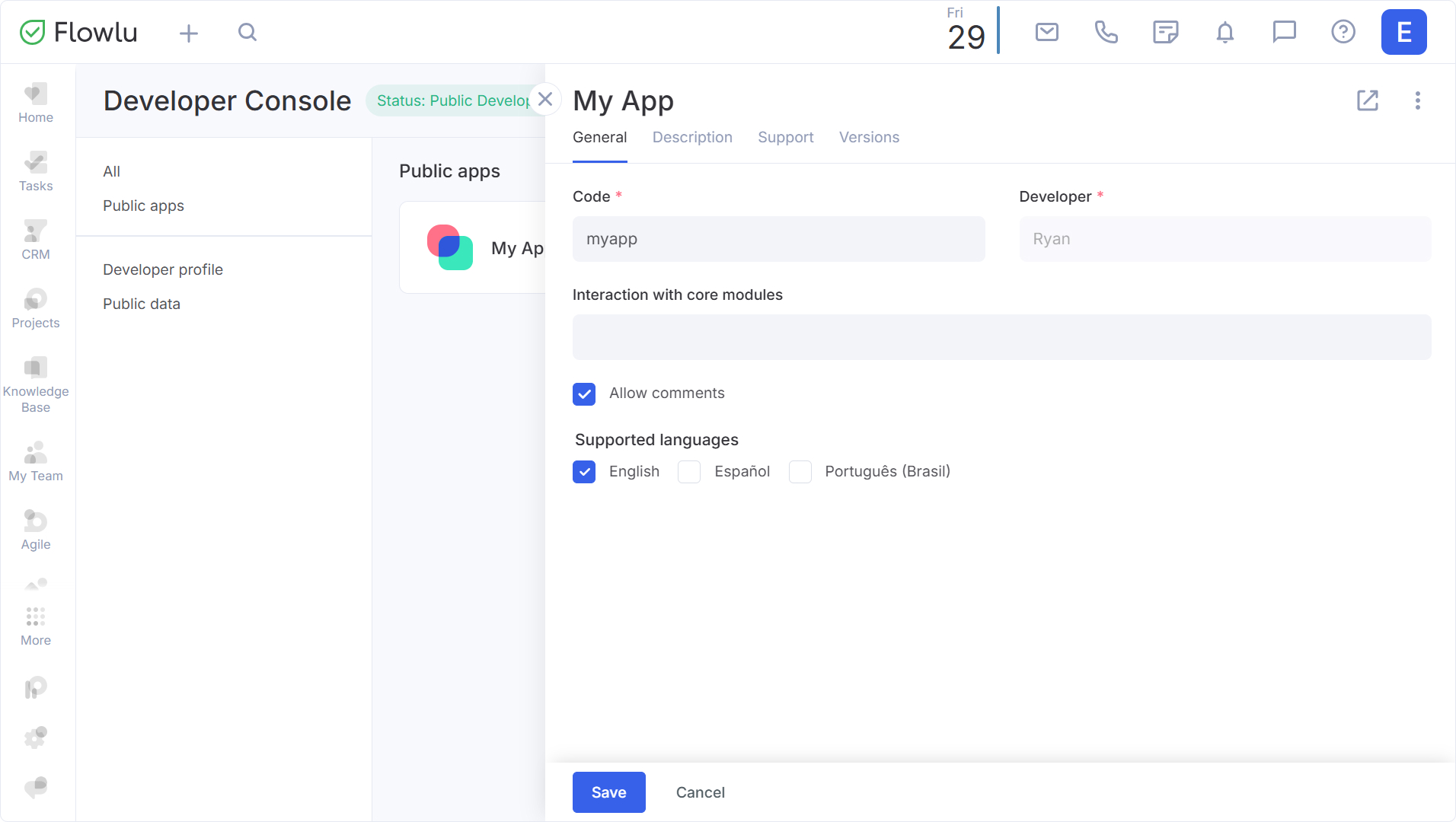
Clicking on the app opens its card, where you can:
- link it to core modules;
- enable or disable comments;
- select supported languages;
- provide a description and set a logo;
- add installation instructions.
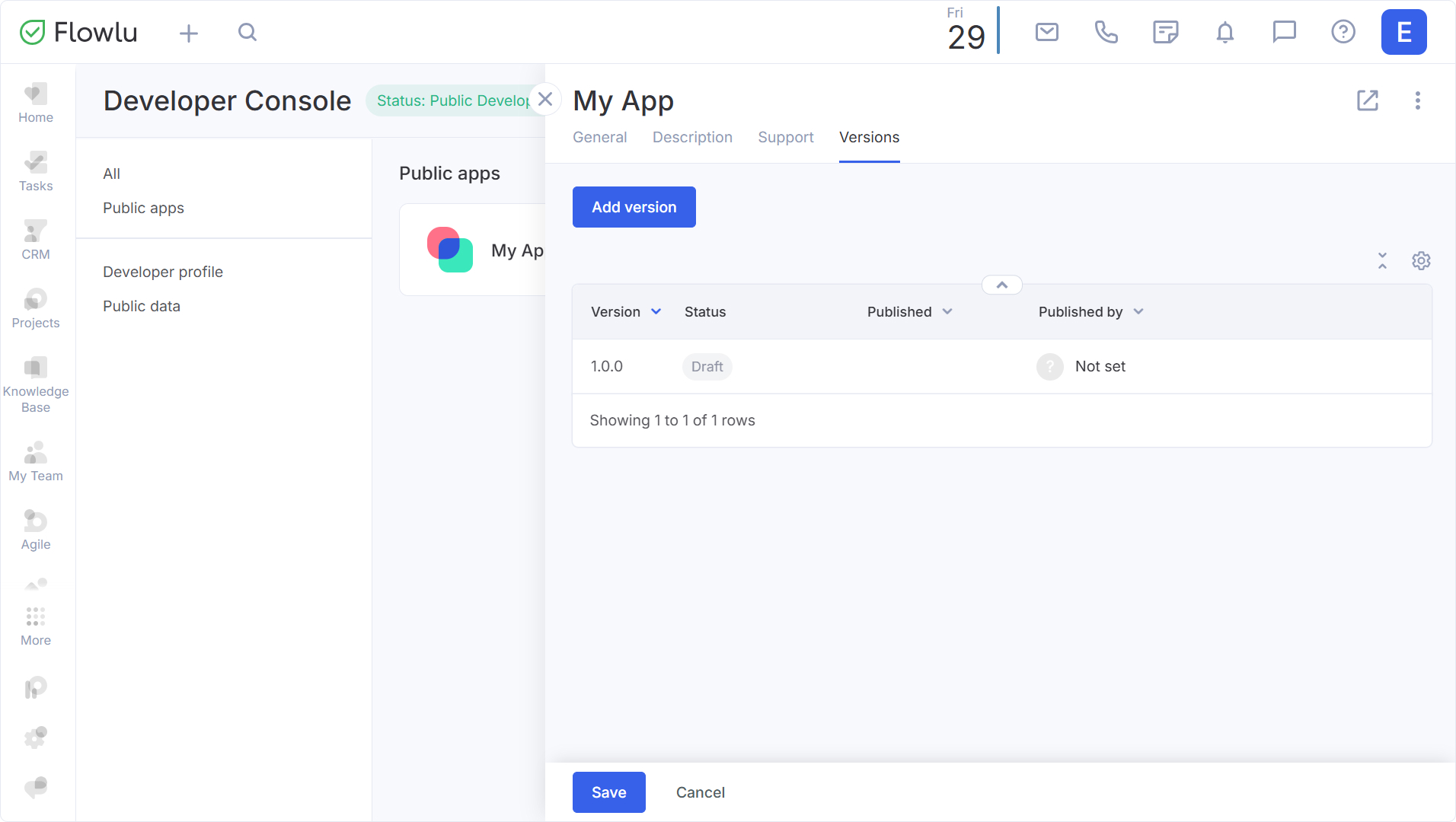
In the Versions tab, you manage your app's versions. To publish, select an existing version or create a new one, providing the manifest and description.
Check that everything is correct and click Submit for moderation.
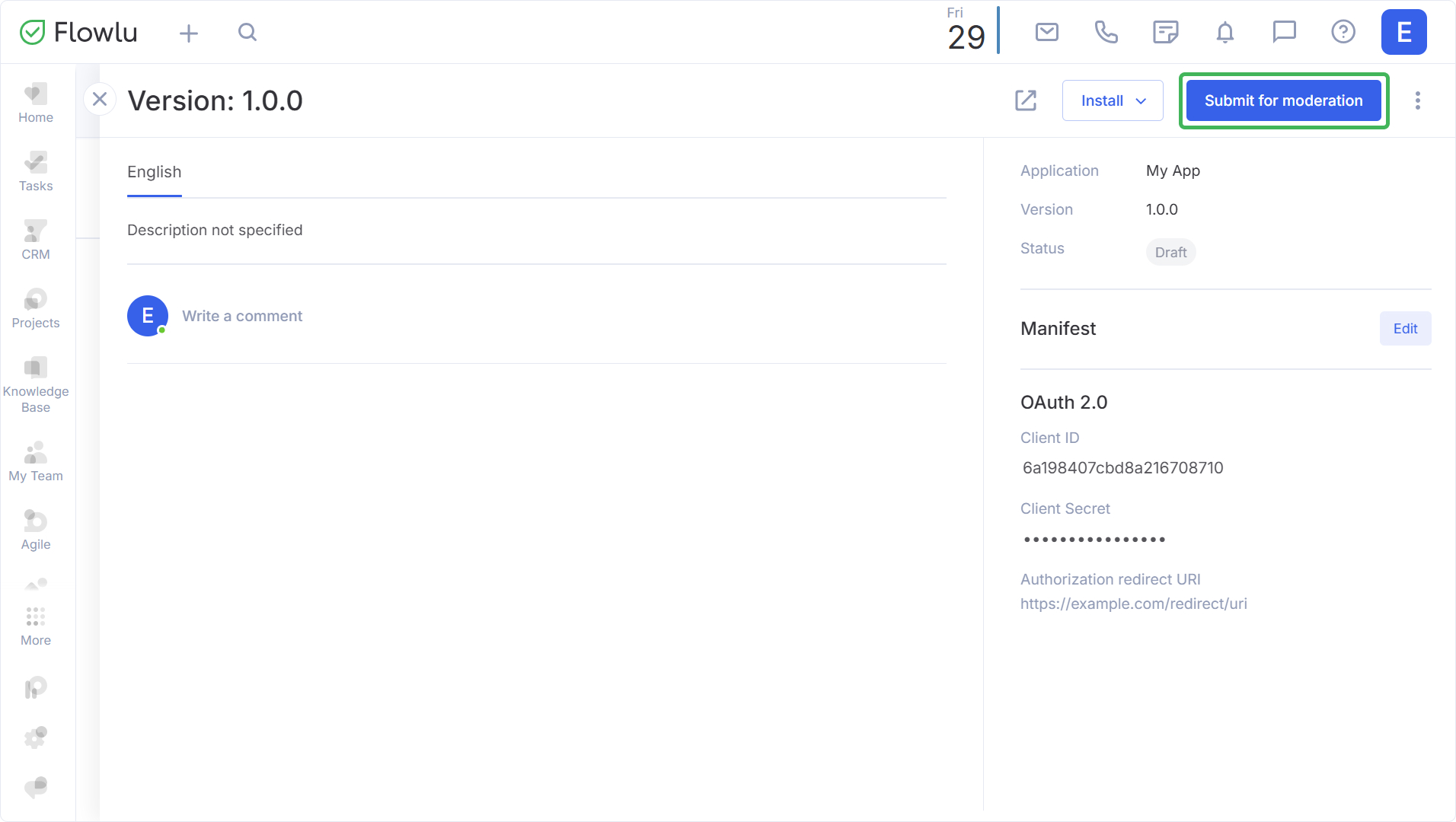
The status changes to Awaiting moderation, and review takes up to 14 business days.
- If it's rejected, refine the app and resubmit.
- If it's approved, the status changes to Unpublished. To finish, go to the Versions tab and click Publish.
After publication, your app is visible in the Marketplace to all users. (Installation is performed by portal administrators.)
