

Creating Estimated Revenues and Expenses for an Opportunity
An Estimated Revenue or Expense is a record of a payment expected within an opportunity.
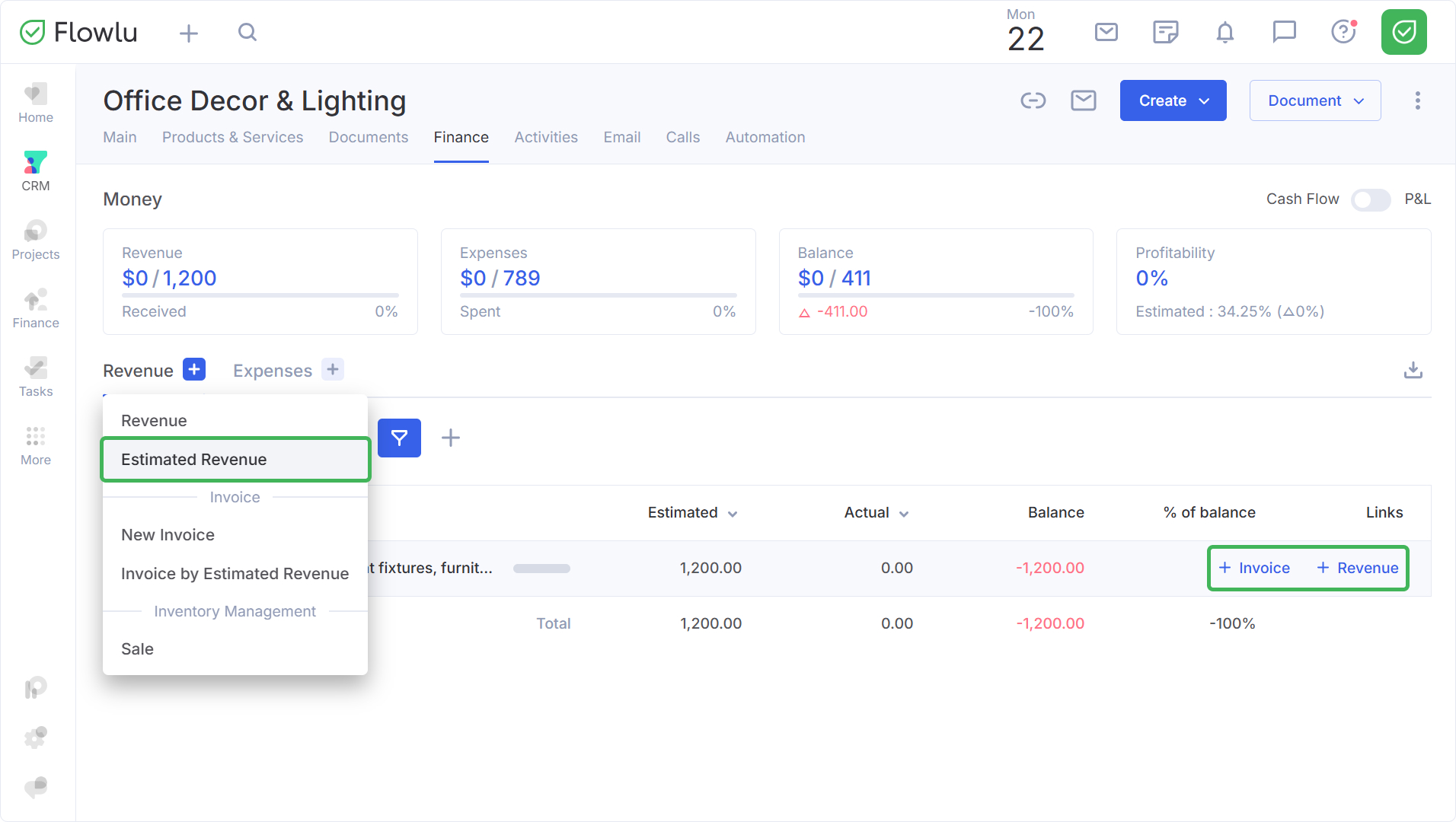
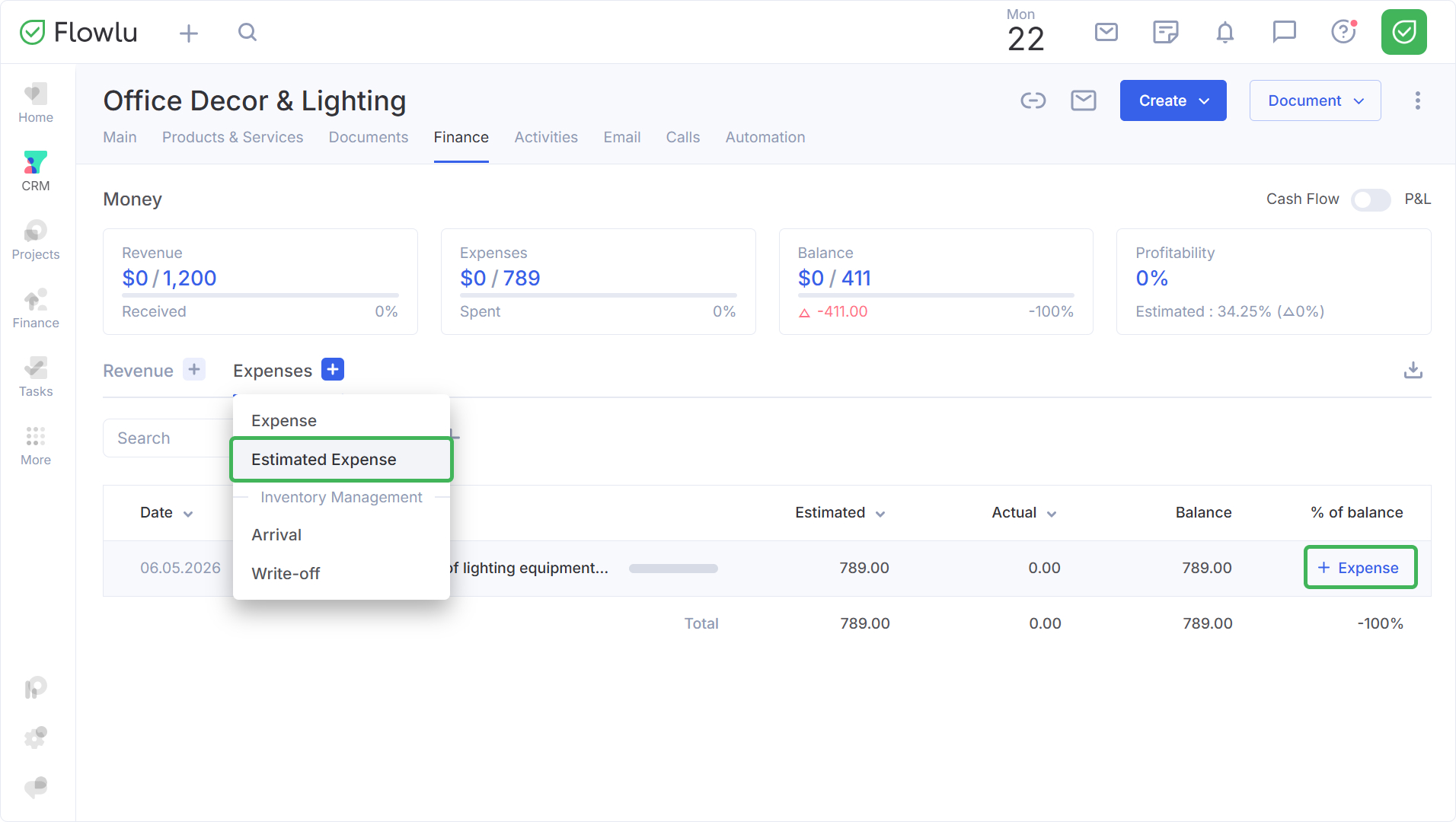
To create a new estimated revenue or expense in the opportunity, go to the Finance tab and click the "+" button in the corresponding column.
To create actual revenue/expenses linked to existing estimated entries, select the appropriate button (+Revenue/+Expense)
Creating Estimated Revenue in an Opportunity
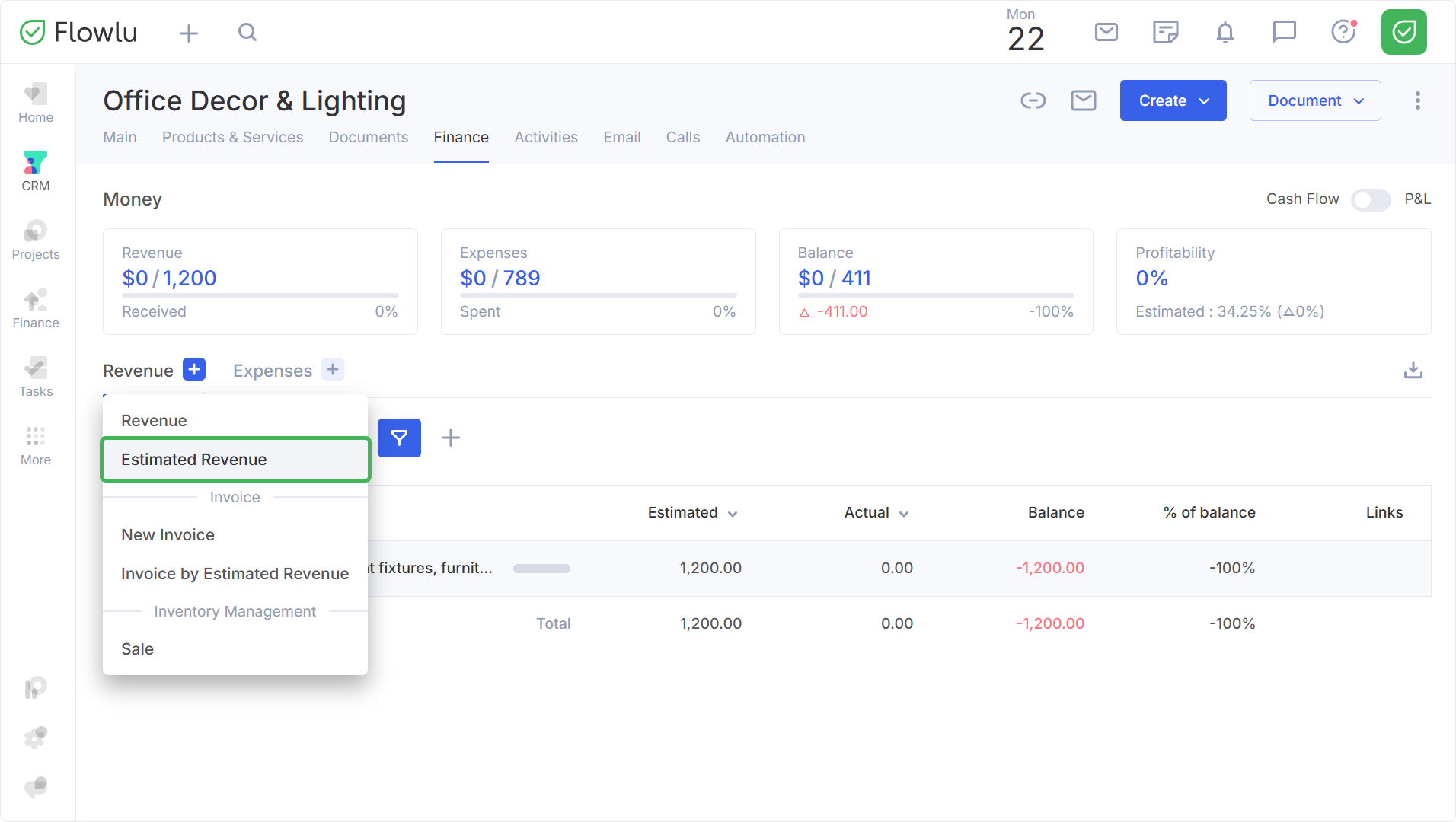
To create an estimated revenue, click on "+" and select Estimated Revenue.
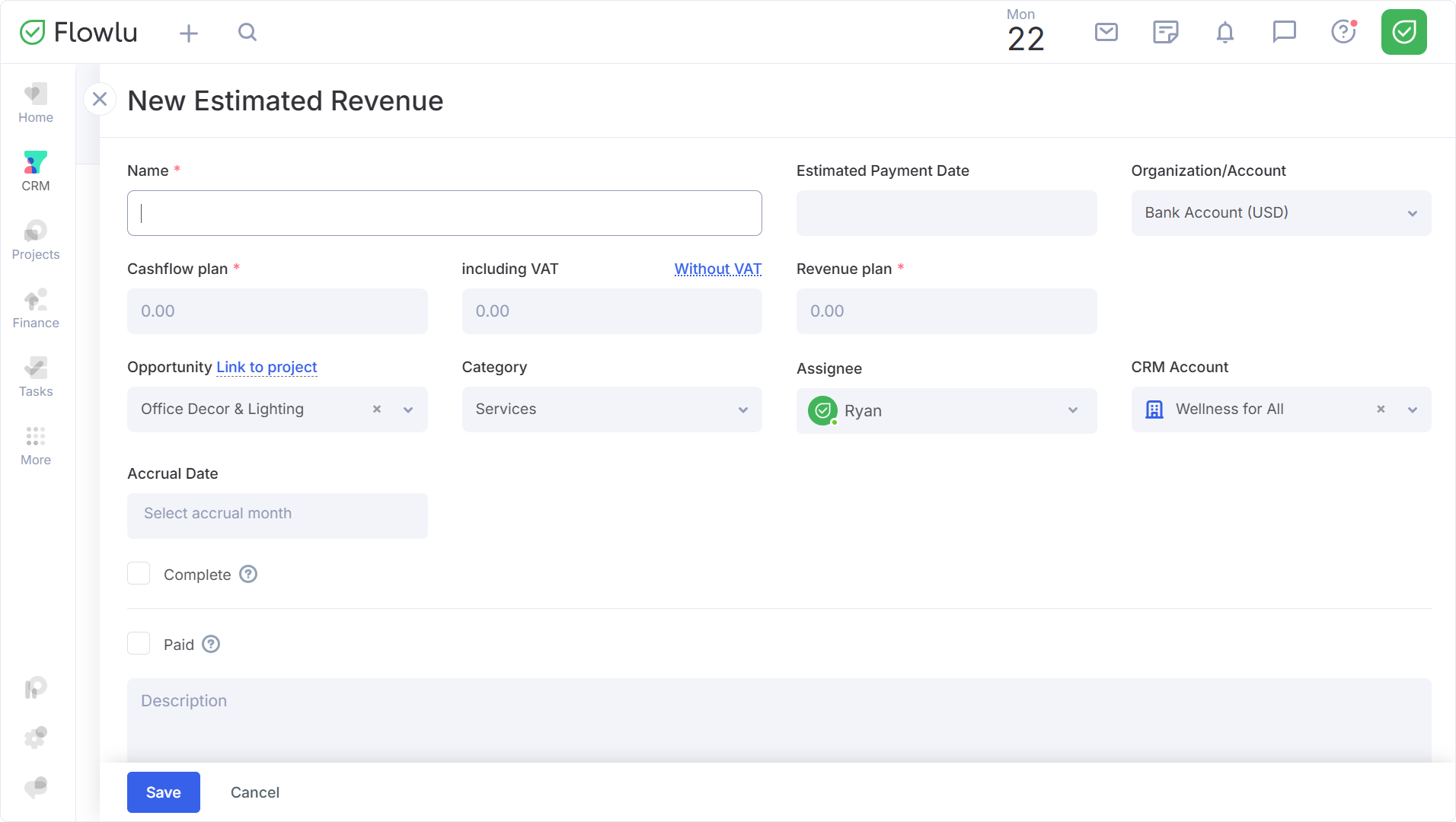
Fill in the form that appears.
Creating Estimated Expense in an Opportunity
To create an estimated expense, click on "+" and select Estimated Expense.
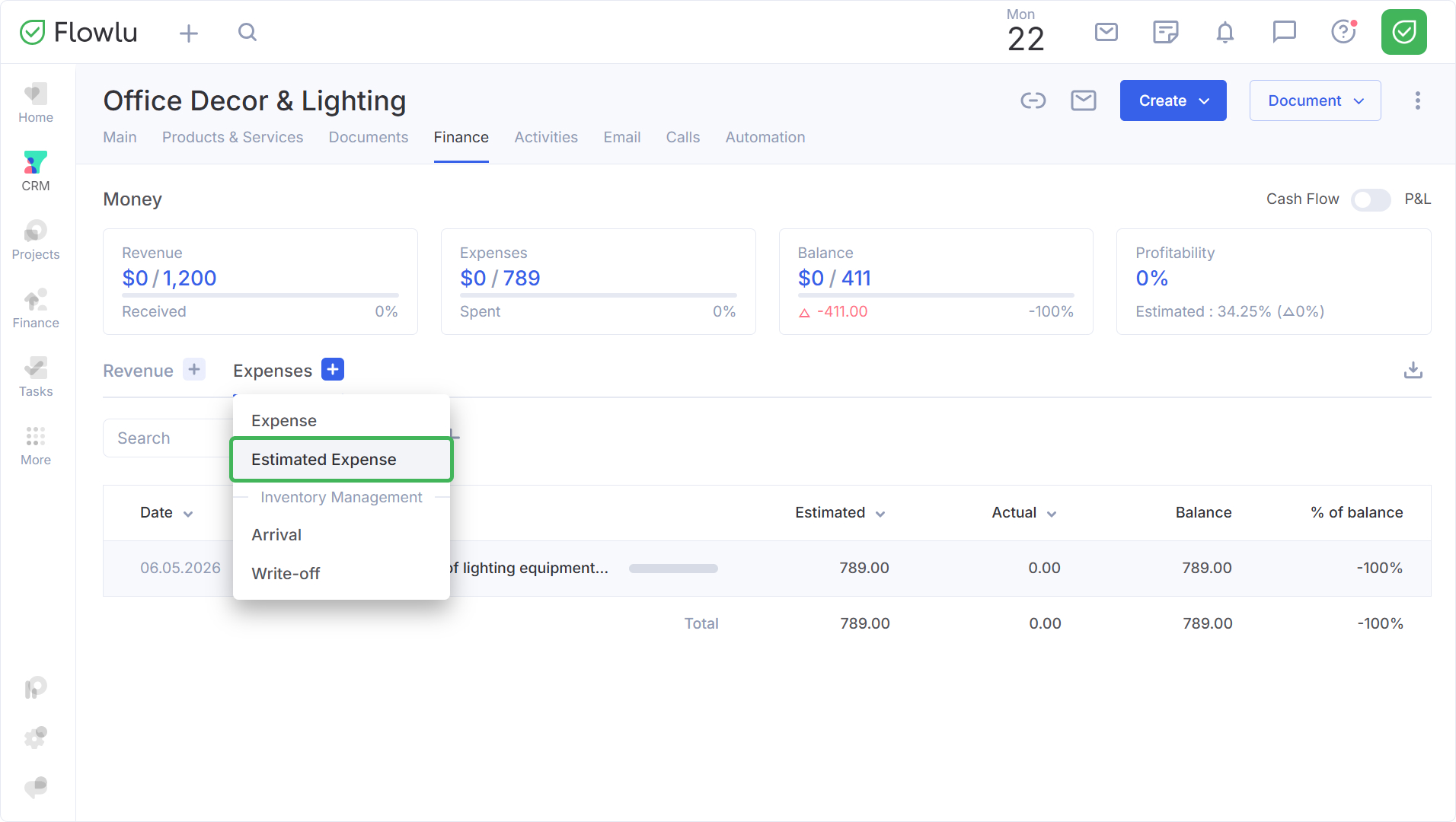
Fill in the form that appears.
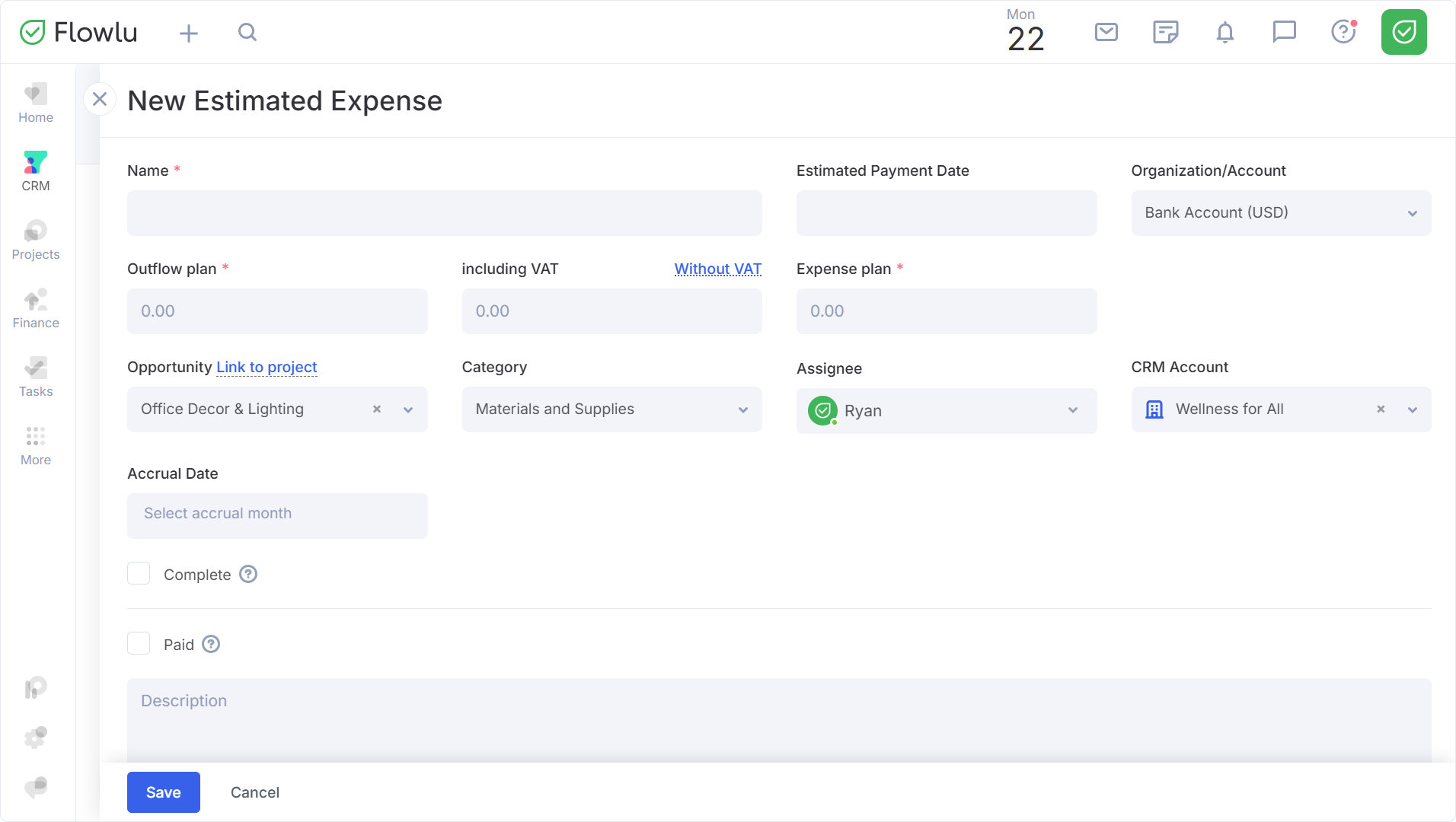
If necessary, you can mark the revenue/expense as completed or paid.
The Completed option will hide the estimates from the search when allocating actual payments, and the remaining payment amount will not be considered when calculating the cash gap.
Important: An estimated payment is automatically marked as completed after an actual payment is linked in full.
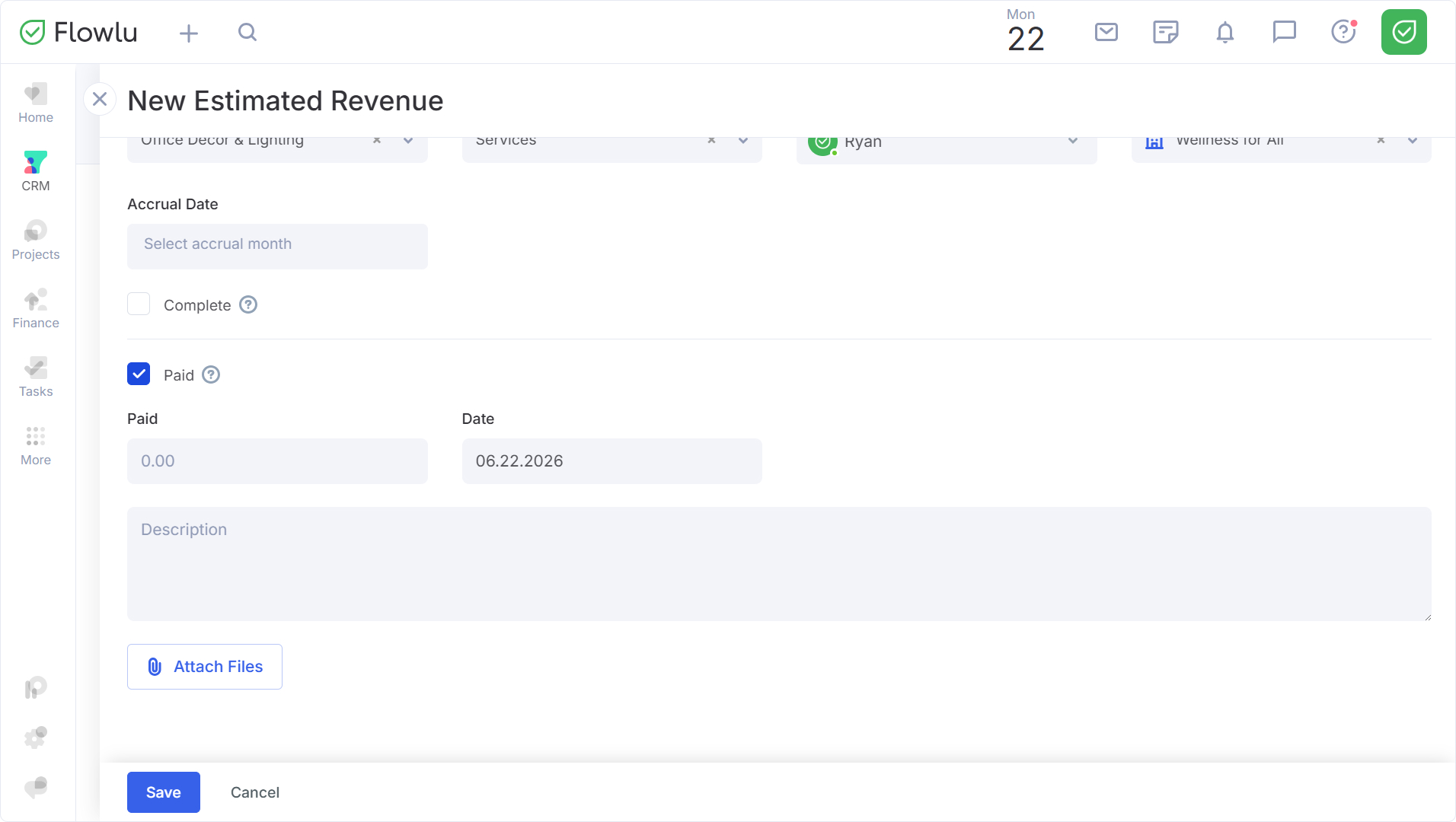
If the amount has already been paid, check the Paid field.
In the window that opens, specify:
- Paid Amount, if it differs from the estimated amount.
- Date, if it differs from the current date.
All estimated revenues and expenses will also be displayed in the payment calendar within the Cash Flow module.
