

Tracking Finances in Opportunities
Tracking finances in opportunities is available starting with Essential plan.
To get started, go to the CRM module settings, and enable the financial tracking option for opportunities. Save the changes.
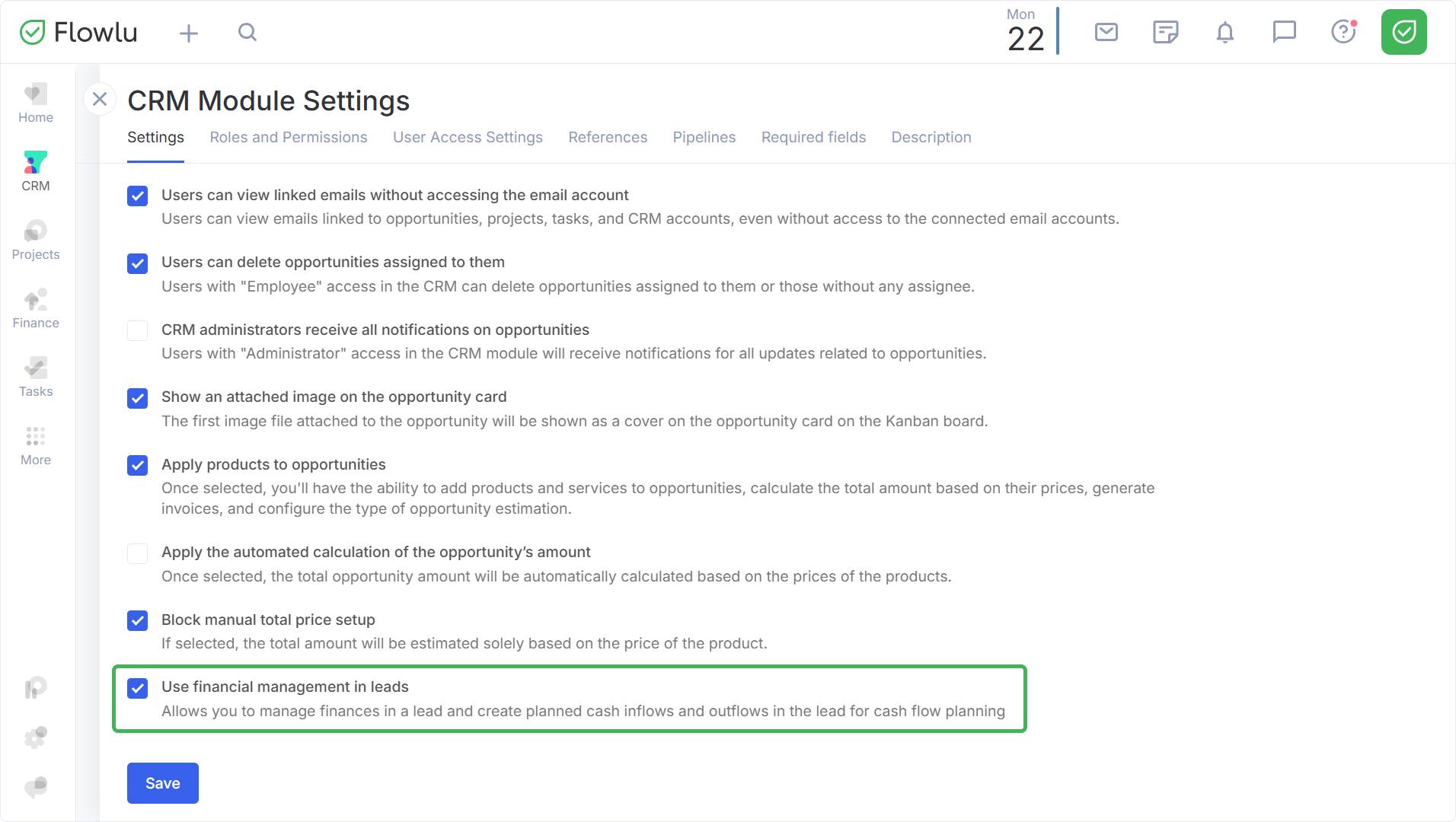
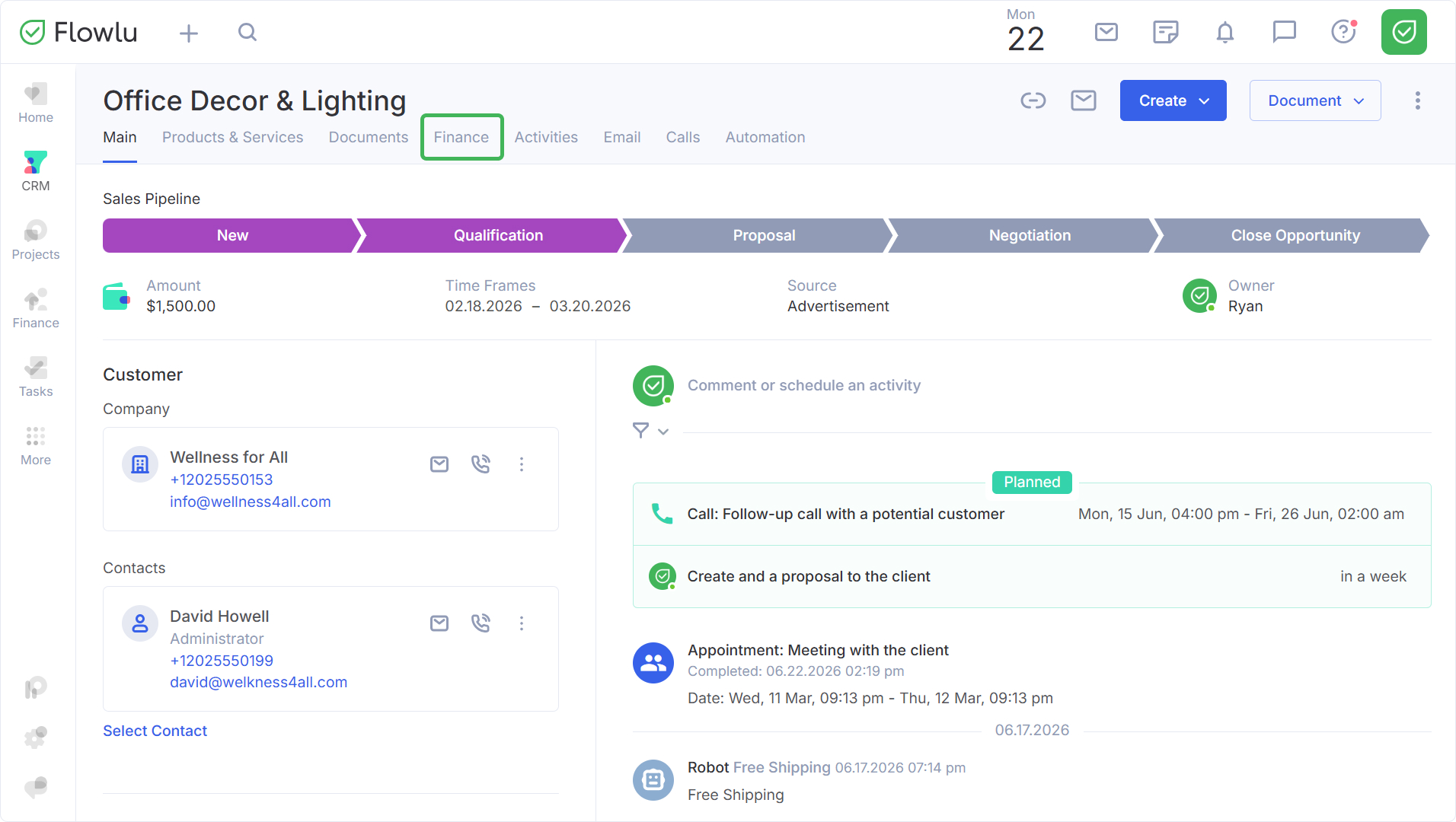
After this, a Finance tab will appear in the opportunity cards.
Who Can Access the Finance Tab
Both administrators and employees can keep track of revenues and expenses in opportunities. In the CRM module settings, you can configure access for specific employees.
You can read more about setting up access permissions in the Access Rights: CRM.
Using the Finance Tab
Go to the CRM section and select the desired pipeline. Open the opportunity card and go to the Finance tab.
Here you will find widgets comparing estimated vs. actual for revenues, expenses, and balance, as well as the profitability of the opportunity.
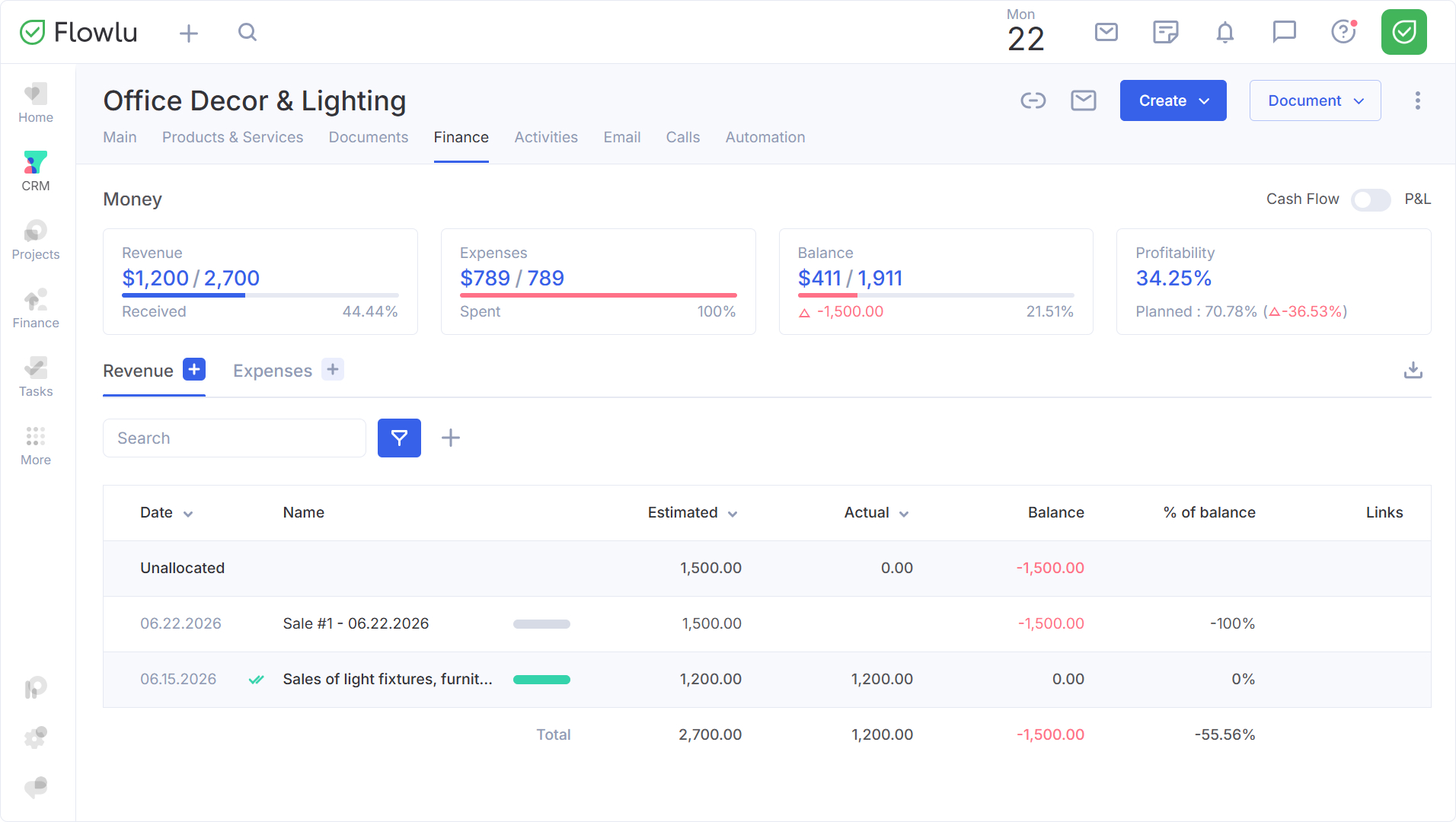
You can switch between Cash Flow and Profit & Loss reports using the toggle in the upper right corner.
- Cash Flow is needed to monitor if there is enough money to pay invoices and to avoid a cash gap;
- Profit & Loss helps to understand the real profitability of the opportunity – but only with correct and timely recording of expenses.
You can select the payment status when creating a revenue/expense entry.
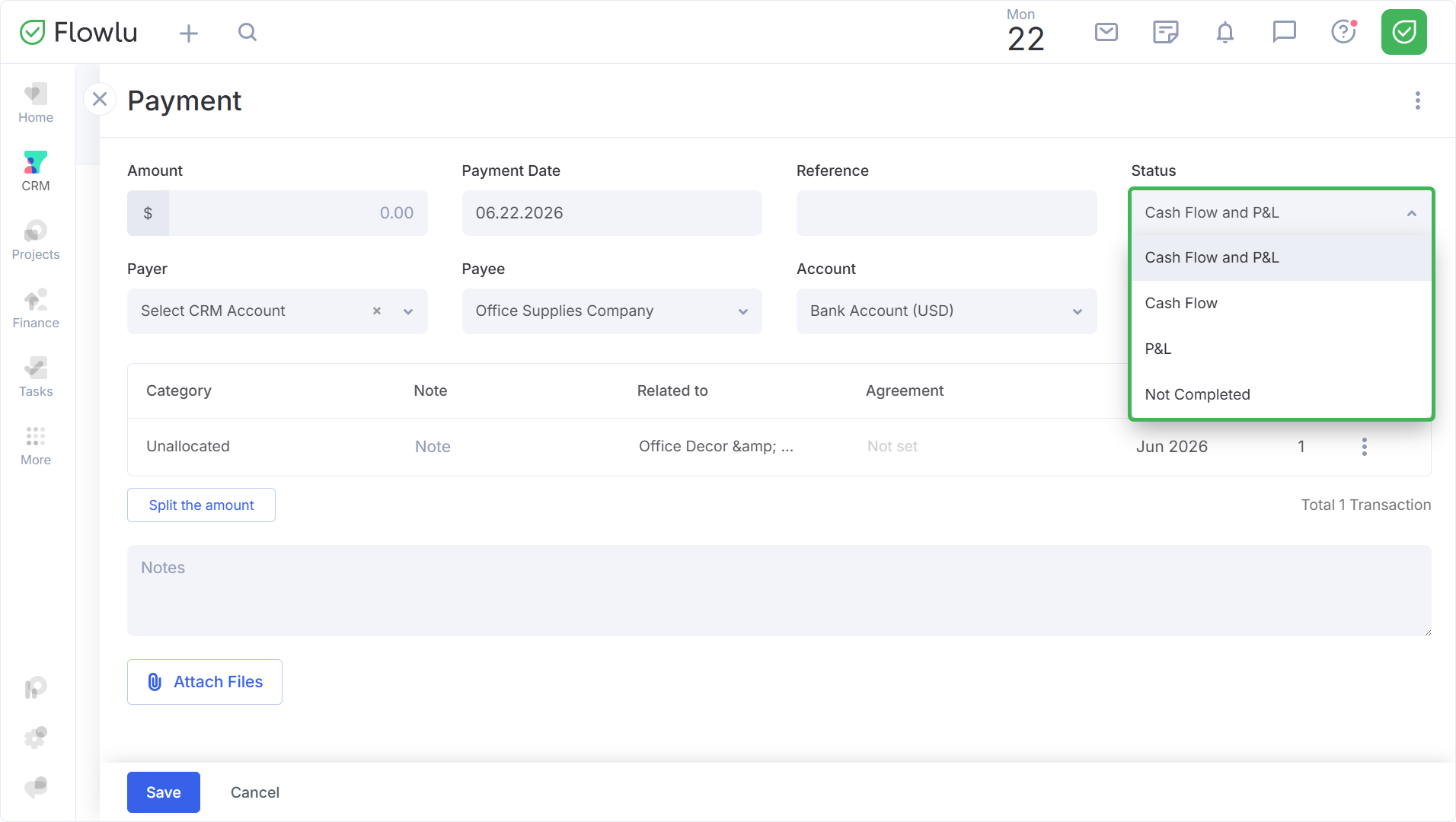
Revenue refers to all incoming financial flow from the client: payment for main and additional services and products within the opportunity.
Expense refers to all outgoing financial flow of the company; here you can track all costs within the opportunity.
In the table, you will find all revenue and expenses for the opportunity, as well as:
- Estimated — how much and when the revenue/expense should occur according to the plan;
- Actual — how much was actually paid/spent;
- Balance — the amount that has not yet been paid;
- % of balance — the percentage of the amount that has not yet been paid.
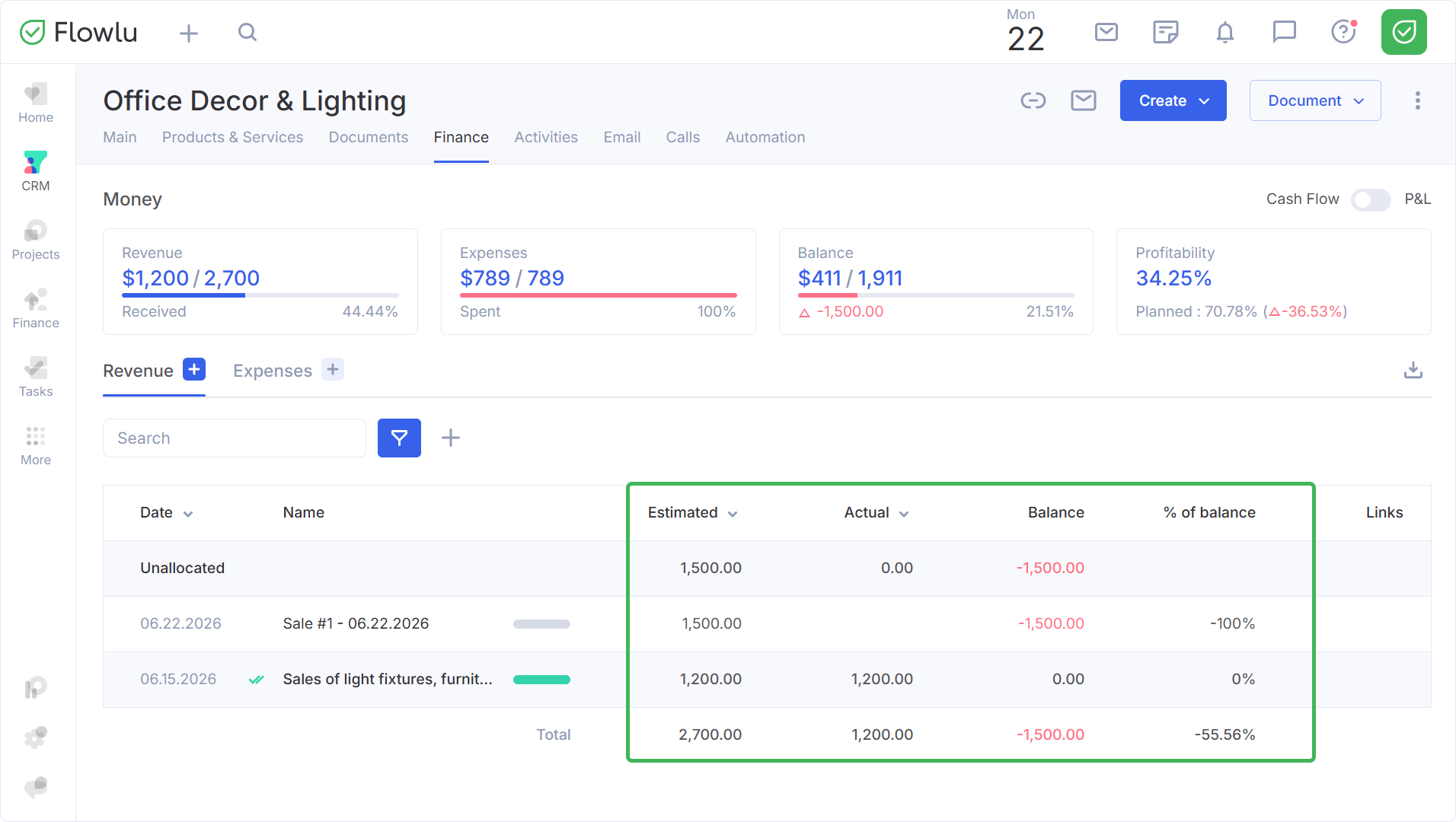
All recorded transactions will also be displayed in the reports in the Finance module.
