
Activity Feed
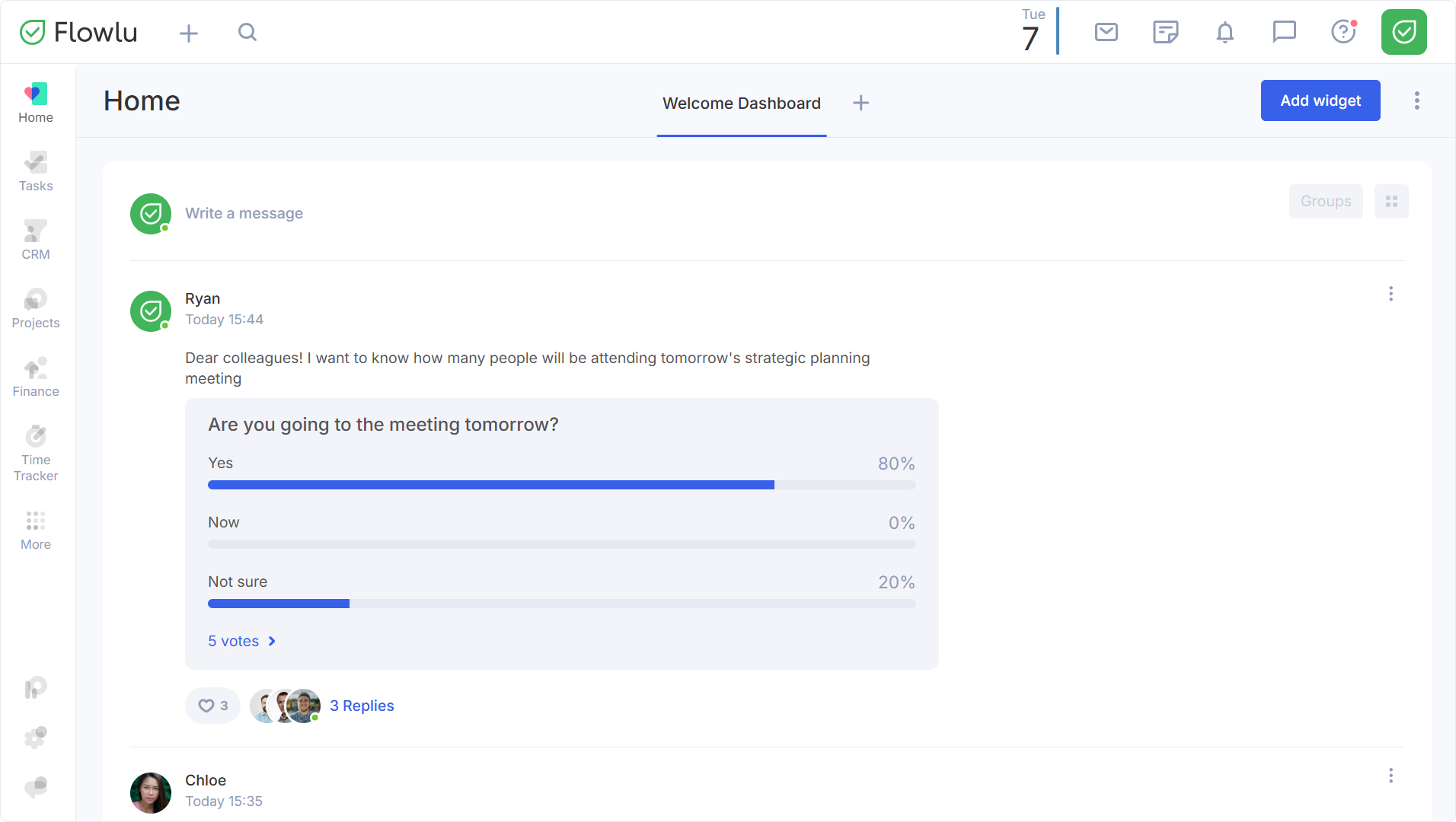
One of the widgets you can place on dashboards is the Activity feed. The activity feed shows the latest posts from your teammates. Any member of your team with access to the feed can leave a post, like, or comment on it.
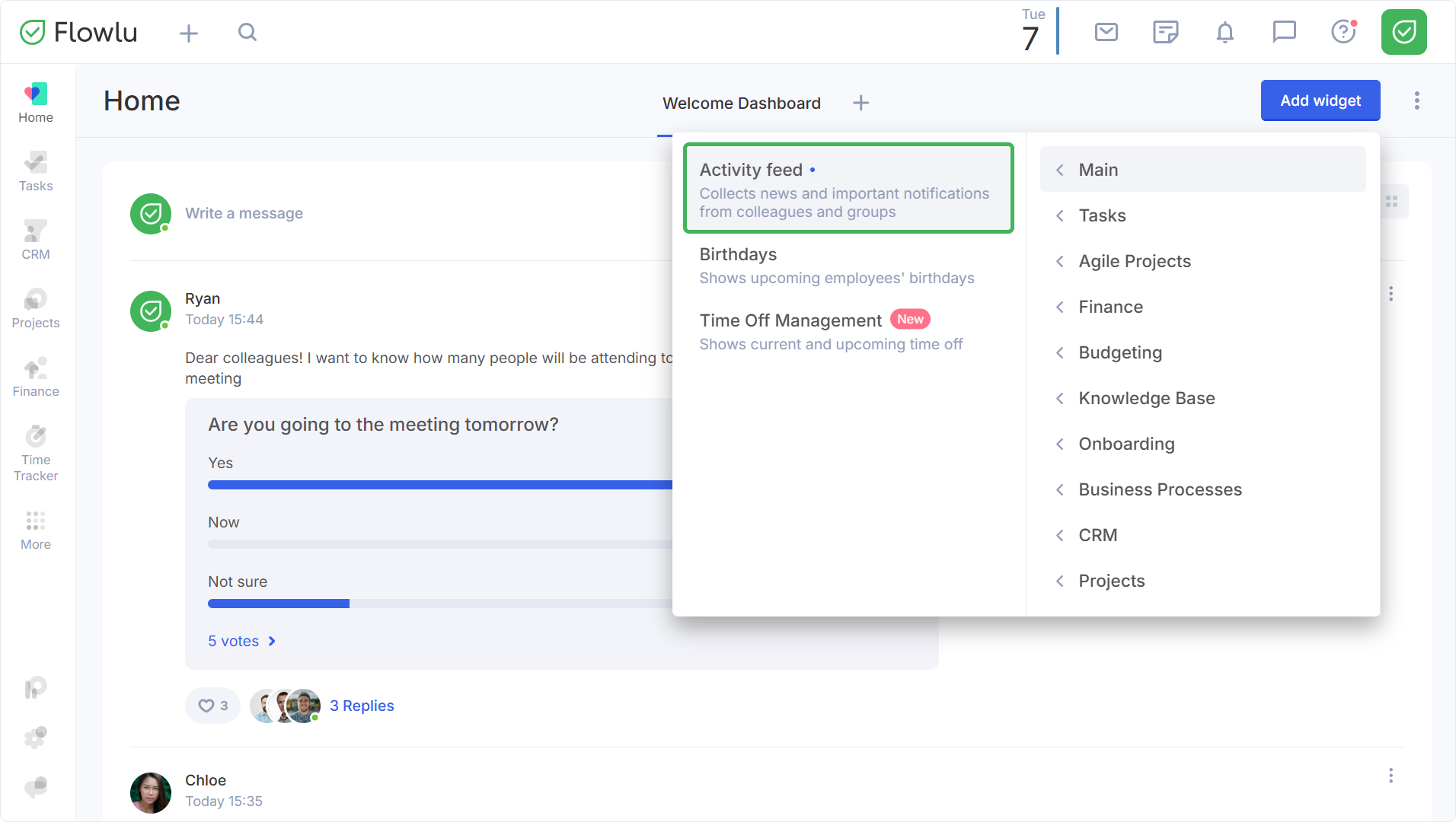
To add this widget to your dashboard, click the Add widget button → Main → Activity feed.
How to Segment Activity Feed for Groups
In Flowlu, you can create different groups (workspaces) for the company's departments. Each group has its own personal feed, but each post from a group's feed is also displayed on the main company feed. However, only users with access to this group can see these posts.
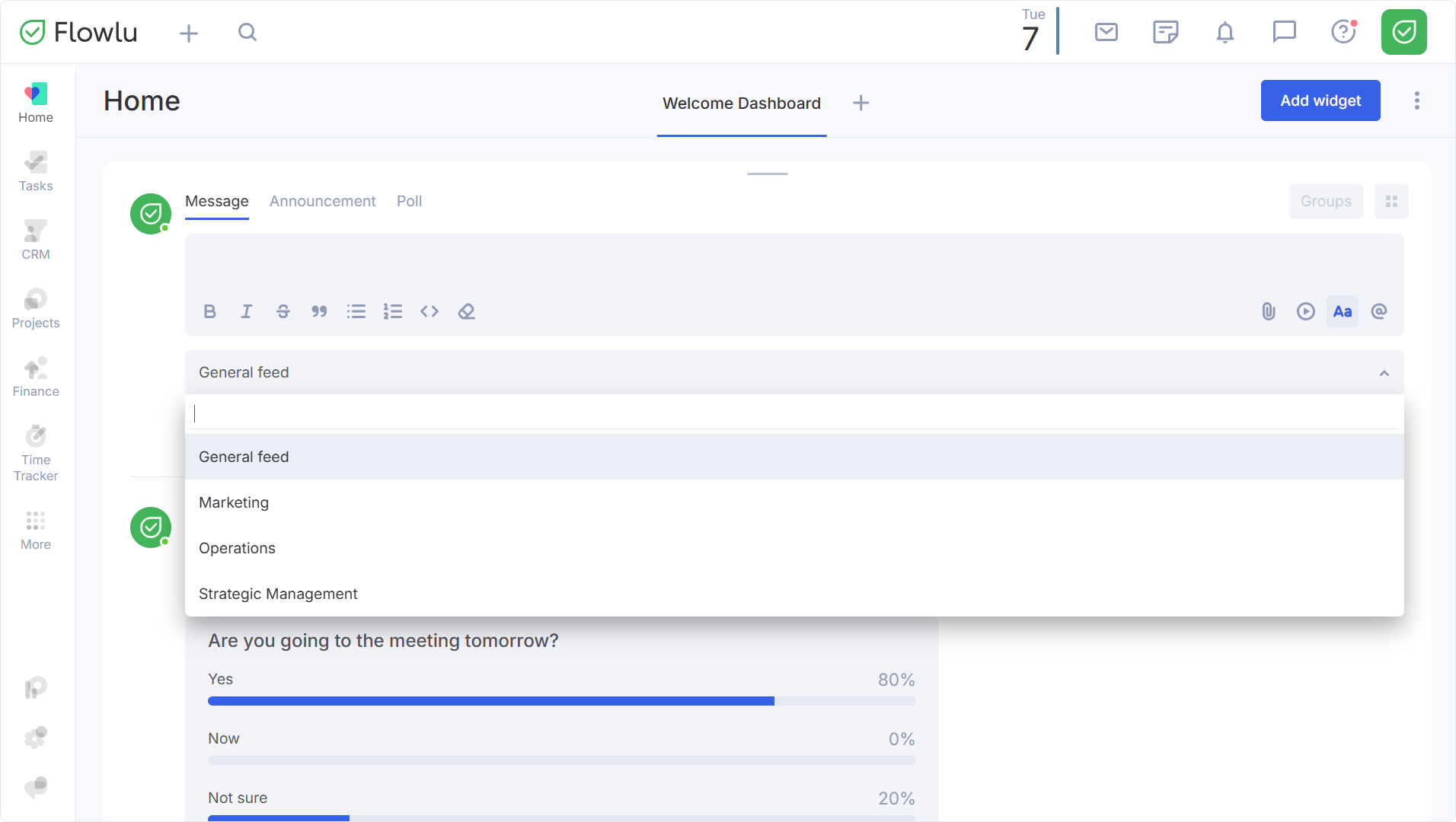
You can create posts for groups even via the main activity feed. To do that, just pick any type of post (message, announcement, or poll) and select the group from the drop-down menu. If you want the message to be available to everyone, pick the General feed option.
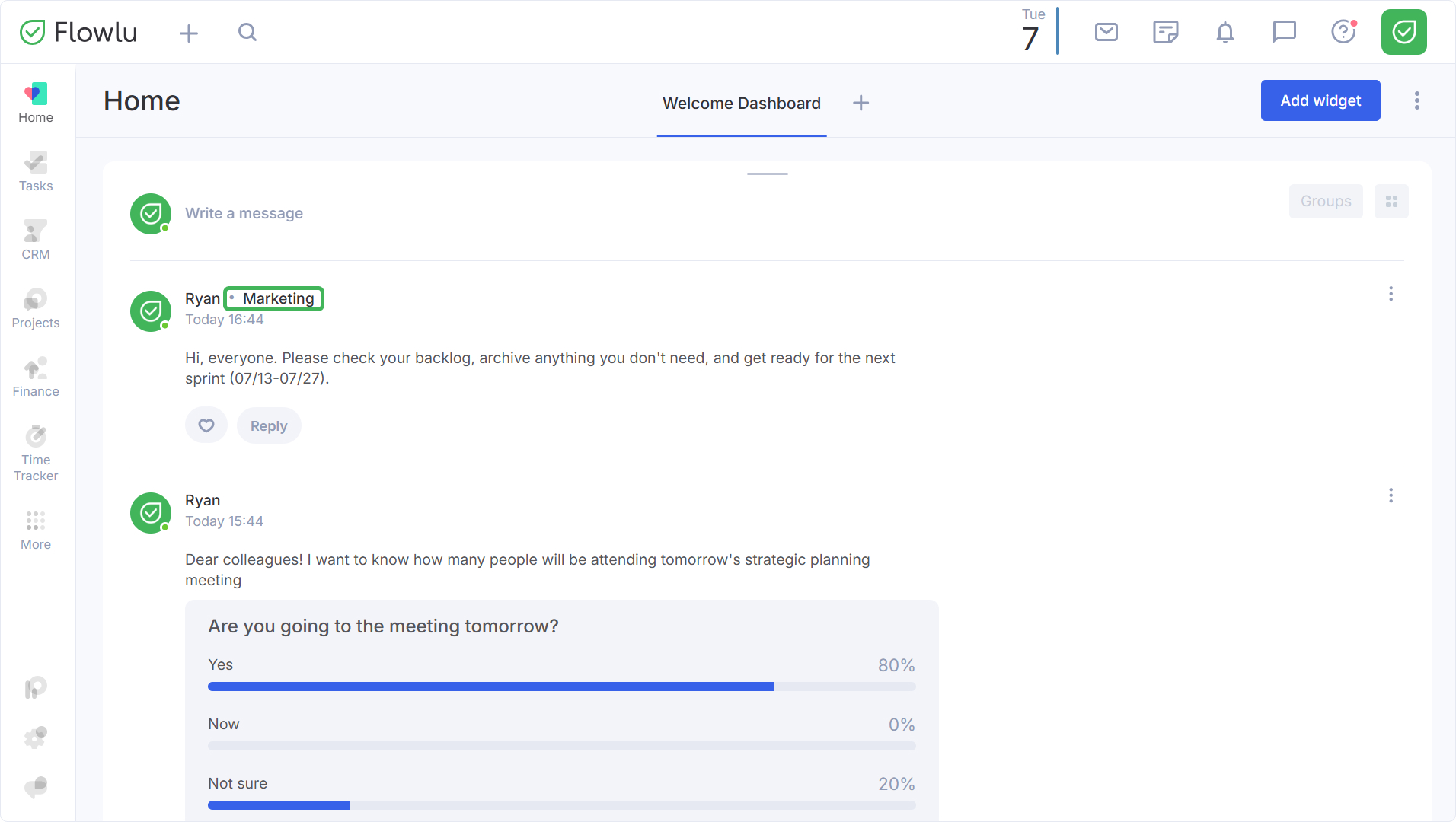
If the post is visible only to a specific group of users, the name of this group will be displayed next to the name of the employee who posted it.