
How to create a Project Workflow
To create a workflow, go to Projects → Project Workflows and click Create.
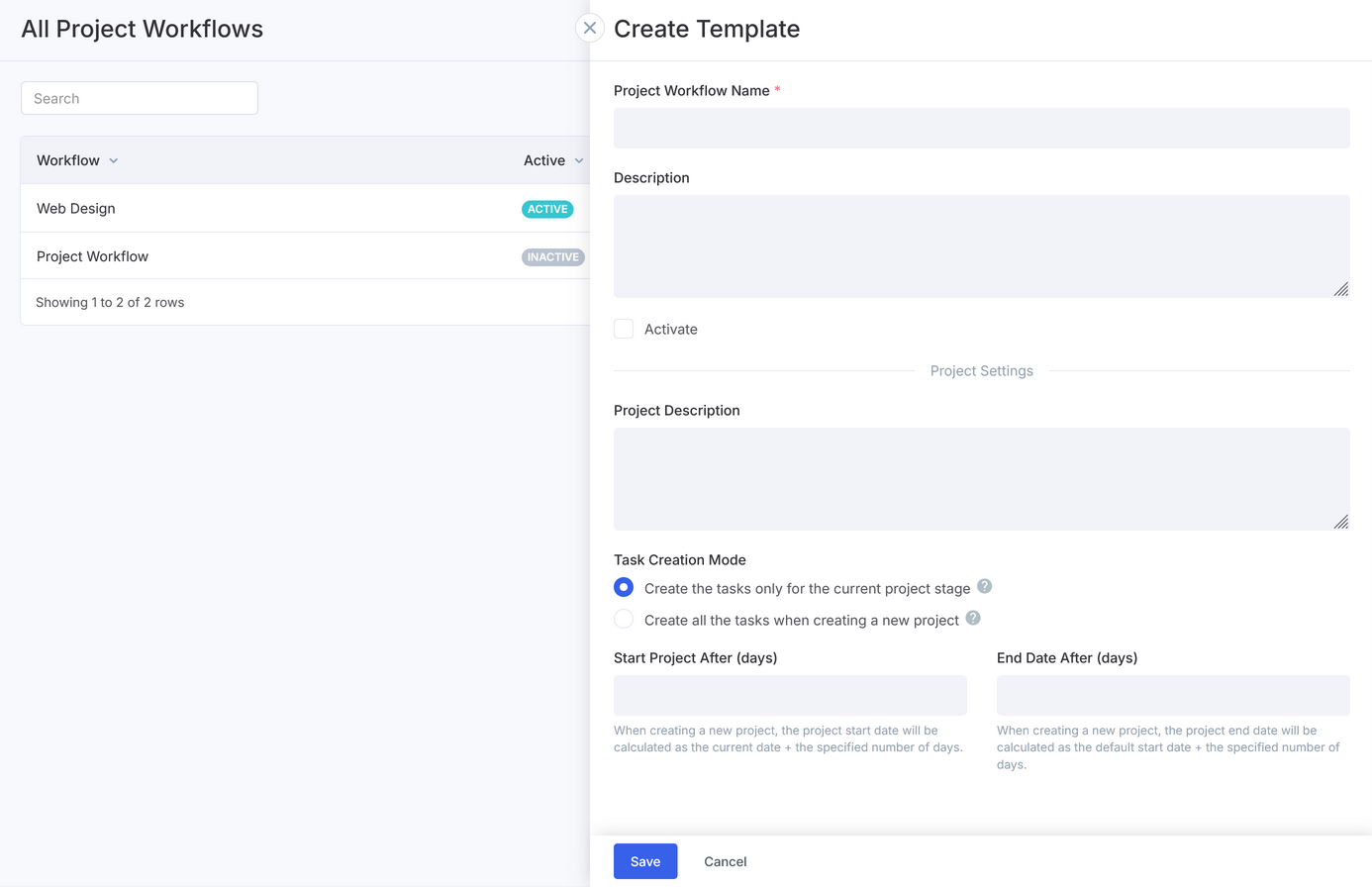
- In the opened window, specify the name of the workflow. The name will be displayed as a title on the Project Workflow Board. There might be several workflows — for each type of a project or an activity.
- Indicate workflow's description to explain its purpose. Here you can also pre-define your projects' description.
- Task creation mode lets you choose whether to create tasks only for the current project stage or all at once.
- You can also set up when your projects should start and end.
- Do not check the Activate option before you build your project workflow.
Once you enter all this information, click Save and start building your workflow.
Project Stages
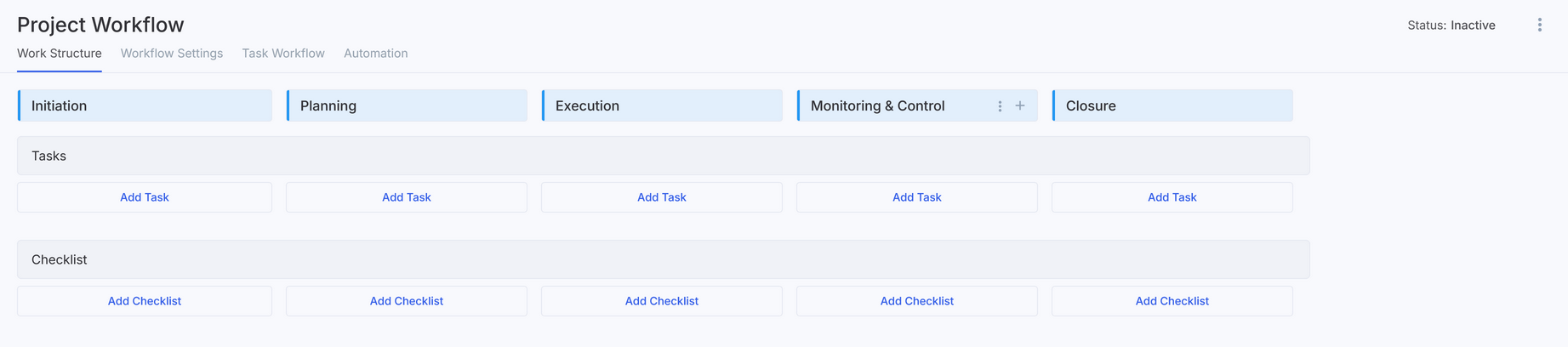
Workflows include five default stages aligned with PMBoK process groups: Initiation, Planning, Execution, Monitoring & Control, and Closure. These stages can be customized to suit your needs. For example, you can simplify the lifecycle to three stages or tailor it to specific projects, such as "In Queue," "Foundation," "Construction," "Finishing," and "Completion."
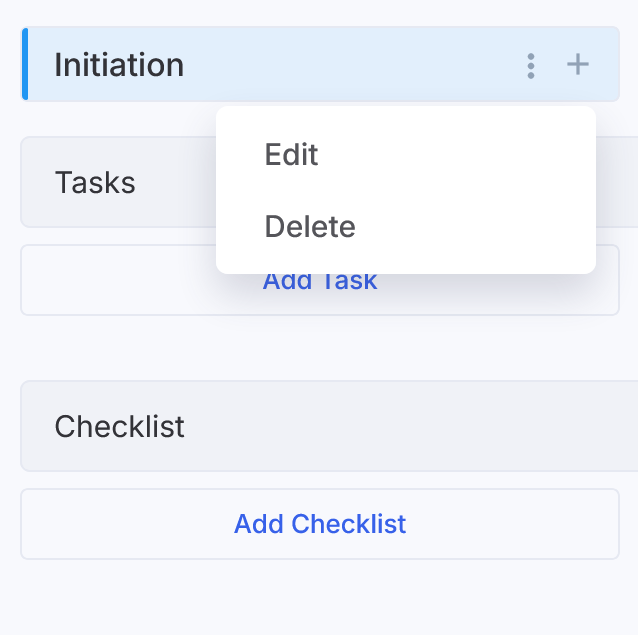
To modify stages, you can add a new one by hovering over an existing stage and clicking the plus icon, rename or delete stages through the context menu, and rearrange them using drag-and-drop.
Stages form a Kanban board where each stage is displayed as a column, and checklists appear within project cards to make progress tracking easier.
Stage Checklists
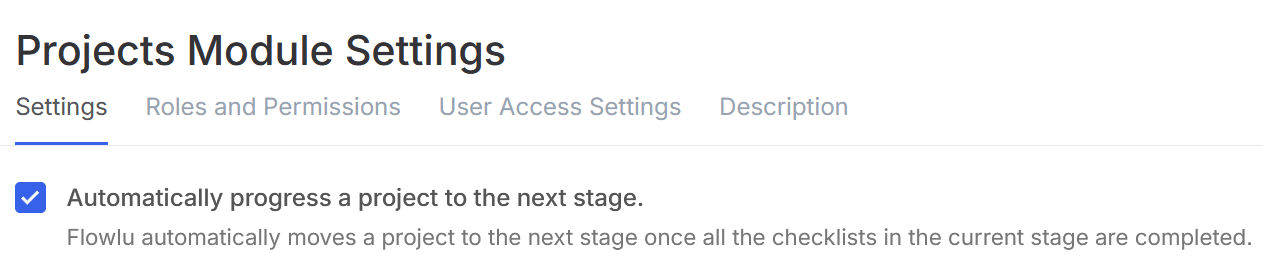
Checklists track the progress of each stage. Each item can include an assignee, a brief description, and a report. These items can represent tasks that don't fit standard categories or outcomes expected for a stage. You can also enable automatic stage completion when all checklist items are done.
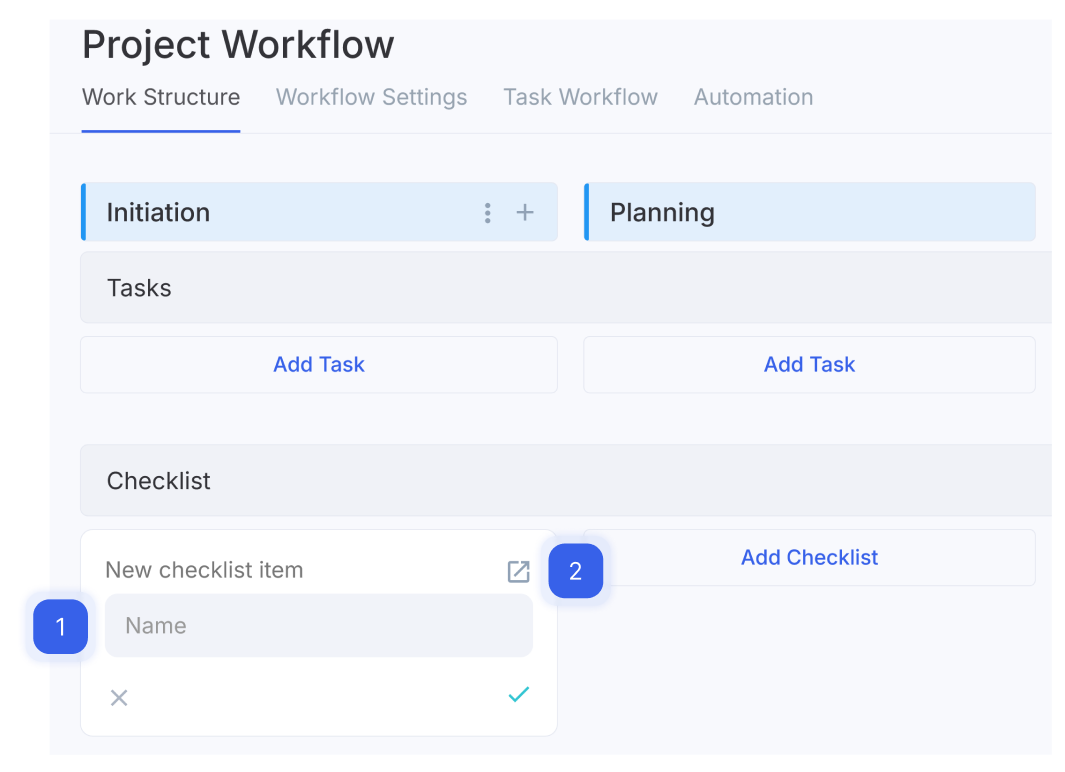
To add a checklist item, use the quick form by clicking "Add Checklist," entering a name (1), and saving it with Enter or the checkmark. For more options, use the advanced form (2).
Project Tasks
Tasks in workflows serve as templates for future projects. Any task field can be adjusted in individual projects without affecting the workflow.
To create a task:
- Go to the Tasks subsection.
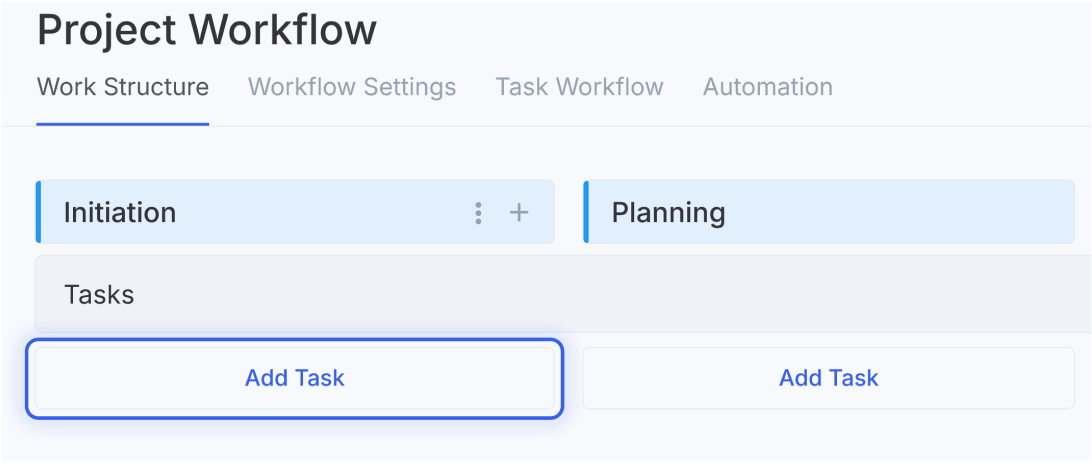
- Click Add Task.
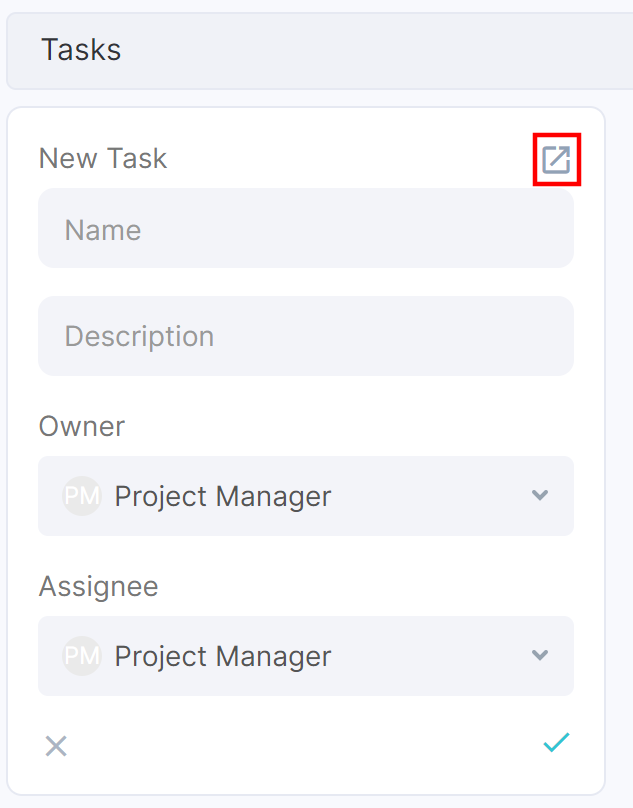
- Enter a name, description, owner, and assignee. Save it with Enter or the checkmark.
Note: Project Manager is a variable that will be replaced by the user — manager of each project created by the workflow. Changing this field (e.g., selecting another user) during the project execution will not affect the previous tasks performed. Changes will affect only future tasks.
A task can be created using the full form by clicking on the icon at the top right corner of the quick form.
You can set advanced parameters for a task in the full form. Learn more about creating task templates in our Knowledge Base article.
Workflow Settings
In the workflow settings, you can activate the workflow by checking the checkbox next to the corresponding option. You can also activate the workflow in the upper right corner by clicking on the corresponding button.
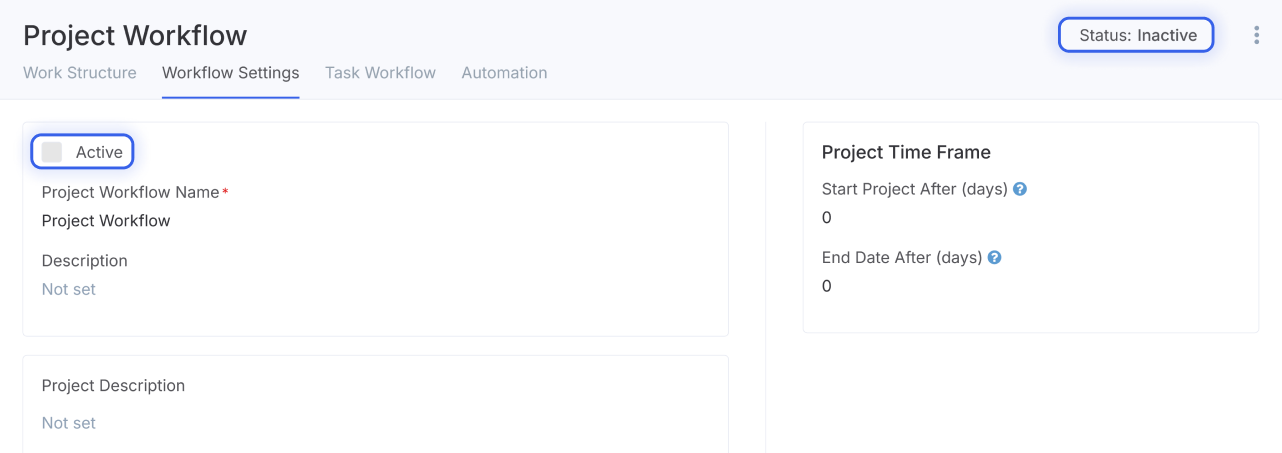
When you make changes to a project workflow, for which you have already created projects, and reactivate it, you can choose whether you want to apply the changes to all existing projects or not. Please note that if you select this option, the changes will affect all the projects created by this workflow. If you make changes to the task template, only the following fields can be modified for the existing project tasks: stage, checklist, name, description, estimated time, task order.
Task creation modes include two options:
- Create the tasks only for the current project stage. Tasks for each stage are created as the project progresses to that stage.
- Create all the tasks when creating a new project. Tasks for all stages are generated immediately, and notifications are sent to assignees.
Project Time Frame — preset start and end dates of the project relative to the moment of its creation.
Making changes to workflows
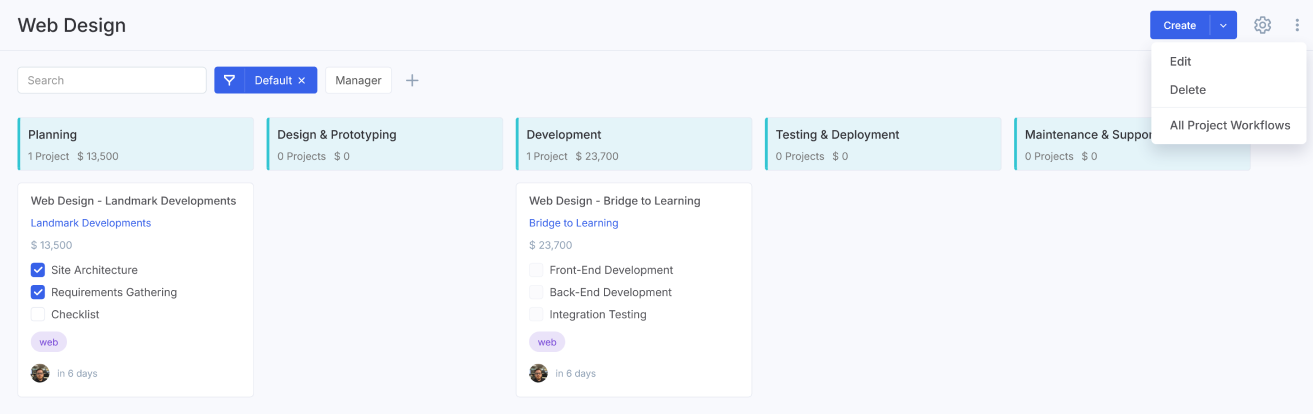
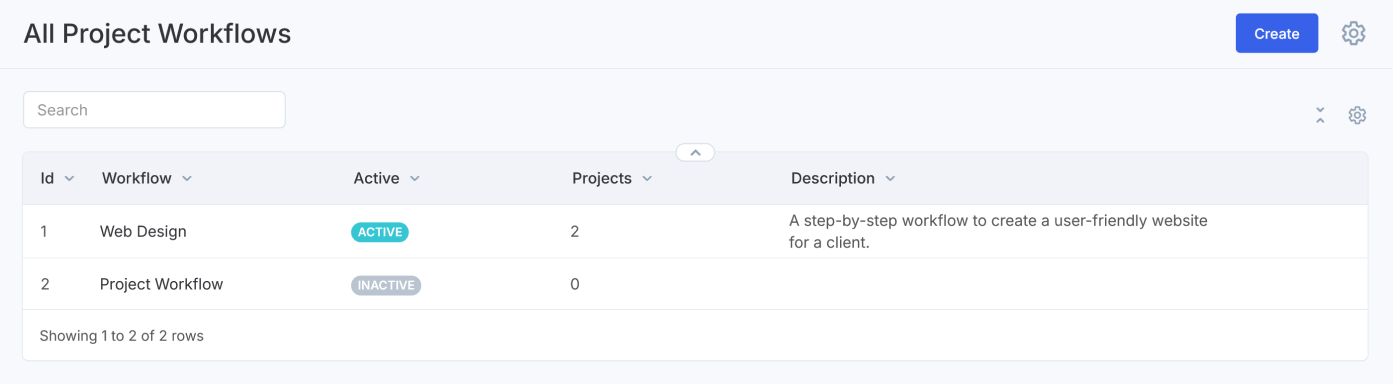
You can edit, delete, or view all project workflows by clicking the three-dot menu in the upper-right corner and selecting the desired option.
Here you can see a table with data on the number of created projects by this workflow, description, Workflow ID, and activity status of the workflow.
Note: It is not recommended to change a workflow of a created project, as the connection between the completed tasks and the project will be lost.
How to create a project based on a workflow
To create a project from a workflow, go to Projects → Project Workflows, click Create in the upper-right corner, and select a workflow.
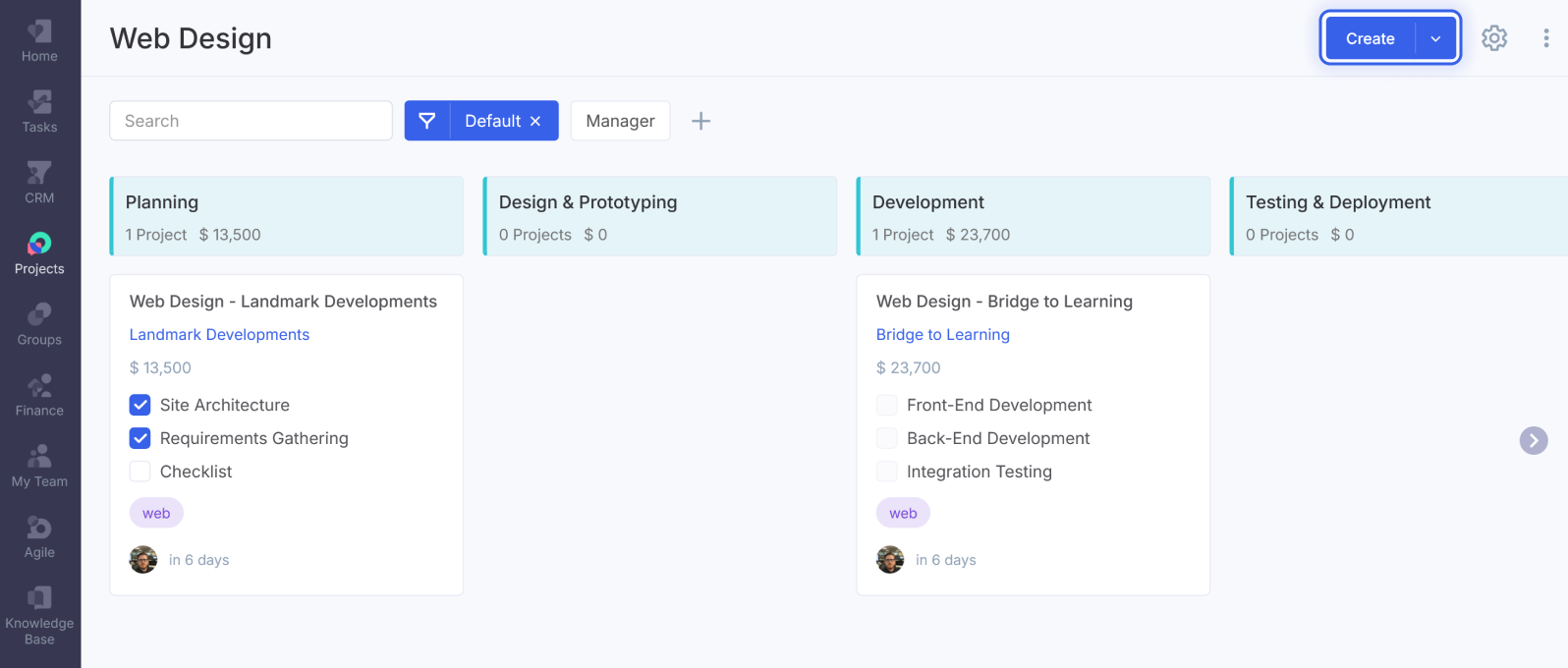
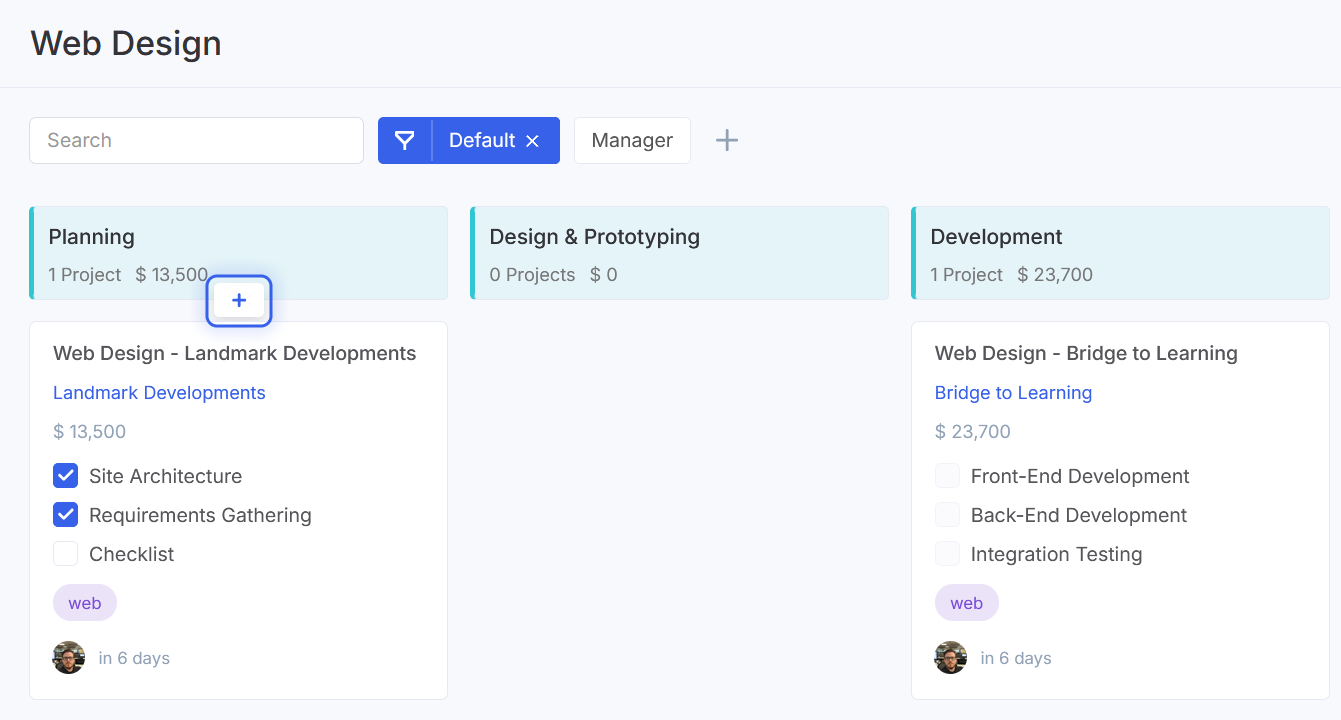
You can also create a new project directly from the first stage of the workflow. Hover over the first stage, click the "+" button, enter the project name, set the start and end dates, and select the project manager.