

Create a Workflow based on a Project
If an existing project structure proves successful and needs to be replicated in the future, there is no need to manually transfer tasks, milestones, and dependencies into a template — you can convert an existing project into a template with a single click.
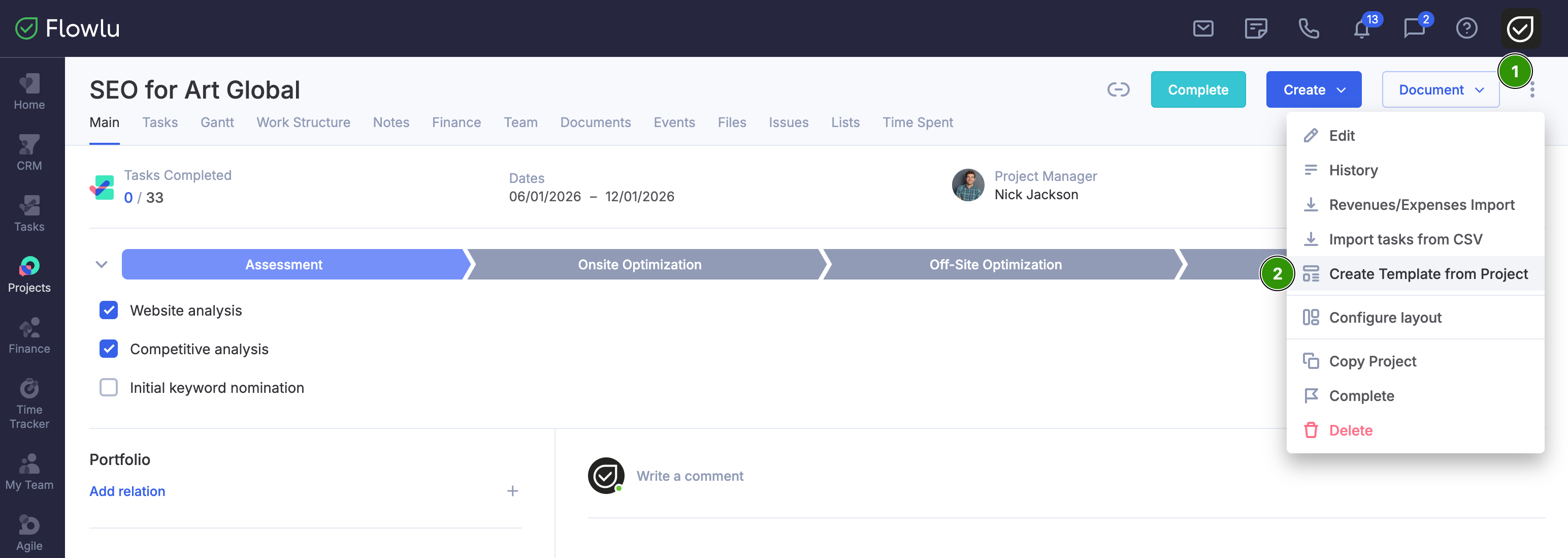
To create a template from a project, navigate to the Projects app in the left-side menu and open the detailed view of the target project. Click the three dots in the top-right corner (1) and select Create Template from Project (2).
The template creation tab will open, fill out the required fields and click Save.
