

Creating an Invoice for an Opportunity
In Flowlu, you can create payment documents within opportunities without going to the Finance module. Invoices can also be issued as actual revenue for an opportunity.
Please note the following features of invoices in opportunities:
- An invoice can be linked to several Estimated Revenue entries.
- Invoices not linked to Estimated Revenue are counted in the estimated vs. actual report for opportunities as estimated by the Due Date;
- You can link pre-created products and services to the invoice — they will be pulled from the Catalog section.
Creating an Invoice in an Opportunity
An invoice in an opportunity can be issued in several ways:
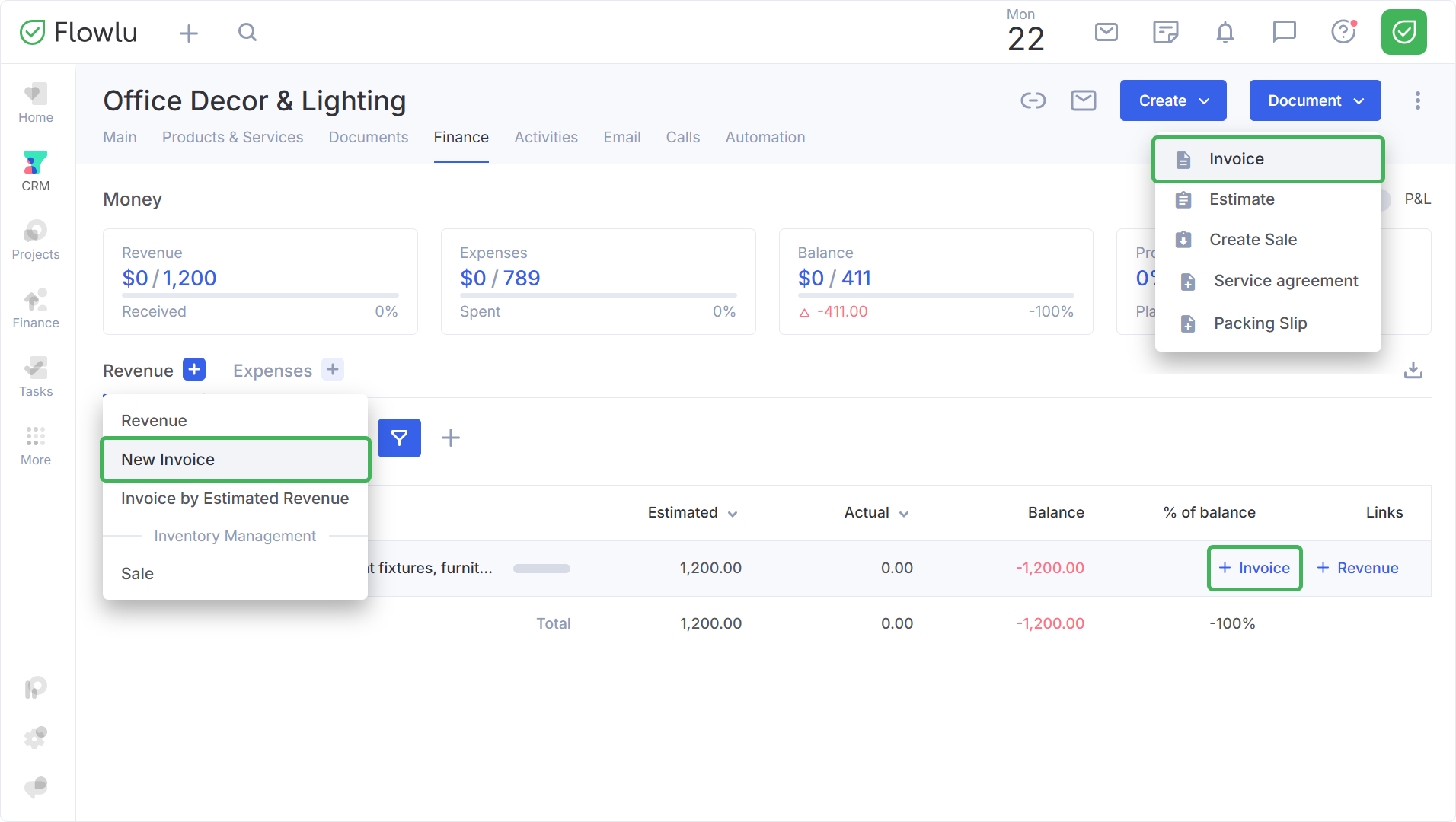
- In the Opportunity card: Go to the "Finance" tab, click the "+" button, and select "New invoice."
- Via Estimated Revenue: Hover over an existing estimated payment and click "+ Invoice."
- Via the “Document” button: Create the invoice directly from the drop-down menu.
Fill in the form. When you create an invoice for an opportunity, it is issued to the opportunity customer by default. You can change this manually.
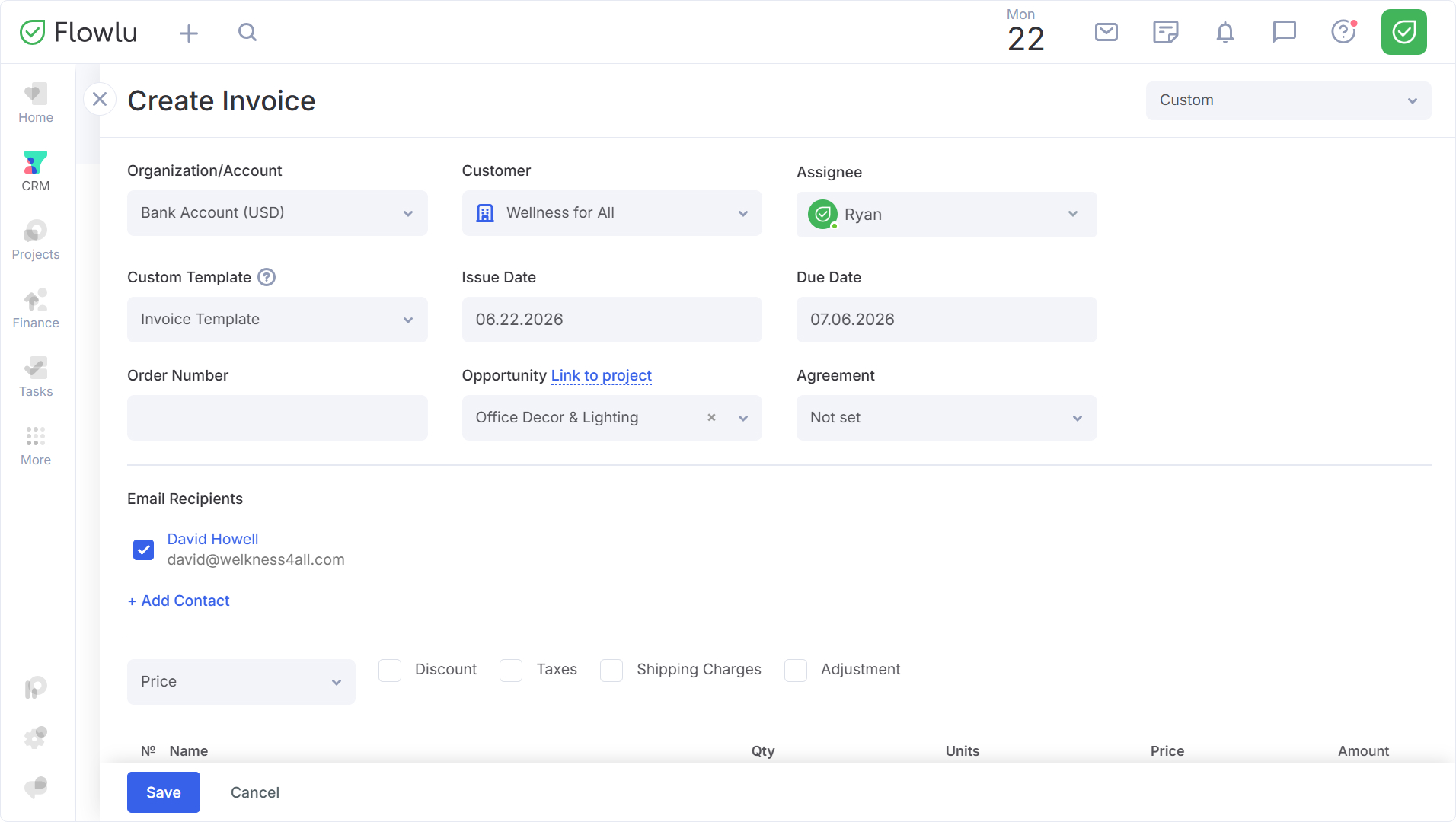
You can read more about working with invoices in the Invoices section.
After saving the invoice, the invoice will open immediately.
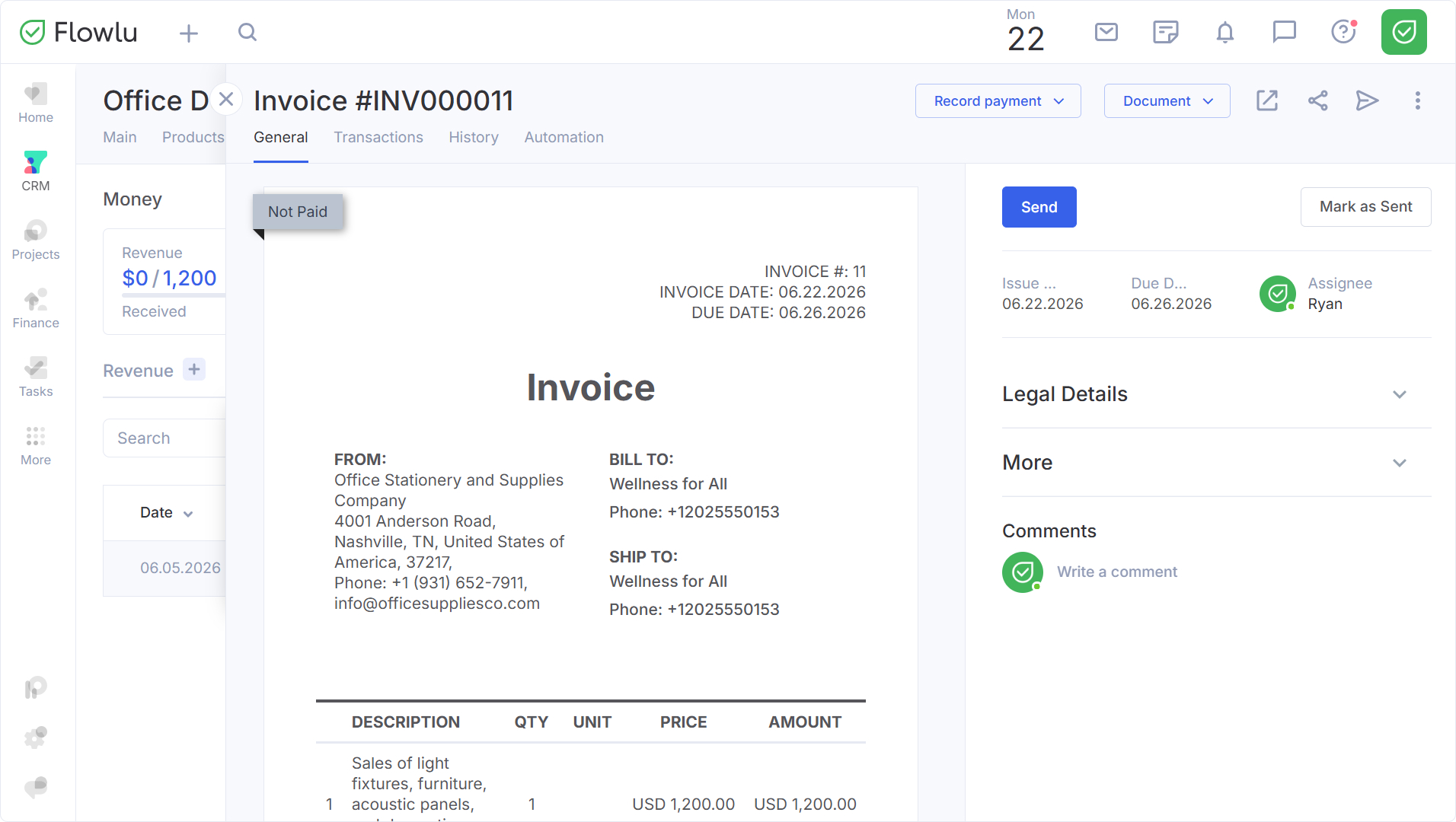
Once the payment is processed in the Finance module under the Money section, a payment document will be created.
