8 Best Quoting Software in 2026


You’re still using manual quoting, and the numbers don’t match. When you look at your spreadsheets, the one you really need has crashed. A familiar picture?
The truth is that this situation is, many times, a reality for small businesses. The owners of these businesses have a tight budget and believe they can save a few bucks by continuing with manual quoting. But instead of saving costs, they are actually losing clients. So, it’s time to stop this and start using quoting software.
What Is Quoting Software?
In general, quoting software is a tool that helps you generate both quotes and proposals. The basic solutions only focused on pricing, formatting, and sending quotes quickly.
But you may also encounter CPQ, or Configure-Price-Quote software. We should clarify that this development goes a bit further than typical quoting software. It’s designed to help companies configure complex products or services. With CPQ, salespersons or managers can apply dynamic pricing rules and create more detailed and personalized proposals.
When you use this kind of tool, you don’t need to keep looking at old spreadsheets or adapt quotes for more complex products by yourself. The software automates pricing logic, calculations, and document generation, reducing hours of manual work to minutes.
As you can see, this software improves and speeds up your sales process and at the same time ensures consistency, accuracy, and a high-quality customer experience.
How Does this Quoting Software Work?
As we’ve just mentioned above, quoting software transforms your manual quoting into automated. The system takes care of all the details with just a few clicks.
Step #1: Choose the Products or Services
The first thing sales reps need to do is select the products or services that the client wants to buy. After this, the software displays the item details, client data, and pricing information. All this data CPQ retrieved from your database or CRM.
Step #2: Add Prices & Discounts
In this step, the sales reps need to add any volume discounts and tiered or custom pricing, using the rules that were predetermined.
The best sales quoting software usually has dynamic pricing tables that can actually determine the prices automatically based on your previous configurations or options.
Step #3: Get a Quote
After the software gets all the data it needs, it generates a quote for the client. The system uses a simple and easy-to-use drag-and-drop editor or a customizable template for that.
This way, all the quotes that you handle will go with the same professionalism and consistency.
Step #4: Don’t Forget the Internal Approval
At this stage, the hardest part is already done. However, you still need the approval of the finance team or your manager before sending the quote.
Step #5: Use E-Signature
To make sure the process remains fast and simple to your client, you should send the quote to him (after approval) using e-signature. This avoids all the paperwork that is really unnecessary.
Step #6: Convert the Quote into an Invoice
Once your estimate is ready, the only thing left to do is convert the quote into an invoice and send it to the customer.
Converting quotes to invoices in Flowlu
- Go to the Finance module and click the + button next to the Invoices category.
- Choose the invoice template, tie it to the necessary project, and add items with quantity and price.
- Add discounts, taxes, shipping charges, or adjustments as needed.
- Write additional information for terms and conditions if required.
- Fill in any other necessary fields.
- Send the invoice to the contact.

7 Benefits of Using the Best Quoting Software for Business
- Accelerates quote creation by eliminating repetitive manual work
- Minimizes pricing mistakes through automated calculations and rules
- Ensures every quote looks polished, accurate, and on-brand
- Shortens sales cycles with instant delivery and integrated eSignatures
- Makes teamwork easier with shared templates and approval workflows
- Boosts close rates by enabling faster, more precise responses to buyers
- Gives real-time insight into quote progress and sales effectiveness
13 Features Only the Best Quoting Software Tools Include
When you’re looking to determine what the best quoting software is, it’s important to confirm that it comes with the following features:
#1. Easy to Use
Building quotes is a regular process. So, it needs to be fast and intuitive. This means that the software you choose should allow you to use pre-customized templates or have a drag-and-drop system that allows sales reps to be fast. It should also save progress automatically, without requiring you to start from scratch each time.
#2. Price and Product Customization
The tool should allow you to easily access your current products and prices.
#3. Automation Is Crucial
Automation is what makes this kind of tool work so efficiently and accurately. You want to make sure it handles all calculations for you, from discounts and taxes to fees and totals.
#4. Customizable Templates
You want to ensure that your quotes always have a consistent layout. Look for software that allows you to personalize your documents without any extra fees, giving you complete control over them.
#5. eSignature
While it’s perfectly fine to keep using paper, it tends to slow down a process that could take just a few minutes.
#6. Integrations
Integration with the CRM that you are already using is crucial. The quoting software needs to retrieve data from your CRM to generate the quote. This makes the process easier and more efficient, as everything can be done within the same platform.
#7. Collaboration Tools
Your teams need to keep working together to ensure that your quotes are always up to date. This means that the software you choose should include some features like editing permissions, internal comments, and version tracking, among others.
#8. Approval Workflows
To ensure there are no errors or mistakes, you need to be able to define specific rules for deal sizes, pricing adjustments, and discounts.
#9. Analytics & Reporting
Getting analytics and reporting is always important. After all, you want to get insights about your close rates and quote performance. This can help you improve your sales process.
#10. Strong Security
The software that you pick should come with security certifications and encryption. If you operate in regulated industries, ensure the software meets compliance requirements such as GDPR or HIPAA.
#11. Cloud-Based Software
As you’ll see below, some quoting software is web-based, while others are cloud-based. The latter is usually better because you can access all your data in real time, no matter where you are.
#12. Look for Free Trials or Demos
The best quoting software has a free trial available or a demo. It’s a great opportunity to check out the platform before you commit to it.
#13. 24/7 Customer Support
You never know when you’re going to need help. Even though most quoting tools are easy to use, problems can appear, especially in the beginning. So, make sure that you have someone to help you when in need.
The 8 Best Customer Quoting Software in 2026
With so many quoting tools on the market, it may be a bit hard to choose the best one for you.
We handpicked the best ones in 2026 to save you time. Many of them are not full CPQ systems but are often referred to as such.
To find out what’s the best software for quoting work, consider the next tools:
#1. Flowlu
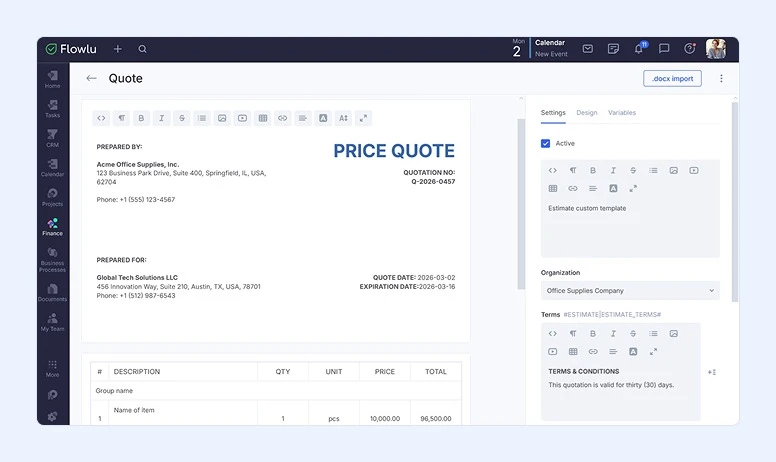
Best for: Growing teams and service-based businesses that want to manage the entire sales cycle (from first contact to payment) in one system.
Flowlu is an all-in-one system that incorporates essential tools for business management. It’s not just a standalone quoting tool, but a platform for comprehensive management of business processes and budgeting.
With customizable templates, built-in CRM data, and automated document tracking, Flowlu helps teams create accurate quotes faster while keeping everything aligned with their sales pipeline and financial records.
Key Features:
- CRM-Based Quote Creation: Create professional quotes directly from CRM deals or contacts (no duplicate data entry).
- Ready-to-Use Templates: Build unique quotes for your business with customizable logos, colors, images, and branding.
- Product/Service Catalog: Add predefined items, apply taxes, discounts, and shipping cost automatically.
- Multi-Currency Support: Prepare quotes in different currencies and languages for international clients.
- One-Click Invoice Conversion: Convert quotes into invoices with a single click.
- Easy Distribution: Share documents via email, link, or messenger.
- Document Status Tracking: Monitor the lifecycle of your quotes—sent, viewed, or accepted.
Pros:
- All tools are in one place with easy and convenient interaction
- Extensive customization options
- Supports multiple payment systems like PayPal, Cloud Payments, Skrill, and more
- Multi-currency support
- Forever free plan available for 2 users
- Affordable for small teams, scalable for growing businesses
Cons:
- Interface currently available in 3 languages
- Some advanced automation features are limited to higher-tier plans
Pricing:
Flowlu offers 4 plans: Free, Essential, Advanced, and Ultimate. Paid plans start at $9 per user per month, making it one of the more cost-effective all-in-one solutions in this category.
#2. Salesforce CPQ
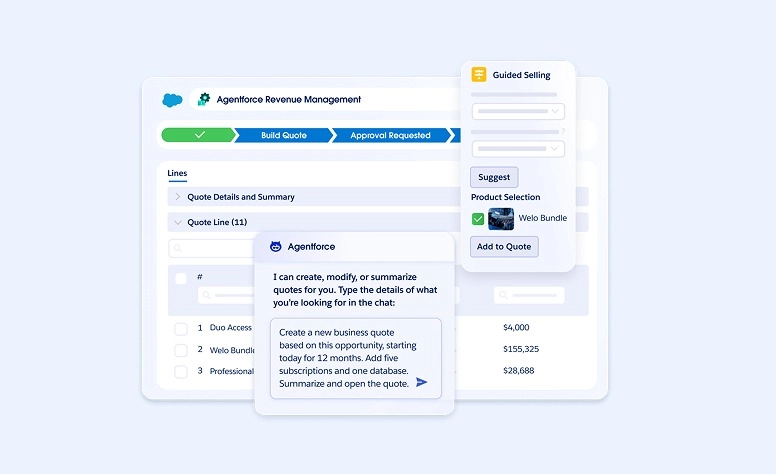
Best for: Large businesses and enterprises that need to handle complex product catalogs, dynamic bundles, and tiered pricing.
Salesforce CPQ software is just one of the many products Salesforce offers. This one, in particular, was specifically designed to help you with 3 different processes: quoting, pricing, and billing.
With this tool, the sales team can automate the entire process easily. You don’t need manual entry. All the pricing rules and customer data remain accurate across the different departments.
Key Features:
- Smart deal guidance: Walks sales reps through product selection and pricing logic so quotes are built correctly the first time.
- Controlled discounting: Automatically routes deals through approval paths and enforces pricing thresholds to protect margins.
- End-to-end revenue flow: Brings proposals, contracts, and invoicing together in a single connected system.
- Flexible pricing engines: Handles advanced pricing scenarios like tiered, consumption-based, or contract-driven models.
- Native CRM connectivity: Keeps customer, deal, and financial data synchronized across teams and systems.
Pros:
- Powerful automation designed for large, complex sales organizations
- Tight alignment between CRM, quoting, and revenue operations
- Built to support highly configurable products and non-standard pricing structures
Cons:
- Requires more onboarding time for new users
- Implementation and licensing costs are higher than typical small-business solutions
Pricing:
The company only offers two different pricing tiers. The basic one costs $75 per user per month, and the more expensive one costs $150 per user per month.
#3. Bitrix24
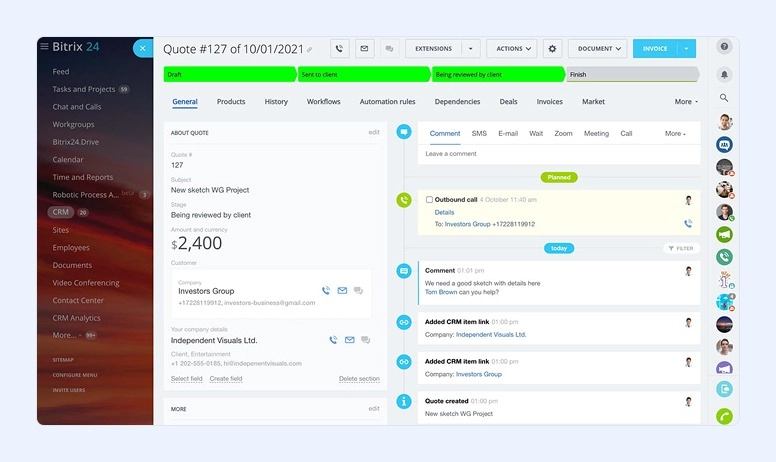
Best for: Small and mid-sized businesses that are looking for an affordable solution.
Bitrix24 is more than a simple quoting software; it is also a CRM. It’s a great solution for small businesses because here you can manage customer relationships, streamline their sales processes, and get automatic quoting—all within one solution.
With Bitrix24, your sales team can easily manage leads, create quotes, and close deals faster than ever. Since this is also a CRM, you have the option to use custom pricing, with invoices syncing automatically, making your job a lot easier.
In addition, it integrates with different payment gateways, such as Stripe and PayPal, ensuring that your clients can pay instantly.
Key Features:
- CRM-driven quoting and billing: Create, modify, and deliver quotes and invoices without ever leaving your CRM.
- Built-in payment processing: Accept payments quickly through integrations with Stripe, PayPal, and other providers.
- Automated sales workflows: Removes manual follow-ups by triggering approvals, reminders, and deal updates automatically.
- Centralized document hub: Keeps all proposals and quotes organized, searchable, and trackable in one place.
- Flexible deployment options: Available as a cloud solution or on-premise installation to match your IT requirements.
Pros:
- Combines CRM, quoting, and invoicing into a single platform
- Cost-effective for growing small and mid-size sales teams
- Highly configurable dashboards and automation features
Cons:
- The user interface may feel overwhelming for first-time users
- Performance can slow down when working with very large data volumes
Pricing:
Bitrix24 is available for free and also has multiple pricing plans that vary between $61 and $499 per month, depending on your needs.
#4. Scoro
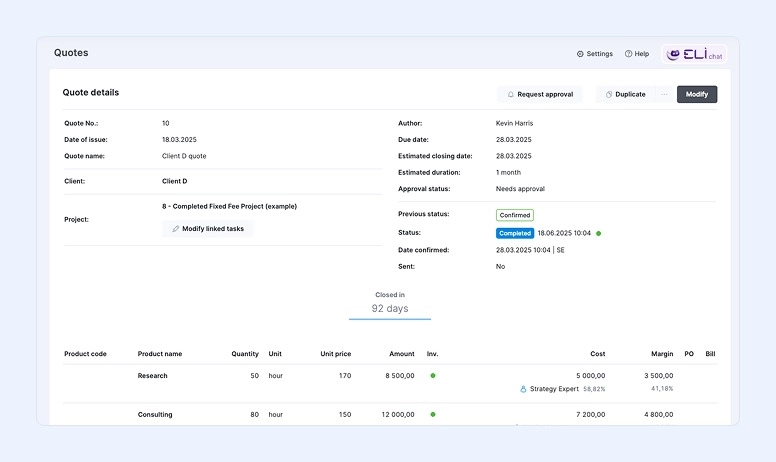
Best for: Service-based businesses, consultancies, and agencies.
Scoro is one of the best customer quoting software for agencies looking to streamline proposals and pricing. It’s another great solution when you’re looking not only for quoting software but also for an entire business management system.
After all, this tool comes with quoting, invoicing, project tracking, and reporting.
One of the things that makes Scoro different from the other software listed here is that you can actually take a look at your budgets, sales, and even profitability in real time.
With Scoro, your sales team will be able to create their own quotes, and they can send them for e-signature, making the process a lot quicker.
Key Features:
- Quote-to-workflow conversion: Instantly transform approved proposals into active projects or task lists.
- Global pricing support: Build quotes in multiple currencies to easily serve international customers.
- Integrated time and cost tracking: Log billable hours and tie them directly back to specific quotes or engagements.
- Real-time analytics: Gain live visibility into revenue trends, team capacity, and overall performance.
- Connected business systems: Integrates smoothly with CRM and accounting platforms like HubSpot, Xero, QuickBooks, and others.
Pros:
- Unified platform covering sales, project delivery, and invoicing
- Robust analytics and reporting for data-driven decision-making
- Well-suited for professional services firms and agencies
Cons:
- New users may need some ramp-up time
- Can be more feature-rich than necessary for very simple sales workflows
Pricing:
The Scoro pricing varies between $26 and $63 per user per month. However, the company also offers a custom price plan.
#5. Quotient
Best for: New and small businesses.
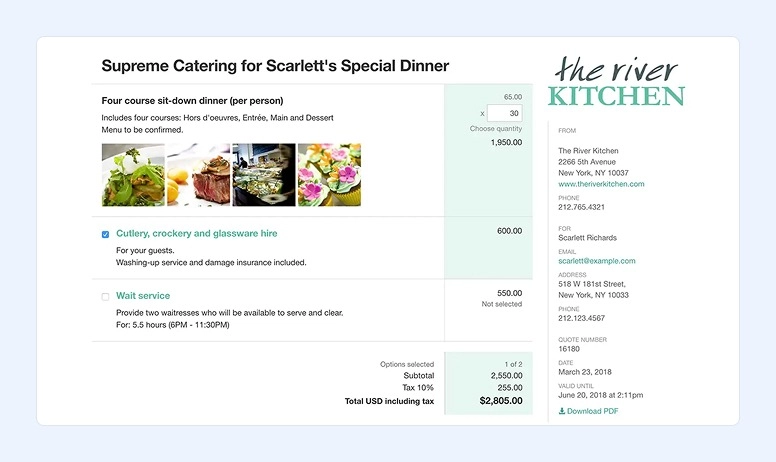
If you have a new or small business and are looking for the best quoting software for your company, you should consider Quotient.
Quotient is probably the simplest software you’ll find in this list. So, if you’ve never used such a tool and don’t want a steep learning curve, this may be the right solution for you.
However, even though it’s simple and intuitive, it does its job well. The system allows you to create and send professional quotes to your clients. More than that, with this tool, your clients can accept and e-sign the documents, making the process very fast. In addition, your clients may also leave feedback on quotes.
Key Features:
- Live, client-ready proposals: Send quotes customers can view, interact with, update, and approve instantly.
- Engagement alerts: Know exactly when a prospect opens a quote so you can reach out while interest is high.
- Automatic lead-to-quote flow: Convert inbound inquiries into ready-to-send quotes using built-in capture forms.
- Post-job feedback collection: Trigger review and testimonial requests automatically after work is completed—directly from the proposal.
Pros:
- Extremely intuitive, making it ideal for lean teams and solo operators
- Elevates professionalism without the complexity of enterprise sales tools
- Built-in review requests simplify testimonial collection
Cons:
- Lacks advanced approval and governance features required by larger sales orgs
- Branding and design customization options are relatively limited
- Mobile performance isn’t as polished as the desktop experience
Pricing:
Quotient comes with 2 different plans: the Solo plan costs $28 per user per month, and the Team plan costs $48 per month and supports up to five users, with the option to add additional team members for $8 per person each month.
#6. Responsive.io (Formerly RFPIO)
Best for: Mid- to large businesses that need to handle formal bids or RFPs.
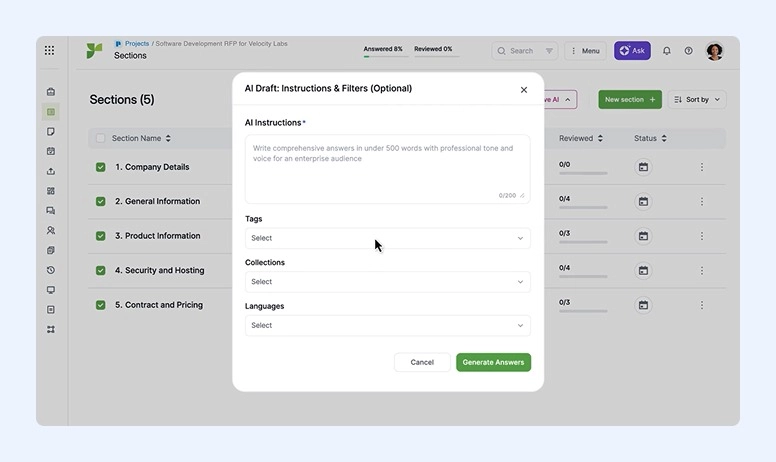
Responsive.io (formerly RFPIO) is another great option for both mid-sized and large companies.
This tool allows you to deal with many quote requests, bids, and proposals at the same time, which is only possible because it’s a combination of RFP (Request for Proposal) automation software and quoting software.
Cloud-based, Responsive.io is a great alternative for your sales team to respond to proposals, RFQs, and RFPs quickly. To do this without errors, they can use AI recommendations with pre-approved content.
Key Features:
- Intelligent content assistance: Uses AI to surface the most relevant responses from your internal knowledge resources.
- Live team editing: Enables multiple contributors to work on, comment on, and refine quotes at the same time.
- Insight-driven reporting: Provides visibility into win ratios, turnaround times, and overall proposal effectiveness.
- Ecosystem connectivity: Integrates smoothly with CRMs, cloud file systems, and everyday productivity apps.
- Single source of truth: Maintains an organized library of approved copy and pricing to speed up proposal creation.
Pros:
- Well-suited for large, complex RFPs and enterprise-level proposals
- AI-driven automation dramatically shortens response cycles
- Strong tools for collaboration and reusing proven content
Cons:
- More expensive than tools built for small teams
- Users need time and training to unlock the full value of the AI features
Pricing:
To find out, get in touch with Responsive.io.
#7. PandaDoc
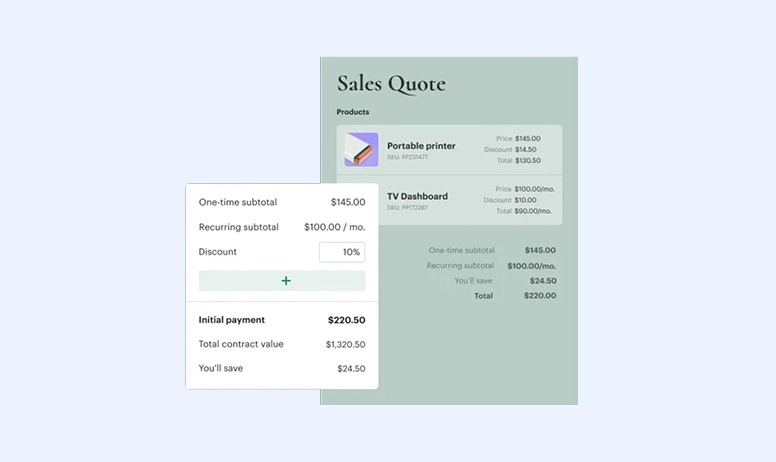
Best for: Businesses of all sizes that need electronic signatures for agreements and contracts.
PandaDoc is a simple software that allows you to create, manage, and sign all types of business documents. These include not only quotes but also contracts and proposals.
One of the best things about PandaDoc is that it comes with excellent pre-set templates that you can customize and use, not to mention the drag-and-drop editor, which is a true time-saver.
You’ll also like the fact that quotes are interactive with PandaDoc. This means that when your clients receive your quotes, they can choose within a table and get different pricing options and quantities.
Key Features:
- Flexible proposal layouts: Design and adapt quote templates to match your brand and sales process.
- Guided quote creation: Build accurate quotes quickly using an intuitive, step-by-step editor.
- Centralized product library: Manage products, services, and pricing from a single catalog.
- Secure eSignature support: Capture legally enforceable signatures to close deals faster.
- Connected CRM workflows: Sync customer and deal data with your CRM for a smoother sales handoff.
- Quote and contract insights: Track engagement, status, and performance across quotes and agreements.
Pros:
- Intuitive design that’s easy to use, regardless of experience level
- Allows customers to select from multiple pricing structures
- Built-in visibility into document activity and engagement metrics
- Large selection of polished, ready-to-use templates
- Automated approval flows that help maintain control and consistency
- Wide range of integrations, including PayPal, Stripe, HubSpot, Salesforce, among others
Cons:
- Does not include tools for managing projects after the sale
- Some users report a short adjustment period when first getting started
- Key integrations are limited to the Business plan, with Salesforce connectivity requiring an additional cost
Pricing:
PandaDoc has a free plan for eSignatures only, with unlimited documents. It then offers three different paid plans.
#8. Quoter (Acquired by ScalePad)
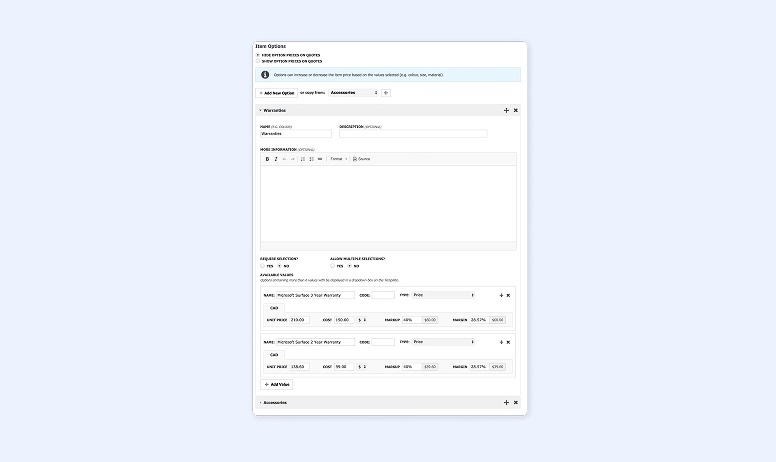
Best for: Agencies and service-based small businesses.
Cloud-based, Quoter was especially designed for service-based small businesses and agencies. Its main goals include delivering quotes with consistency and speed, while providing a strong customer experience.
One of the best things about Quoter is that it comes with an intuitive interface as well as with a centralized content library. You will also benefit from product descriptions, pricing tables, and pre-approved templates.
With Quoter, you’ll be able to take advantage of the payment integration and the e-signature, making the entire process simpler and faster.
Key Features:
- Brand-ready proposal layouts: Design reusable quote formats that reflect your branding and work across all offerings.
- Digital approvals: Let customers review and sign quotes online to remove friction from the approval process.
- Embedded payments: Enable customers to pay directly from the quote, shortening the path from approval to revenue.
- Configurable products and pricing: Easily assemble tailored packages and pricing structures without manual calculations.
- Performance insights: Monitor close rates, deal value, and profitability through detailed reporting tools.
Pros:
-
Clean, approachable interface that’s easy to navigate
-
Well-optimized automation for service-based businesses
-
Robust reporting capabilities for tracking revenue and deal outcomes
Cons:
-
Cost may be challenging for very small teams
-
Lacks some advanced functionality required by large, highly complex enterprise environments
Pricing:
You need to get in touch with the company.
If you want to create an estimate quickly and without errors, try our Free Estimate Generator.
Compare and Choose the Best Solution
|
# |
Software |
Best For |
Key Highlights |
Pros |
Cons |
Pricing |
|
1 |
Flowlu |
Growing teams & service‑based businesses |
All‑in‑one platform; CRM‑driven quotes; Multi‑currency; Invoice conversion |
All tools in one place; Customizable; Affordable |
Limited language support; Mobile app limits |
Free (2 users), Paid from $9/user/mo |
|
2 |
Salesforce CPQ |
Large businesses & enterprises |
Automates complex quoting, pricing & billing; CRM integration |
Powerful automation; Supports complex pricing |
Steep learning curve; Higher cost |
$75–$150/user/mo |
|
3 |
Bitrix24 |
Small & mid‑sized businesses |
CRM + quoting + invoicing; Payment integrations |
Combines key functions; Cost‑effective |
UI can feel overwhelming; Slower with large data |
Free; Paid $61–$499/mo |
|
4 |
Scoro |
Agencies & consultancies |
Quote‑to‑project workflows; Real‑time analytics |
Unified platform; Strong reporting |
May be too robust for simple workflows |
$26–$63/user/mo; Custom plan |
|
5 |
Quotient |
New & small businesses |
Simple, client‑ready proposals; E‑sig & feedback |
Very intuitive; Professional quotes |
Lacks advanced governance; Limited branding |
Solo $28/user/mo; Team $48/mo |
|
6 |
Responsive.io |
Mid‑to‑large businesses |
AI‑assisted RFP & quote automation |
Great for complex RFPs; Collaboration tools |
Costly; Requires training |
Contact company |
|
7 |
PandaDoc |
All sizes needing e‑signatures |
Templates, guided quoting, eSignature |
Easy to use; Strong template + e‑sign |
Lacks post‑sale tools; Some limits on lower plans |
Free eSign plan; 3 paid plans |
|
8 |
Quoter |
Agencies & service‑based SMBs |
Brand proposals; Embedded payments |
Clean interface; Embedded payments |
Cost for very small teams; Limited enterprise features |
Contact company |
Automate Your Quotes
In 2026, the best quoting software for multi‑channel sales helps agencies and sales teams create consistent, professional quotes across email, web, social, and CRM platforms.
Fast, accurate quoting directly impacts close rates. Slow or inaccurate quotes will lose deals. And it’s no longer only about accuracy—it’s also about being quick and professional.
When you’re creating quotes manually and then sending them to your customers, you have so much work and spend so much time figuring out the right numbers to present that you usually forget about the way you send your quotes. However, when you’re using quoting software, accuracy and speed are no longer a problem, as you’ll be delivering your quotes and proposals using a professional template customized by you to include all the details you need.
If you’re already using a CRM, it’s perfectly fine to look for a quoting software solution that you can integrate with it.
If you don’t want to install multiple software tools for different purposes and then try to coordinate and integrate them into a single workspace, choose a versatile platform like Flowlu. With this software, you’ll build a clear, convenient, and seamless workflow within a single place.
Moreover, you can manage the entire sales lifecycle in one platform: from first contact to quote approval, invoicing, and payment. If you’re evaluating quoting software, start with a free account and see how much faster your team can move from opportunity to revenue.

The details you include in a quote depend on the nature of your business and your client. Nevertheless, there are 6 main details you should always include:
- Your company name and location
- All the costs and deliverables
- Deadlines
- Conditions and legal terms
- Preferred payment methods
- The option for eSignature.
We recommend choosing Scoro, Quotient, or PandaDoc as the best quoting software for agencies.
While you may create quotes manually and send them over to your customers, the entire process takes too much time and it may contain avoidable errors or mistakes. Therefore, using software for this work is a much better approach.
Yes, you won’t have any problems doing so with the best quoting software. However, whenever in doubt, just check the integrations or get in touch with the customer support.
The best sales quoting software for VARs combines easy pricing updates, proposal automation, and CRM integration to help resellers close deals faster and more accurately.