Best Estimate & Invoice Software: Top Apps for Invoicing and Billing (2026 Update)

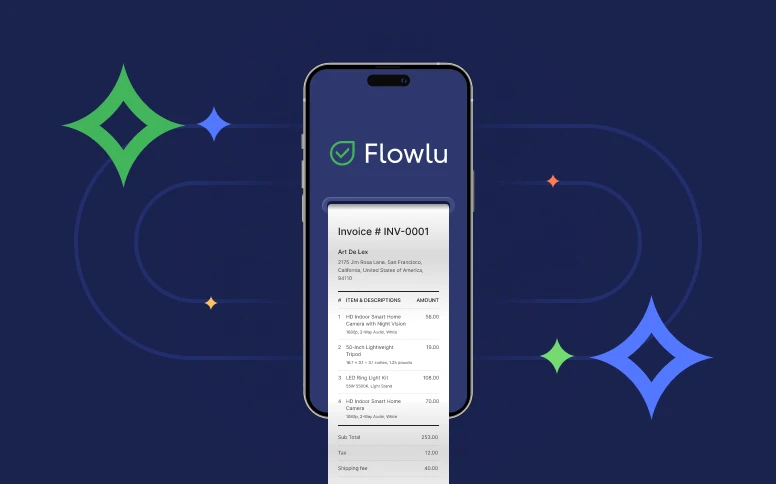
Are you looking for the best free recurring billing software or want a top-notch paid solution—it doesn’t really matter. In today’s article, we’ll review the best apps for creating invoices, their benefits, and how to pick the best business invoice app.
What is estimate and invoice software
Estimate and invoice software brings two related yet different tools together in one place. Estimate tools help you create clear quotes before a job starts, including expected costs, timelines and optional items. Invoice tools come in once the work is done and help you request payment, send reminders, and keep track of what has been paid or still open.
Most businesses use both because estimates set expectations while invoices finalize the financial part of the job. When these tools work together, it is easier to move from a planned price to an actual payment without copying data or entering the same information twice. This is why many teams prefer software for estimates and invoices combined into one billing system software rather than separate apps.
The result is a smoother workflow for freelancers who need invoice software, contractors, service businesses, and any team that needs a simple way to manage pricing before the job and billing afterward.
What is invoicing software?
Invoicing software, or invoice processing application, is an app to streamline your recurring invoicing operations. It also includes invoice-creating apps, where you can create, customize, send, and store your invoices.
Invoice processing tools are aimed at automating most of the processes related to invoicing and expense management. It helps to track revenues and expenses, manage lists of products, invoice clients, set recurring invoices, and so on. But among all these features, one of the most important parts of such software is that online invoice management software can help manage overall finances.
Once it tracks revenues you receive from your clients, some invoicing software allows you to track expenses as well, so you can establish complete financial management within one single app.
Digital invoice software with features for recurring billing can also send email reminders to your clients, so they won’t forget about the next payment.
To understand invoice and estimate programs better, let’s dive into how they benefit companies.
How invoice processing software benefits businesses?
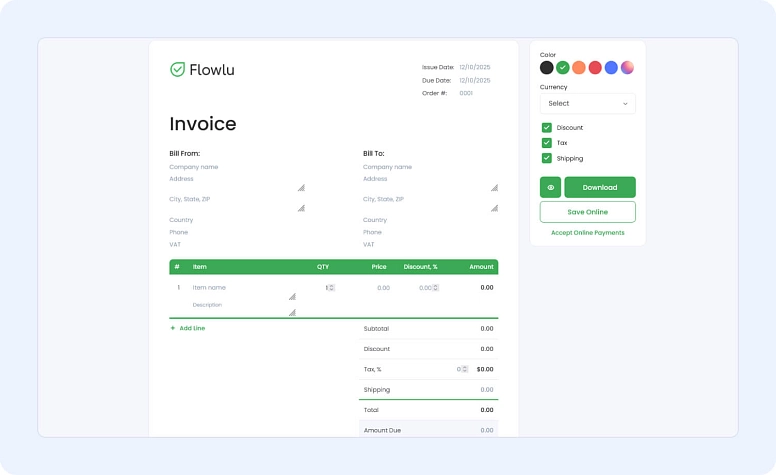
When you manage your invoices manually, they can easily turn into errors. What kind of errors do you wonder about? For example: wrong calculations, customer’s data loss, inappropriate invoice format, and so on.
The invoice tracking app helps to avoid such mistakes and organize the perfect invoice proceeding process. Basically, a good invoicing tool should cover simple invoicing and also data storage, so you can easily refer to past invoices. But the best program to make invoices should do more than that.
It should be integrated with the CRM system and also have billing and recurring billing options. What’s more, for the best invoice online software, it’s important to be integrated with payment processing tools so you can record cash flow.
So, in a nutshell, how does software to create invoices benefit businesses of all sizes?
- it helps to reduce manual to-dos, such as calculations, sending reminders, invoice emails, collecting payments, etc;
- it helps to create and customize invoices, keep them on-brand, so customers will perceive your invoices more professionally;
- it helps to automate some invoicing processes, such as data collection, invoice creation, mailing activities, etc;
- it helps to keep data organized, so you can always refer to past invoices, re-send them, track if an invoice is partially paid, and so on;
- & more!
When we figure out how an online invoicing platform benefits companies, it’s time to find out how to define and pick the best invoice billing software.
How to pick the best invoice creating app?
In most cases, the best solution is to pick an invoice payment app based on the experiences of other users. That’s simply why most people who are looking for top invoice software base their decisions on online invoicing software reviews.
If you’re wondering how to identify the best invoice processing software, here are some points to help you understand if the invoice software app is worth trying.
An app to generate invoices should have some features, without which it’s simply impossible to facilitate invoicing efforts. But what should they be? The best apps for invoices and receipts should include the following features:
- User-friendly interface and usability. It should be easy to understand for users of any experience, because not only professional bookkeepers work with invoice and estimate programs, but regular employees as well.
- Online-payments. All invoices are created to receive money, after all. That’s why apps for billing should be integrated with payment processing systems.
- CRM. Most small billing software does not include CRM features. However, integration with CRM makes it much simpler to streamline communication with clients and regular invoicing. Invoice tracker apps such as Flowlu offer customer resource management tools that help manage not only customers’ data, but also send invoices and keep track of related products and services.
- Complex invoicing toolkit. The best invoice making app should have not only simple invoice templates, automated calculation features, and invoice sending. It also should have options to create custom invoices, store and add products, integrate your mailing services, and also have collaboration tools to communicate with teammates while managing invoices. Integration of an AI agent into this process allows for efficient data entry and transaction processing, while guaranteeing compliance with regulatory standards.
To help you find the best app to make invoices, we tested some of the invoice web applications and highlighted pros of each software and which software is more usable.
Most of the apps for billing clients provide trial periods, so you can explore all the features on your own and decide which invoice web app suits your business the best.
If you are still testing ideas and formats, you can try Flowlu’s free invoice generator or estimate generator to create a one off document and see what works for your business.
Best apps to make invoices and estimates quick comparison table
The table shows a select group of popular apps. Additional tools appear in the detailed reviews below.
| App or Software | Estimate Features | Invoice Features | Pricing | Industry or Use Case |
|---|---|---|---|---|
| Flowlu | Custom estimates, item lists, tax rules, quote to invoice conversion | Recurring invoices, online payments, reminders, product catalog, CRM link | Free plan plus paid tiers | Teams of all sizes that want invoicing, estimates and project tools in one platform |
| Zoho Invoice | Customizable estimates and quote to invoice workflow | Online payments, automation, time tracking | Free with limits | Freelancers and small teams that need simple estimates and invoicing |
| Square Invoices | Basic estimates available on paid plans | Unlimited invoicing, mobile payments, card processing | Free invoicing, paid advanced features | Retail and service businesses already using Square tools |
| QuickBooks Online | Estimates connected to accounting, job costing | Invoices, payments, reporting | Paid tiers | Small and medium businesses that want accounting and invoicing in the same system |
| Bookipi | Simple estimates with quick adjustments | Basic invoicing, expense tracking, receipts | Free plus paid features | Freelancers and small teams with bookkeeping needs |
| FreshBooks | Estimates, proposals, service pricing | Invoicing, time tracking, expense sync | Paid plans | Freelancers, agencies and solo service providers |
| Stripe Billing | Quote templates for subscription pricing | Recurring invoices, subscription billing, payment automation | Usage based pricing | SaaS and digital product businesses |
| Salesforce Revenue Cloud | Advanced quoting for enterprise sales teams | Automated invoicing, revenue management, forecasting | Enterprise pricing | Large companies with CRM driven sales and complex billing workflows |
| Field Promax | Estimates for field jobs and service packages | Invoicing, job completion billing, mobile payments | Paid plans | HVAC, plumbing, electrical, landscaping and field service teams |
| ProfitBooks | Invoicing and accounting for small and mid-sized businesses | GST-ready invoices, inventory tracking, basic accounting | Paid plans + free version | Small and mid-sized businesses needing a simple all-in-one billing tool |
Detailed reviews of the most popular invoice software
#1: Flowlu
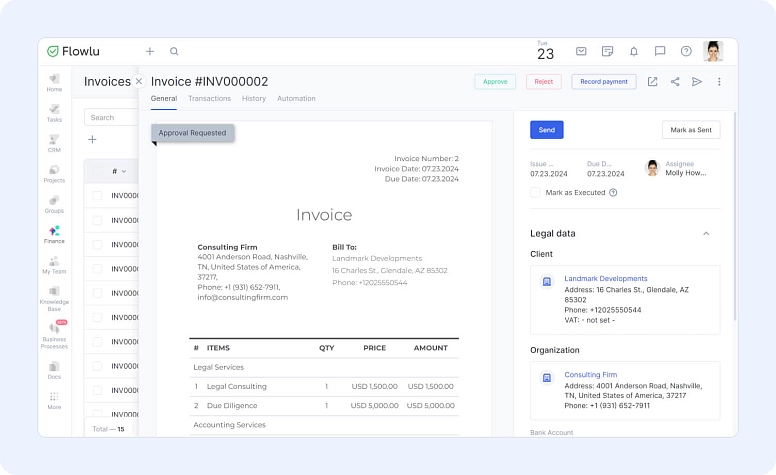
Popular for its all-in-one toolkit and user-friendly interface, Flowlu is a good option if you need to track billable tasks, finances, CRM and invoice your clients at the same time. Flowlu won’t let anything stay out of your sight. For its versatility, Flowlu is stated as the best invoicing system. Flowlu offers template builder for invoices and low invoice software price.

Best for: teams of all sizes and industries, who are seeking to manage projects, invoice clients, use billing and financial tools within one single software. If you’re working online, it’s the best cloud invoice tool, because Flowlu is a SaaS-based software. Flowlu is also counted as the best office invoice software because it integrates with many office tools to help manage everyday work, including accounting apps and payment processing systems, such as PayPal, Stripe, etc.
#2: Refrens
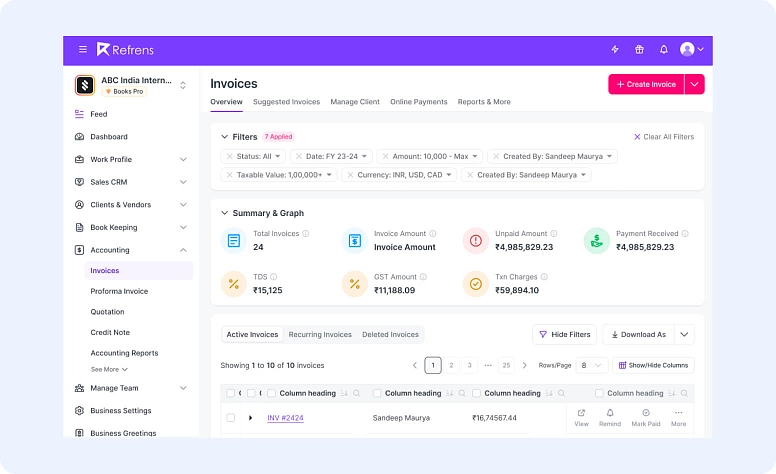
Refrens is a comprehensive invoicing and billing software designed to simplify business management with its intuitive tools. Trusted by over 150,000 businesses worldwide, Refrens offers customizable invoices, multi-currency support, and seamless payment reminders. With a strong emphasis on usability, Refrens helps businesses manage their finances efficiently and professionally.
Best for: Refrens is ideal for small to medium-sized businesses and freelancers who need an all-in-one business operating solution. It provides invoicing, expense tracking, and financial reporting. It’s especially useful for businesses looking to streamline their processes and automate their workflow with features like automated recurring invoicing, one-click quotation-to-invoice conversion, and easy integration with accounting system, making it a time-saving tool for growing businesses.
#3: Zoho Invoice
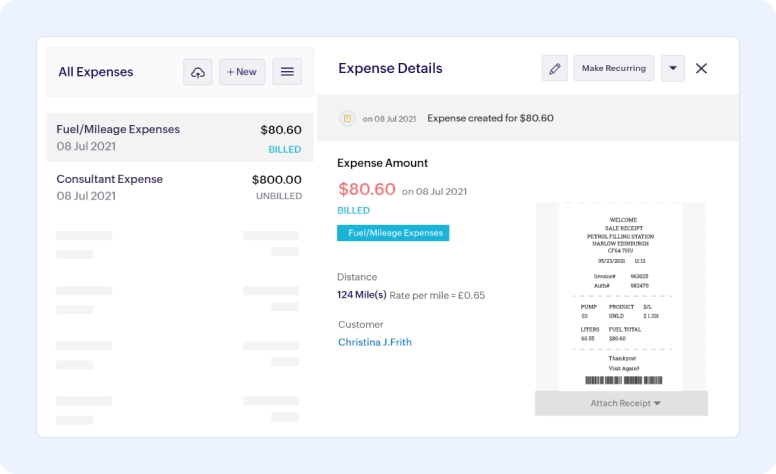
A free invoicing solution with paid plans for additional features, Zoho Invoice is a good choice for budget-conscious businesses. It includes customizable invoices, recurring billing, online payments, and reporting. Zoho Invoice also includes estimate creation, which allows you to prepare quotes and convert them into invoices without repeating the same information.
Best for: a good option for those who are looking for company invoice software. If you’re also looking for a free invoicing app with a basic toolkit, Zoho invoice can cover all your needs with no fees. Zoho Invoice has an intuitive interface and according to the fact that it works since 2008, it’s one of the most trusted web-based invoice managers.
#4: Square Invoices
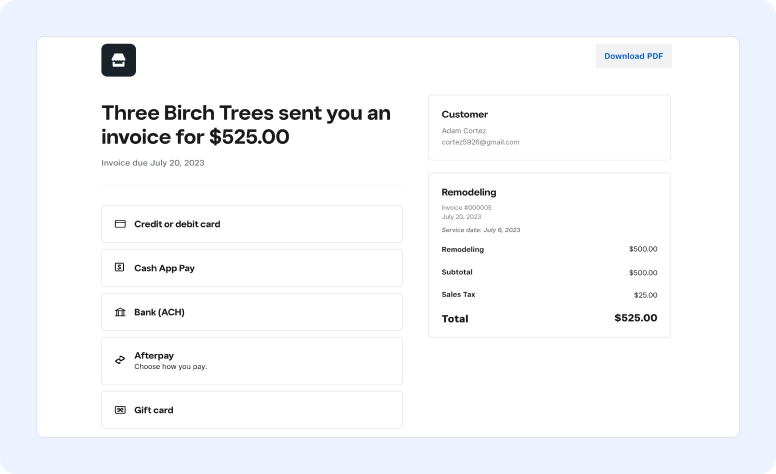
Part of the Square ecosystem, Square Invoices is a free and easy way to send invoices and accept payments. It integrates with Square Point-of-Sale systems and offers features like mobile invoicing and customer management.
Best for: businesses who are looking for free invoicing tools with limited features. If you have a large amount of clients and invoices to send, Square Invoices offers unlimited invoicing storage, which makes it one of the top invoicing apps. If you’re not intending to customise your invoices, because Square offers it on paid subscriptions only, it’s exactly your pick.
#5: Xero
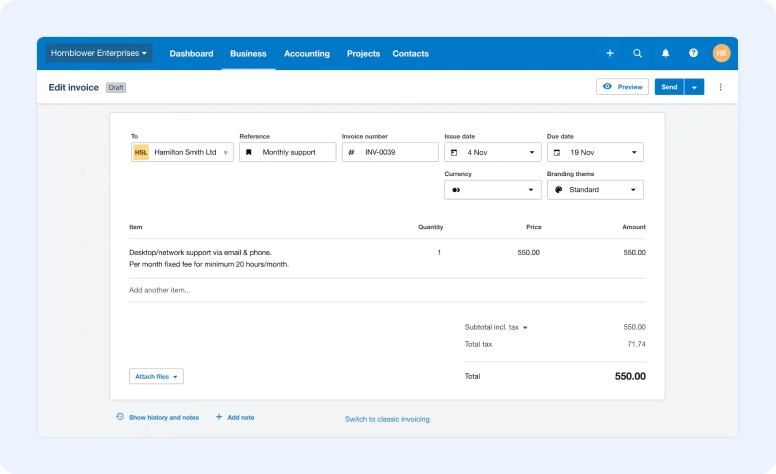
A cloud-based accounting solution with a strong invoicing module, Xero is well-suited for growing businesses. It offers features like invoicing, expense tracking, bill payments, inventory management, and payroll.
Best for: self-employed, small companies, and solopreneurs, who are seeking for a small business billing software. Its affordable prices and intuitive interface makes it a simple billing system.
#6: QuickBooks Online
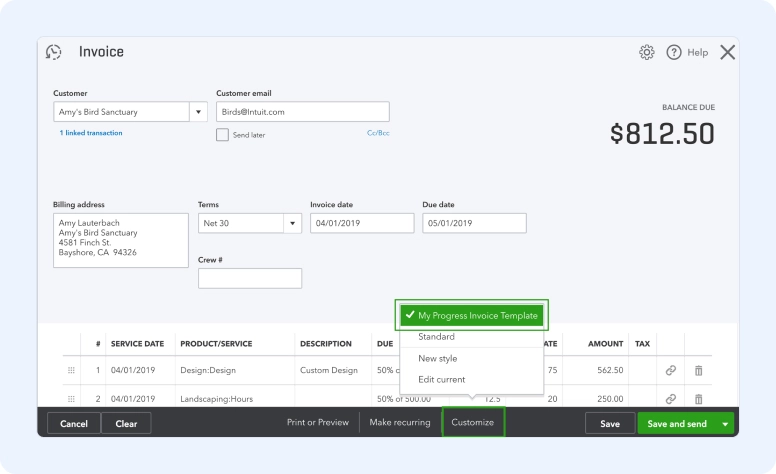
A popular choice for small and medium businesses, QuickBooks Online offers a comprehensive suite of accounting features, including invoicing, expense tracking, bill payments, inventory management, and payroll. QuickBooks Online supports estimates as well, giving you a simple way to share pricing with clients and turn approved estimates into invoices.
Best for: businesses which need a comprehensive toolkit for accounting apps and invoicing as well. It’s a good invoice software for those who already has experience in accounting and invoicing, and provides professional features, mostly suitable for financial experts.
#7: Wave
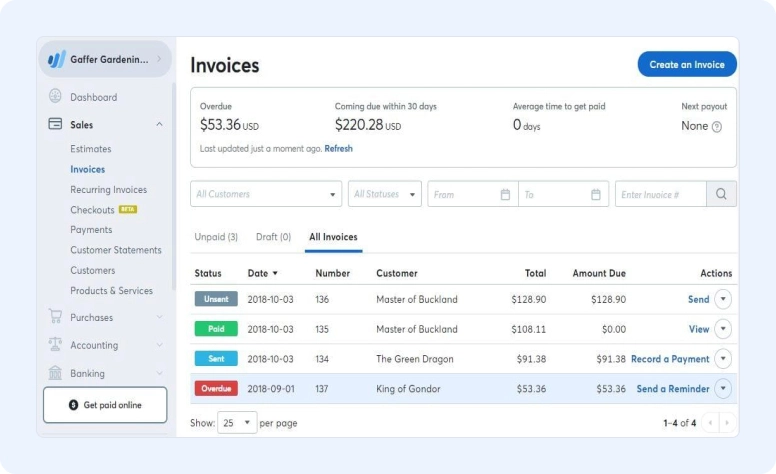
Free for invoicing and basic accounting, Wave is a good option for freelancers and solopreneurs. It offers features like invoicing, expense tracking, receipt scanning, and bank connections.
Best for: solopreneurs and small businesses or freelancers, who need just a simple toolkit of a business invoice app.
#8: Bill.com
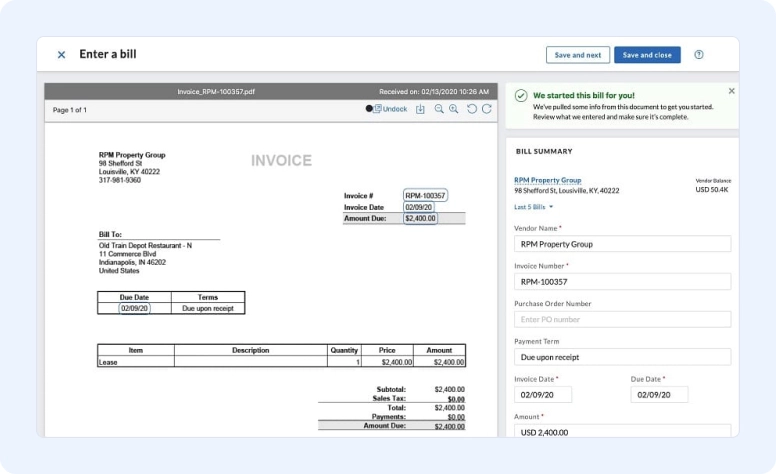
Designed for automating accounts payable (AP) and accounts receivable (AR), Bill.com is ideal for businesses processing a high volume of invoices. It offers features like electronic invoicing, online payments, and approval workflows.
Best for: small companies and entrepreneurs in the US and Canada. It has lots of invoicing options, intuitive interface, and a toolkit apart from simple invoicing. However, most of the features in Bill.com are paid ones.
#9: Stripe Billing
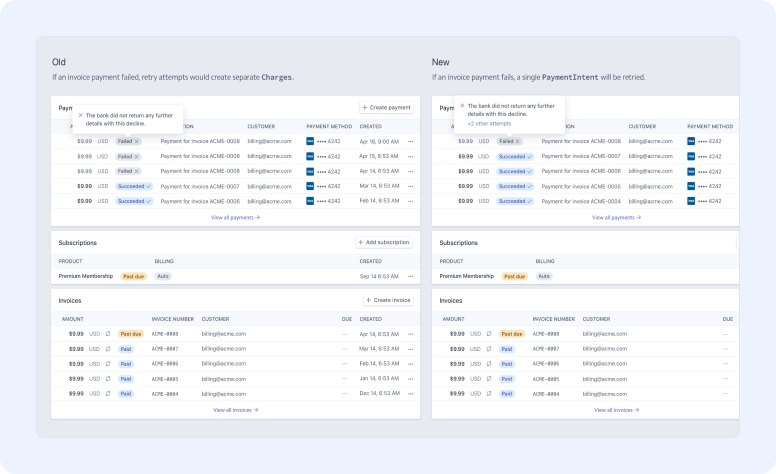
A powerful subscription billing solution, Stripe Billing is ideal for businesses with recurring revenue models. It offers features like subscription management, dunning management, and revenue recognition.
Best for: companies who run subscription-based business. Stripe provides lots of tools to streamline invoicing activities and is counted as the best invoicing software. It’s a simple invoicing system with the option to do recurring invoices.
#10: Salesforce Revenue Cloud
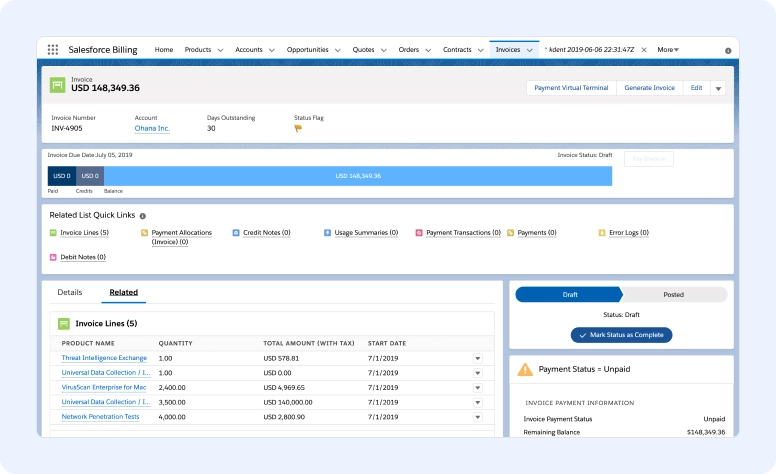
Part of the Salesforce CRM platform, Revenue Cloud offers a comprehensive suite of billing and revenue management features for large enterprises with complex billing needs.
Best for: businesses who are looking for the app for billing clients integrated with a CRM system at the same time. It’s mostly suitable for large companies and businesses with complex financial operations and invoicing.
#11: NetSuite ERP
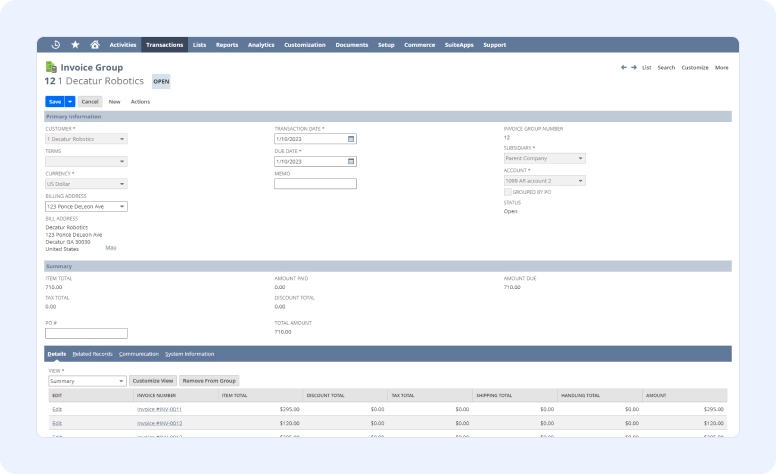
A comprehensive enterprise resource planning (ERP) system with a robust billing module, NetSuite ERP is suitable for large businesses with complex financial operations. It offers features like invoicing, order management, inventory management, and financial reporting.
Best for: companies with the need of invoice and payment apps integrated to the whole suite of management tools. Since such toolkits are mostly required by large enterprises, NetSuite is the best app for invoicing clients of large businesses.
#12: Scoro
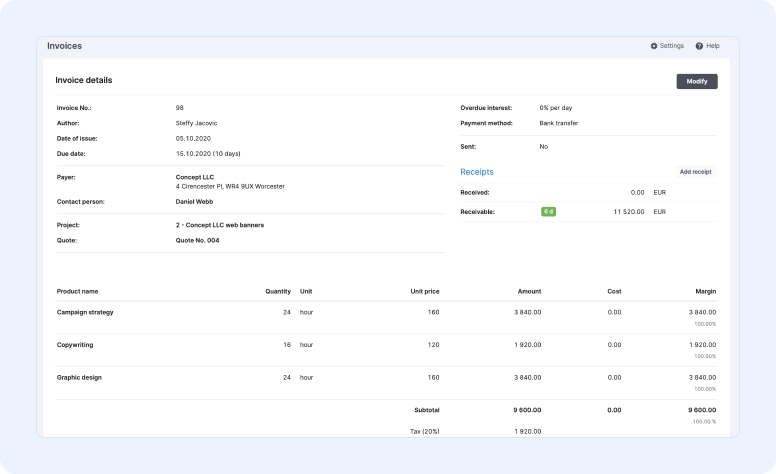
An all-in-one business management solution, Scoro is a good choice for agencies and professional services firms. It offers features like invoicing, project management, time tracking, and reporting.
Best for: since Scoro is an all-in-one business management solution with a large toolkit, it mostly suits large businesses. In addition to simple invoicing, it also has recurring billing options, which makes Scoro the best software for invoice and billing.
#13: Agiled
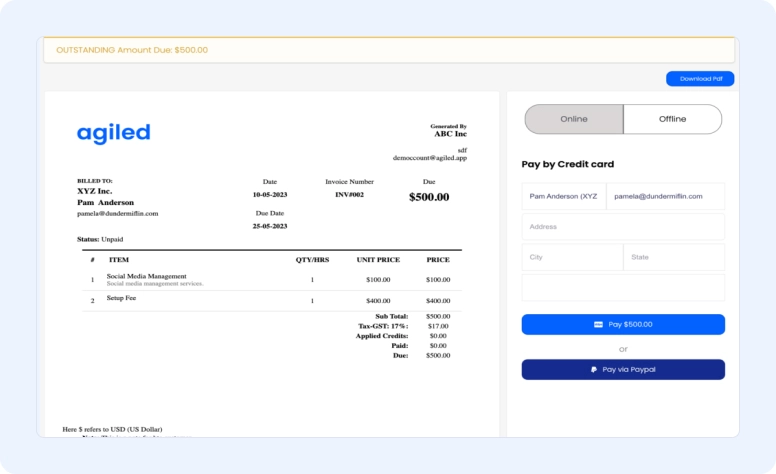
A cloud-based project management and invoicing solution, Agiled is well-suited for creative and marketing agencies. It offers features like invoicing, time tracking, project management, and resource management.
Best for: agencies which provide different services. Agiled is suitable for small and medium teams who want to manage projects and invoice clients within one software to make invoices.
#14: Bill4Time
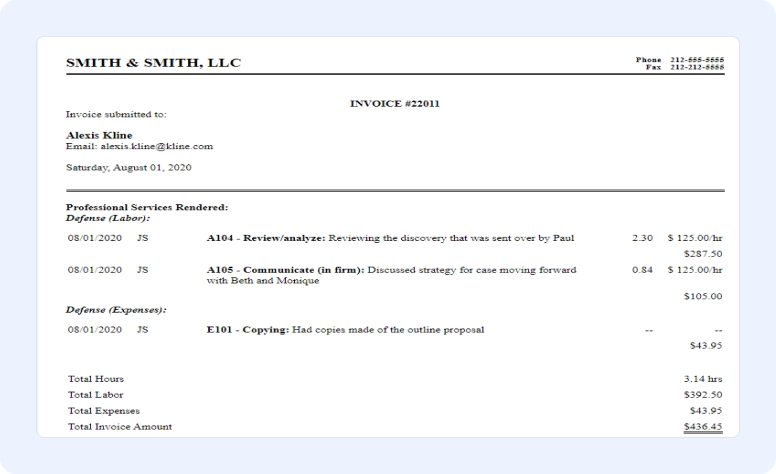
Designed for professional services firms, Bill4Time offers a comprehensive suite of time tracking and billing features. It's ideal for law firms, accounting firms, and businesses that bill by the hour.
Best for: service-based teams, which need to invoice clients based on time spent on service-providing activities. Since it’s created specially for billing, it makes this software one of the easiest invoicing software.
#15: SuiteDash
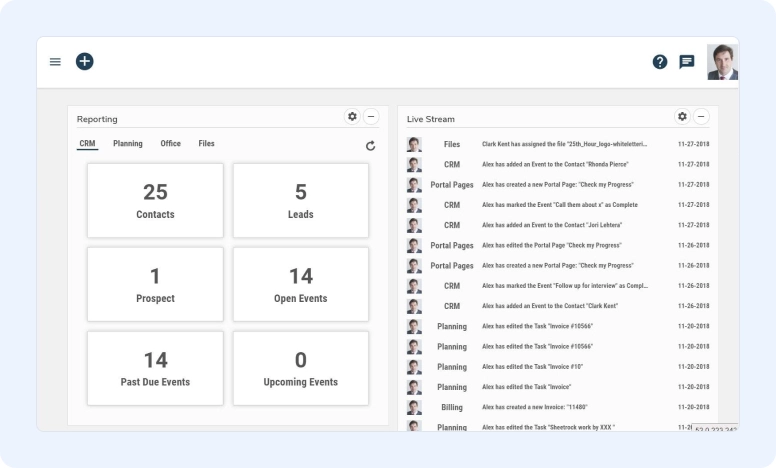
A free and open-source invoicing and CRM solution, SuiteDash is a good option for businesses that want a self-hosted solution. It offers features like invoicing, quotes, opportunities, and customer management.
Best for: companies, who are looking for an easy to use invoice software with native CRM integration. It’s a good option for medium and large businesses with the need for the self-hosted business invoice app.
#16: Bookipi
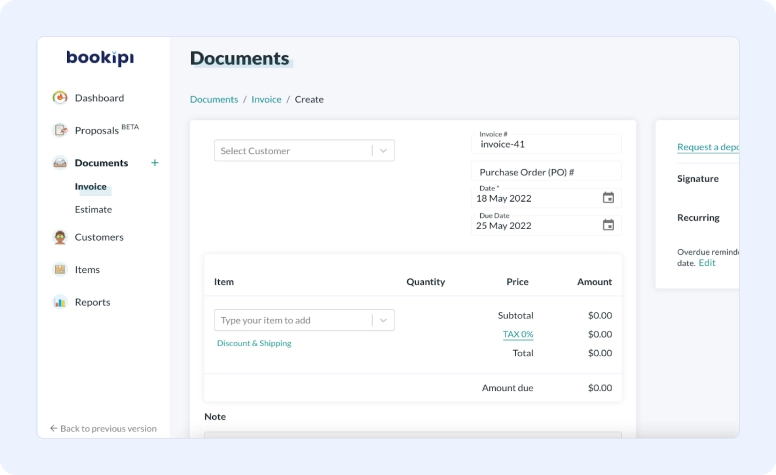
A cloud-based bookkeeping solution with a built-in invoicing module, Bookipi is a good choice for small businesses that need help with bookkeeping. It offers features like invoicing, expense tracking, bill payments, and bank reconciliation.
Best for: professional bookkeepers in need of an invoicing module. Mostly suitable for small business and solopreneurs. If you need accounting and invoicing tools, then Bookipi is the best invoicing system for you.
#17: FreshBooks
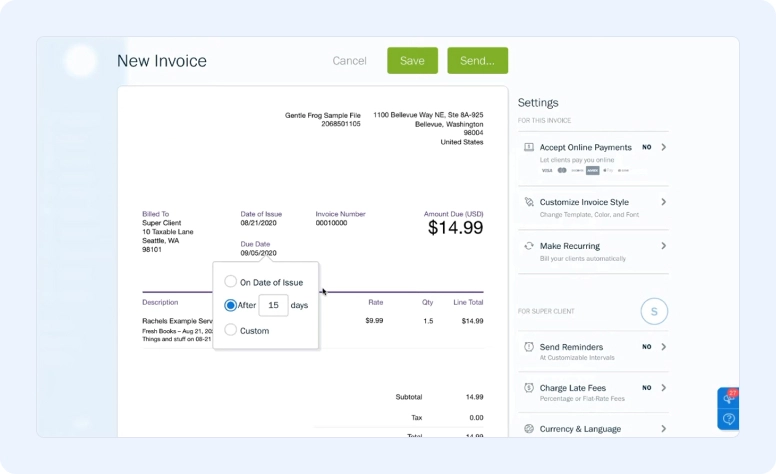
Known for its user-friendly interface, FreshBooks is a great option for freelancers and small businesses. It offers features like invoicing, expense tracking, time tracking, and project management.
Best for: small and medium teams or solopreneurs, who are seeking for user-friendly software with a basic invoicing toolkit.
#18: Field Promax
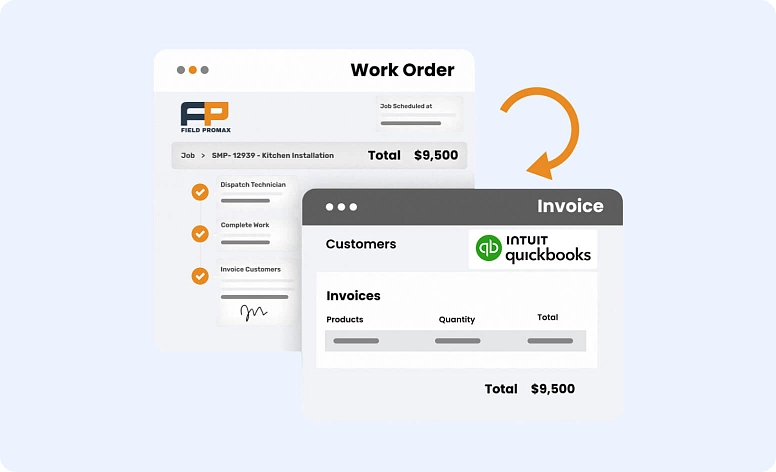
Field Promax is an all-in-one field service management tool that helps you stay organized and save time. It’s popular with service businesses for making job scheduling, invoicing, reporting, and team management a breeze—whether you're in the office or out in the field.
Best for: Businesses in HVAC, plumbing, electrical, landscaping, and similar trades. Field Promax helps reduce manual work and keeps day-to-day operations organized with real-time job tracking, automated invoicing, and simple reporting tools.
#19: Invoice2Go
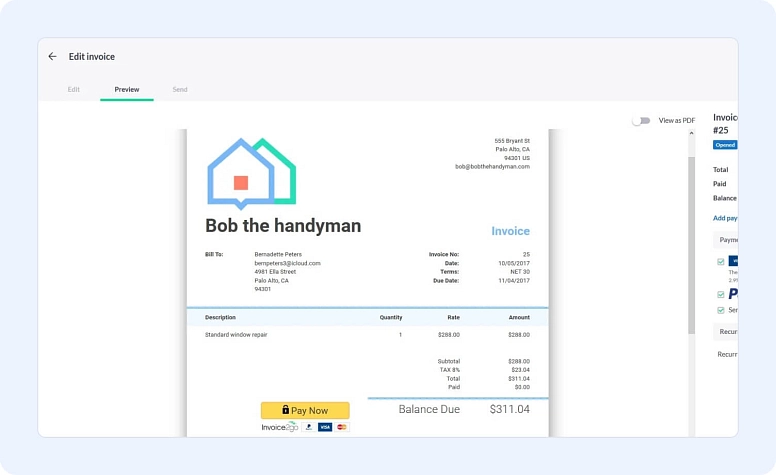
Invoice2Go is a simple invoicing and estimate tool designed for freelancers and small service businesses that need to prepare documents quickly. It offers branded estimates, itemized pricing and a smooth quote to invoice workflow. The mobile app is a strong point, making it easy to send estimates or invoices right after finishing a job.
Best for: small service teams and freelancers who want a light and straightforward estimate and invoice toolkit without learning a complex system. Invoice2Go focuses on fast document creation, mobile invoicing and clear pricing layouts, which makes it a practical option for on-the-go work.
#20: ProfitBooks
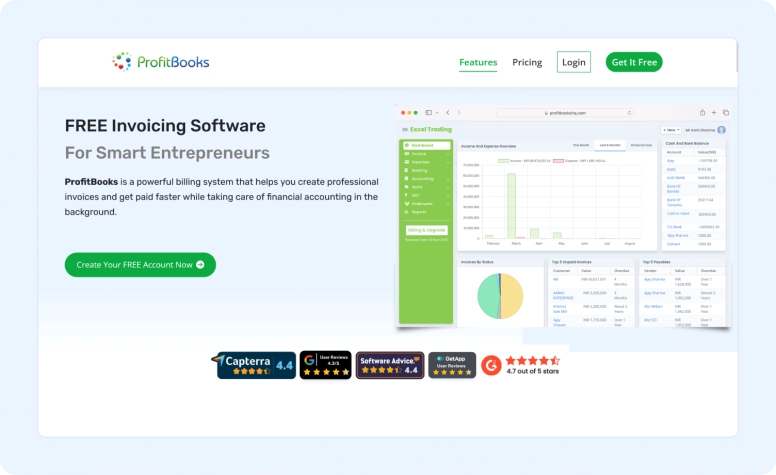
ProfitBooks is an invoicing and accounting software designed for small and mid-sized businesses. It helps manage billing, inventory tracking, GST compliance, and day-to-day accounting in one place. It’s a good fit for businesses looking for a practical invoicing solution that’s easy to use without unnecessary complexity.
Best for: Small and mid-sized businesses that want a simple invoicing system along with built-in accounting and inventory tracking — especially teams that prefer an all-in-one setup for billing, GST-ready invoices, and basic financial reporting without needing multiple tools.
#21: TimeSolv
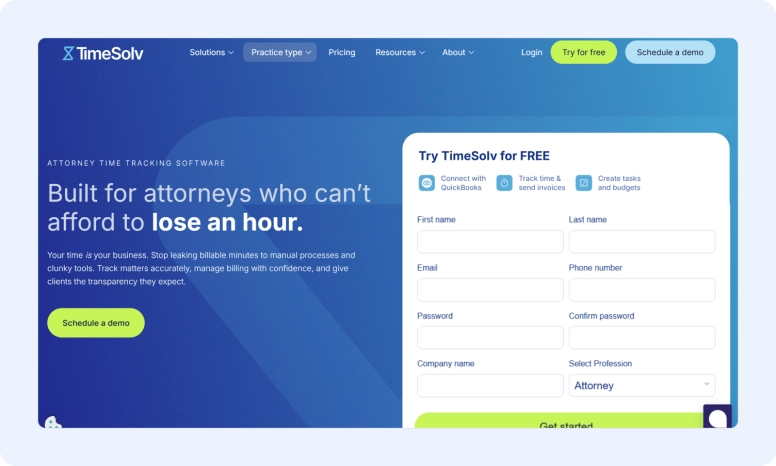
TimeSolv is a time and billing platform built for law firms and professional services firms that need more precision than a standard invoicing app can offer. It includes time and expense tracking, customizable invoices, online payments, reporting, budgeting, and QuickBooks integration. For law firms, TimeSolv also offers built‑in trust accounting and LEDES billing, adding the legal‑specific functionality many general invoice apps leave out.
Best for: law firms and legal professionals who need more than a basic invoicing tool. TimeSolv is especially well suited for firms that bill by the hour, keep a close eye on matters and profitability, and want more control over complex legal billing and compliance.
Billing software examples by industry
Invoice and estimate tools are used differently depending on the type of work you do. While the core features stay the same, each industry has its own day to day needs and typical workflows. The examples below highlight how different teams use billing software to keep their operations organized and payments on track.
For freelancers
Freelancers usually work with short projects and quick turnarounds, so they need simple estimates, clear invoices and a way to track what has been paid. Flowlu, Zoho Invoice and FreshBooks are commonly used because they make it easy to send branded invoices and keep all client details in one place. Many freelancers also prefer tools that support online payments to avoid chasing down transfers.
For contractors
Contractors often manage jobs where materials, labor and timelines shift, so accurate estimates and updates matter. Joist, Field Promax and Flowlu offer contractor invoicing tools that help track job costs and generate clean invoices when the work is complete. These tools also support field service invoicing, which is helpful when teams finish a job on site and need to bill right away.
For service businesses
Service teams handle a steady flow of appointments and repeat clients, which means they rely on mobile invoicing and fast communication. Apps like Square Invoices, Field Promax and FreshBooks help technicians send invoices directly from a phone or tablet once the service is done. This keeps the process simple and shortens the time between completing a job and getting paid.
For small businesses
Small businesses often need a billing app that covers estimates, invoices and basic financial tracking in one place. Flowlu, QuickBooks Online and Bookipi are common picks because they combine invoicing with useful extras like item libraries, expense tracking or an estimate generator. These features help small teams keep their records organized without switching among multiple tools.
If you run a small team, prioritize invoicing software for small business that integrates billing with your existing client and project workflows instead of adding another standalone tool.
Features checklist: what to look for in the best estimate and invoice app
Choosing estimate and invoice software is easier when you know which features matter in everyday work. The points below highlight the tools that help teams manage pricing, billing and financial records without extra steps or manual entry.
- Estimate customization so you can adjust line items, taxes and terms for each project.
- Invoice automation for tasks like reminders, status updates and scheduled sends.
- Recurring invoice creation for clients who pay on a weekly or monthly cycle.
- Mobile and cloud support so invoices and estimates can be created and sent wherever you are.
- Multi currency billing for companies that work with international clients.
- Integration with secure payment processors to collect payments without leaving the app.
- Workflow automation to reduce repetitive work and keep invoicing consistent across the team.
- Accounting software integration to sync expenses, payments and financial reports.
- Digital invoices that are easy to store, resend and track.
- Invoice maker or estimate generator features for quick document creation when you need something ready in minutes.
Editor’s choice: best estimate and invoice software for 2026
The tools below stand out for ease of use, strong estimate and invoice features, and reliable billing workflows. Each one suits a different type of team, so the best choice depends on how you work and what you need to manage every day.
Flowlu
Flowlu is the best estimate and invoice software for teams that want everything in one workspace. It brings estimates, invoices, CRM and financial tracking together, which makes it easier to follow a client from the first quote to the final payment. It is a strong pick for businesses that want structure without adding extra tools or manual steps.
FreshBooks
FreshBooks is a good option for freelancers and small service teams that want simple invoicing with clear time tracking. It keeps day to day billing light and helps manage client work without learning a complex system. Many solo professionals choose it because the interface is familiar and the core invoicing features are easy to use.
QuickBooks Online
QuickBooks Online is the best software for billing and invoicing for businesses that already need accounting features. It handles estimates, payments, reporting and expenses in one place, which is helpful if you want to manage finances beyond invoicing. It works well for growing companies that prefer a more structured financial setup.
Choosing the right tool depends on your workflow:
- If you want a single system for projects, clients and payments, Flowlu is the strongest fit.
- If you run a small independent practice, FreshBooks offers a simple everyday toolkit.
- If your team needs full accounting support, QuickBooks Online covers both billing and financial reports.
FAQ
Invoice apps offer numerous benefits, including increased efficiency, faster payments, improved organization, professional invoice design, and easier expense tracking.
Invoice app pricing varies depending on features and functionality. Some offer free plans with limited features, while others have paid tiers with additional functionalities. There are also commission-based options for processing transactions.
Consider factors like your business size, budget, need for additional features like expense tracking or client management, and the ease of use of the software.
Look for invoice apps that utilize secure data encryption and comply with industry security standards to protect your financial information.
The best app for invoicing and estimates depends on how you work and the features you need. Flowlu, FreshBooks and QuickBooks Online are strong choices because they combine estimates, payments and simple billing tools in one place. Many teams choose a platform that handles both tasks so they do not switch between different apps.
Contractors often choose Joist, Field Promax and Flowlu because these tools support contractor invoicing and make it easy to keep track of materials, labor and job changes. They also help create accurate estimates before the work begins and clean invoices when the job is done.
Estimate software improves workflow by turning early pricing into clear documents without manual entry. This reduces errors and helps teams keep project details organized. When the same system also handles invoices, it becomes software for estimates and invoices that supports a smoother path from planning to payment.
Examples of billing software for small business include Flowlu, Bookipi and QuickBooks Online. These tools offer an invoice maker, payment tracking and simple financial summaries, which help small teams stay organized without adding extra systems.
Yes, several free apps for estimates and invoices exist, including Zoho Invoice, Wave and Bookipi. Free plans usually cover basic features, while paid tiers add more advanced billing systems software for teams that outgrow the starter version.
Estimate tools support growing teams by keeping pricing consistent and reducing the time spent preparing documents. When the same platform includes billing features, it becomes the best software for billing and invoicing for companies that want one place to manage every step of the client journey.
The most helpful features include estimate customization, invoice automation, recurring billing and integration with secure payment processors. Many teams also look for workflow automation to reduce manual tasks and keep invoicing steady as the business grows.