Best Document Management Systems in 2026

- What Are Document Management Systems (DMS)?
- Key Features of the Best Document Management Systems
- Top 10 Best Document Management Systems
- Compare and Select the Right Solution for You
- Best Document Management Systems by Use Case
- How to Choose the Best Document Management Systems in 2026
- Keep Business Data Under Control

Imagine you store all of your business paper in a filing cabinet. Each drawer is properly labeled with the project name or customer contact data. In addition, after work you lock each drawer to keep the files secure. This may seem like an outdated approach in a modern context. But unless you digitize your documentation management, this method isn’t far from the truth.
In our review, we’ll explain which modern solutions help you lay everything out clearly and let you work with content quickly and accurately.
What Are Document Management Systems (DMS)?
This is the name of a group of special programs where people can not only store content but also create them and track all file changes and actions. Its development was inspired by challenges resulting from manual paper management.

Why People Use It
The rapid growth of information naturally creates challenges in handling data. This trend has also affected business management, which has always been highly dependent on documentation.
Client data, product and service records, certifications and licenses, HR notes and confidential corporate information — there is no field where this isn’t needed. Given these demands, specialized software plays a critical role in ensuring efficiency.
Today, DMS make human work easier in the following aspects:
- Reduce manual work and save time. Although not all procedures can be fully digitized, much of the work can be completed by machines far faster than an employee could do.
- Organize information effectively. DMS allows managers to create a convenient structure optimized for specific needs and requirements. Users can easily navigate.
- Support real-time collaboration. It provides many opportunities for coworking. Employees can view, edit, and create content in shared interfaces simultaneously.
- Provide strong security. It’s one of the top priorities of such programs. Administrators can customize access permissions and set up notifications about prohibited actions.
- Ensure compliance. DMSs make keeping accurate records easy to audit. Such a structure helps meet legal and regulatory requirements.
How Modern DMS Software Works
A short working algorithm can be broken into six stages:
collect → organize → secure → track → automate → audit
1. Collect. Programs can capture information from various sources: scans, ready-made digital forms, emails, web forms, etc.
2. Organize. With hierarchies customized by the administrator, all data is placed into specific categories or folders.
3. Secure. DMSs manage access rights and ensure that information does not fall into the wrong hands or undergo prohibited actions.
4. Track. DMSs offer powerful navigation tools which allow users to find what they need using keywords, tags, or filters.
5. Automate. Algorithms can complete repetitive tasks instead of humans. Actions like approvals, notifications, or archiving performed by the software significantly speed up processes.
6. Audit. With logging and tracking, users can always access reliable data for analysis and stay compliant with regulatory requirements.
Key Features of the Best Document Management Systems
Working with documentation presents several challenges that users aim to solve with minimal effort and maximum efficiency. This process lifecycle has become the foundation for DMS developers to build the following features:
File storage
The core idea is to provide the opportunity to keep all in one place. A unified digital repository in modern solutions allows users to store different formats—from PDFs to images.
Search
The familiar loupe icon represents a revolutionary function that makes it possible to find anything by keywords or full text. Filters also complement this feature and help users find all they need within seconds instead of scrolling through endless lists.
Metadata
An important set of data that refers to descriptive information about a file. For example, the most common metadata includes the author, project name, or date of creation. All these tags help structure data and deliver accurate results.
Workflows
Almost every type of documentation has its own repeated operations within its lifecycle. DMS takes this into consideration and organizes processes like reviews, approvals, or notifications.
Version Control
It saves users from the fear of making mistakes. By tracking all changes, the program stores previous versions of records, so you can always return to an earlier one. This “second chance” also prevents the creation of numerous duplicate copies.
Collaboration
Most software allows people to work together on a single content: editing, commenting, or creating content in real time.
Security
Modern DMS are designed with measurable protection controls. For example, role-based access and audit logs help track every interaction, making it possible to detect unusual activity early. This is critical, as misconfigured access controls contribute to about 23% of SaaS data breaches.
Compliance
To comply with many retention rules and industry regulations like GDPR, HIPAA, or ISO, DMS offer logs, reliable data handling, and structured recordkeeping.
Integrations
Any standalone solution should have the ability to integrate with useful third-party tools — CRM, ERP, productivity apps, and other software.
Top 10 Best Document Management Systems
We conducted our own research to prepare a list of options you can try before settling on one solution. We included not only dedicated software but also all-in-one formats that make data handling an important part of their functionality.
In the list, you’ll find solutions for organizations of different sizes and needs. All the systems reviewed are widely used across industries, and most of them have been awarded multiple times by reputable B2B software review sites such as Capterra, GetApp, or Software Advice.
You can be sure that all of them share a common advantage — they provide high-level protection.
#1. Flowlu
Serves perfect for:
Solopreneurs, freelancers, and small to mid-sized groups that want comprehensive functionality within a broader business solution.
Flowlu is an all-in-one management platform that includes content organization alongside project management, CRM, and invoicing.
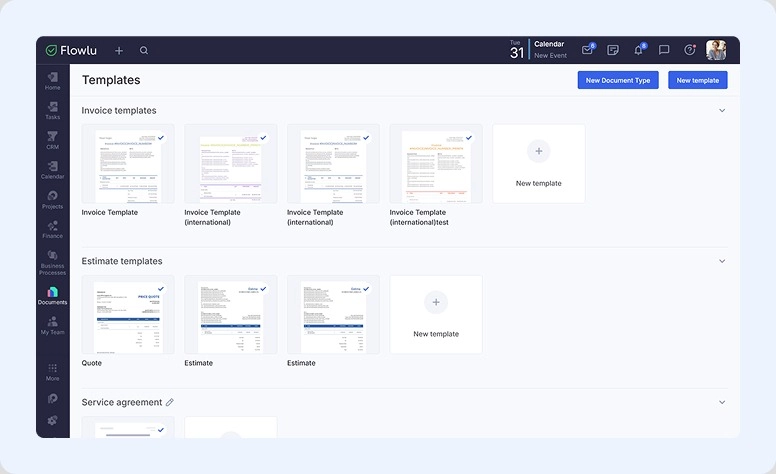
Its document module allows people to create, store, and organize all the details within the context of projects, tasks, or CRM records. It includes ready-to-use templates for quotes, estimates, invoices, and service agreements, which can be customized to match unique needs.
Flowlu supports teamwork through comments and feedback, while access controls help manage permissions for sharing and editing. Mobile access allows users to review and control information remotely.
Features:
- Centralized, content-based storage (within a project, task, CRM contact, and more)
- Access management
- Collaboration via comments
- Document operations integrated across all modules
- Email scheduling
Pros:
- Convenient navigation and organization
- Rich database of customizable templates with many editing tools
- Role-based access
- Many connections available
- Access from mobile
Cons:
- Real-time co-editing is not yet supported
- Large data sets may require additional configuration rules
- Export formats are limited
Cost Details:
Use it for free for personal needs. For more than 2 users, it starts at $9 per user per month.

#2. DocuWare
Serves perfect for:
Any businesses. On their website, you can explore the power by use case, industry, company size, or department.
Developers describe their product as “intelligent document management” powered by AI assistance.
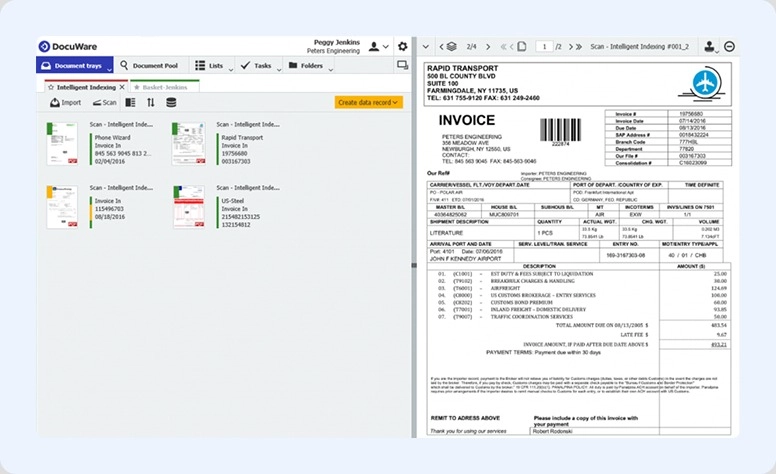
DocuWare is especially designed to replace manual work and eliminate time-consuming processes. It offers reliable data handling with convenient tools for communication.
Features:
- Using AI to process content
- Comprehensive invoice management, from creation to tracking
- Centralized access supporting all types of content
- Archiving
- Streamlined compliance management
Pros:
- Powerful organization and navigation
- Supports many external tools
- Mobile access
Cons:
- Connecting with CRM, ERP, or third-party tools may seem complex for some users
- High price
Cost Details:
They are not listed on the website; to learn more, you need to fill out a contact form.
#3. Microsoft 365 DMS
Serves perfect for:
Small to large organizations that already use the Microsoft environment for daily operations.
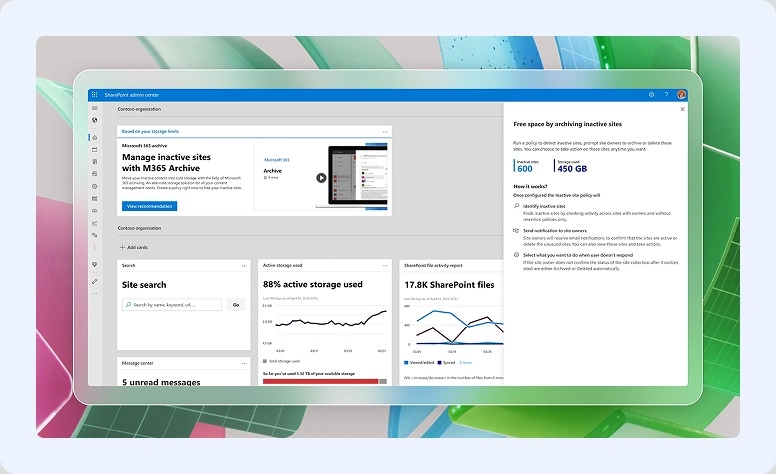
Although this product isn’t positioned as a standalone solution, Microsoft offers a powerful tool for management.
For example, with SharePoint Online, OneDrive, or Teams, users can easily organize a safe environment, work together, and quickly find what they need.
Features:
- Cloud-based space with access from anywhere, anytime
- The ability to edit something with colleagues simultaneously
- Metadata organization for fast retrieval
- Sharing functions
Pros:
- AI-assisted tools
- Simple connections with Office apps for workflow automation
Cons:
- Some tools may seem difficult for non-technical users
- Full-feature access can be expensive
Cost Details:
Dedicated tools are included as part of Microsoft 365 business and enterprise. The lowest offer starts at $12.50 per user per month if billed for the year.
#4. Dropbox
Serves perfect for:
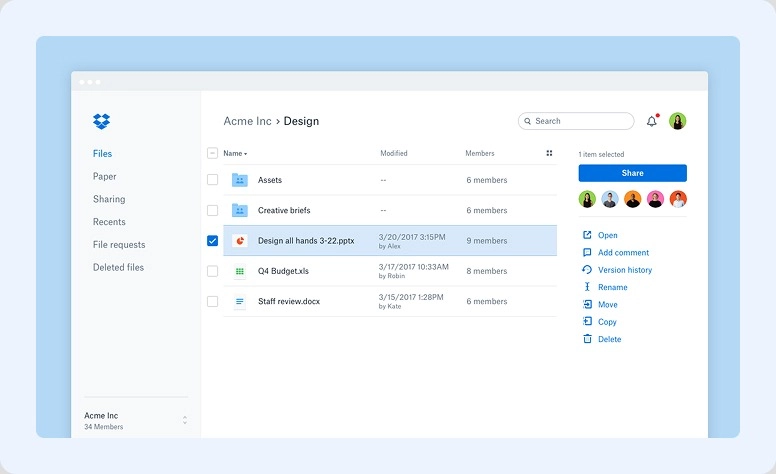
Anyone. According to the official site, the service empowers businesses across different industries: construction, technology, education, media, and more.
Being one of the most popular systems for data handling, Dropbox boasts more than 700 million users.
Colleagues can work with synced folders and over 175 formats, making the organization practically limitless. It’s not just text information that you can store and navigate—Dropbox also offers robust tools for sending large items, including videos and photos.
Features:
- Cloud that accessible from any device
- Permission settings for content and folders
- Version history and activity logs
- Team collaboration on folders
- Editing
- E-signatures
- AI teammate Dash
Pros:
- Work with tools and apps for working together
- Intuitive interface
- Cross-platform support
Cons:
- Many limitations in the basic solution
- The price can be high as your collective grows
Cost Details:
Even personal use starts at €9.99 per month.
#5. FileHold
Serves perfect for:
Anyone who wants a clear and organized structure for their information.
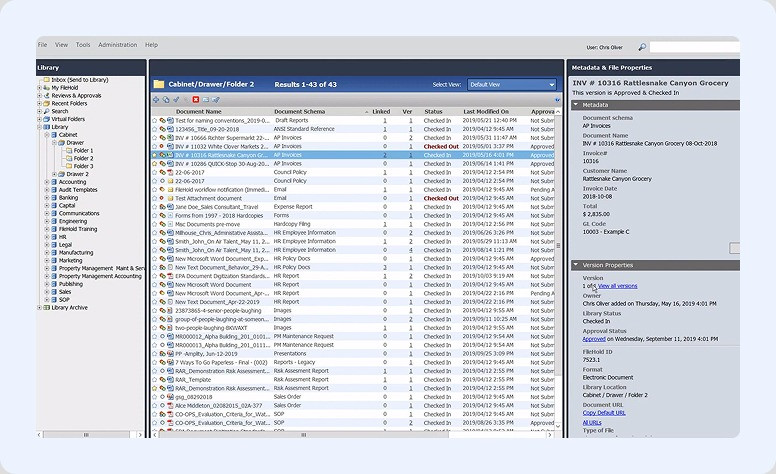
It’s a simple and flexible dedicated software that prevents users from messy documentation and helps maintain compliance.
Clients can choose the most suitable format of FileHold — cloud-based or on-premises. Either option gives users tools to easily navigate and organize all their content.
Features:
- Centralized data base
- Version control
- Precise organization through metadata tagging
- Fast retrieval
- Detailed access control through roles and permissions
- Approval tools
Pros:
- Easy to scale and adapt to any needs
- Includes all core DMS capabilities
- Work with third-party applications
Cons:
-
Limited AI-driven features
Cost Details:
It’s quote-based and depends on factors such as the number of users, and selected options.
#6. Revver
Serves perfect for:
Organizations of any size that want to optimize many processes.
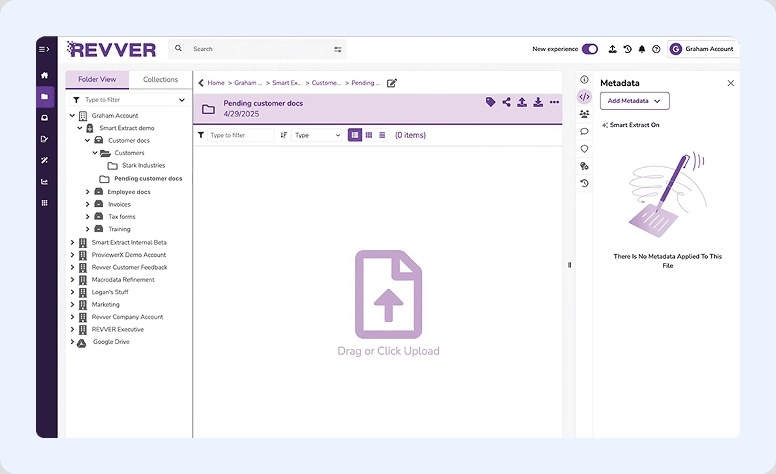
Revver is a unified product that combines a DMS with teamwork tools and advanced functionality. These features are especially helpful for enterprise companies working with large volumes of data.
Features:
- Centralized environment with large capacity
- No-code builder
- Smart Extract AI to locate and use necessary data
- Sharing and real-time editing
Pros:
- Extensive capabilities
- Supports large volumes of information
- Clear and intuitive interface
- Connection with Office 365
Cons:
-
Can be expensive for small groups
Cost Details:
It is not publicly listed on their website, but requesting a quote, you can access a 14-day free trial.
#7. Signeasy
Serves perfect for:
Those who regularly require online signing.
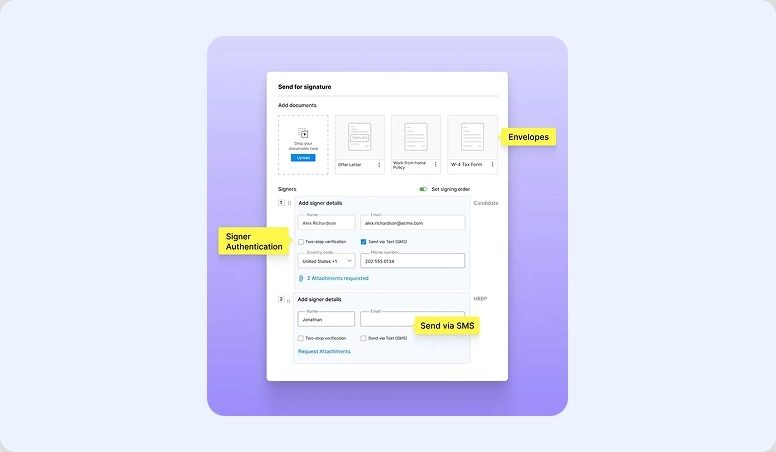
Signeasy is an e-signature–oriented DMS. Beyond its core function, it allows you to track renewals and organize all contracts.
The software covers all stages of the content lifecycle: from preparation (with ready-to-use templates) to teamwork and signing. These steps are managed through advanced tools and Signeasy AI — an intelligent assistant.
Features:
- Wide selection of templates
- Automated workflows and capabilities
- Collaboration tools, including sharing and integrations
- Audit trails and signer authentication
- Supports multiple formats (PDF, Word, Excel, etc.)
Pros:
- Very easy and intuitive interface
- Strong mobile support
- Integrates with popular tools
- Budget-friendly
Cons:
-
Not a full DMS, that’s why most features focus on signatures rather than full management.
Cost Details:
The sole proprietors plan starts at $10 per month. For growing organizations you should pay $20 for the same option.
#8. Axero
Serves perfect for:
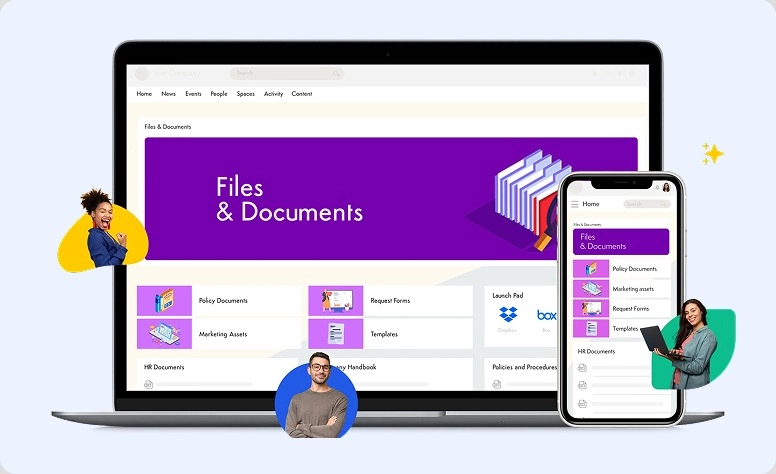
Anyone who wants to create a private company network with strong data management.
Axero is designed as a centralized intranet platform that also includes tools for collaboration and internal communication. Colleagues can not only store what they create, but also share knowledge and coordinate tasks through news feeds, employee directories, and blogs.
Features:
- Centralized intranet space
- Tools for content organization
- Fast navigation via metadata tagging
- Access control through permission roles
- Multiple communication channels: news, announcements, feeds
- Approval tools
Pros:
- Extensive opportunities for teamwork and knowledge sharing
- Customizable intranet design
- Adaptive settings for any operations
- Connection with popular apps
Cons:
-
Some tools may require time to learn
Cost Details:
It’s available upon request. You can choose the plan that best fits your needs.
#9. M-Files
Serves perfect for:
Medium to large companies that manage complex processes and require strong compliance.
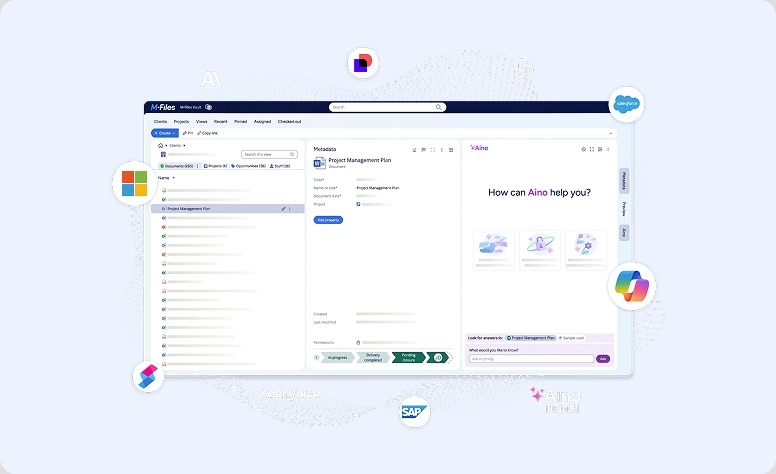
M-Files developed the Enterprise Knowledge Graph and the trusted AI assistant Aino (“I know”) to help users control operations at scale.
The solution operates as a single space where all participants can manage information and handle complex tasks.
With this solution, you do not need to create custom code to adapt the functionality to your unique requirements.
Features:
- Metadata-driven organization
- Quick navigation
- AI assistance
- Handling routine tasks
- History log
- Control through permission roles
- Compliance and audit tools
Pros:
- No coding required
- Intelligent assistance
- Many tools for organization
- Work with enterprise solutions like Microsoft 365
Cons:
- Configuration may be complex during initial implementation
- New users may find the learning stage difficult
Cost Details:
Available only by request. However, you can first test the features with a 30-day free trial.
#10. Laserfiche
Serves perfect for:
Medium to large organizations that want to reduce manual work and organize complex data into an easy-to-structure system.
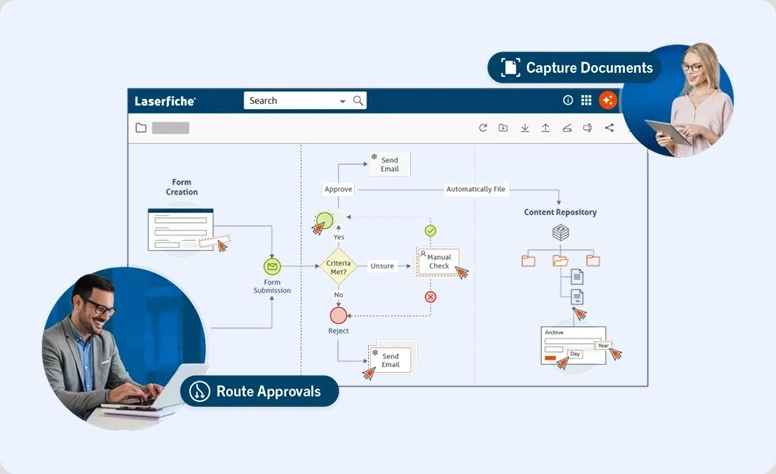
The creators present their software as an intelligent system that allows users to bring essential components—people, processes, and AI—together.
Within such an environment, Laserfiche provides a convenient space to organize and optimize all your work with information.
Features:
- AI-powered tools
- Centralized solution
- Search by metadata and full text
- Many advanced options
- Role-based permissions
- Approvals and electronic forms
Pros:
- Many opportunities for task optimization with AI
- Easy to scale functionality for large companies
- Integration with other apps
Cons:
- May be difficult for new users
- Small companies may feel the solution is too expensive
Cost Details:
To learn them, you need to fill out the contact form.
Compare and Select the Right Solution for You
|
# |
Platform |
Best For |
Key Features |
Pros |
Cons |
Pricing |
|
1 |
Flowlu |
Solopreneurs, freelancers, groups |
Centralized, access control, version history, collaboration |
Customizable templates, search, mobile access |
No real-time co-editing, limited export |
Free personal; from $9/user/mo |
|
2 |
DocuWare |
Any business |
AI processing, invoice management, compliance |
Navigation, mobile, integrations |
CRM/ERP integration complex, high cost |
Upon request |
|
3 |
Microsoft 365 DMS |
Those who using Microsoft tools |
Cloud, collaborative editing, metadata, sharing |
AI, Office integration |
Non-technical users may struggle, expensive |
From $12.50/user/mo annually |
|
4 |
Dropbox |
Any users |
Cloud, permissions, versioning, folders, editing, e-sign |
Intuitive, cross-platform, integrations |
Basic plan limits, pricing high |
From €9.99/mo |
|
5 |
FileHold |
Organized storage |
Centralized, version control, metadata, workflow tools |
Scalable, core DMS features, |
Limited AI assistance |
Quote-based |
|
6 |
Revver |
Automating storage |
Centralized, task builder, Smart Extract AI, sharing |
Streamlining, intuitive, Office 365 |
Expensive for small groups |
Quote-based; 14-day trial |
|
7 |
Signeasy |
Users signing docs online |
Templates, collaboration, audit trails, multiple formats |
Easy, mobile, affordable |
Focused on signatures, not full DMS |
$10–$20/mo per seat |
|
8 |
Axero |
Private company networks |
Intranet space, metadata search, access control, communication |
Collaboration, customizable, integrations |
Learning curve |
Quote-based |
|
9 |
M-Files |
Medium-large companies |
Metadata organization, AI, automation, search, compliance |
No coding, automation, Microsoft 365 |
Configuration, learning curve |
Quote-based; 30-day trial |
|
10 |
Laserfiche |
Medium-large organizations |
AI tools, search, automation, approvals |
AI optimization, scalable, work with other apps |
Learning curve, costly for small collectives |
Upon request |
Best Document Management Systems by Use Case
Let’s see in short what all these tools are best for.
Top 3 Secure DMS
#1. M-Files. Access based on metadata is perfect for regulated industries.
#2. Laserfiche. It offers audit trails and compliance control.
#3. DocuWare. Here users’ data stay safe due to encryptions and access control.
Best Enterprise DMS
Microsoft 365 DMS. Office workspace offers a lot of tools designed for purpose for large companies with complex processes
Best DMS with Custom Branding
Axero. Users find it convenient because it has a strong intranet + DMS combo with branding.
Laserfiche. Known for its flexible configurations. Moreover, users don’t need coding skills to customize processes.
Best DMS for Small Businesses and Remote Teams
Chose any on these solution:
-
Flowlu. The all-in-one software with CRM, DMS and project management.
-
Revver. It allows handling all your information easily.
-
Signeasy. Here you’ll find all you need to run remote employees.
-
FileHold. A user-friendly solution for small and medium-sized companies.
-
Dropbox. It’s easy to use and cloud-based.
How to Choose the Best Document Management Systems in 2026
Here is a checklist for quickly evaluating any solution. Pay attention to each step, and even write short notes to create your own overview.
Security
Documentation is always a very sensitive part of the process; that is why you have to study what data protection measures developers offer. The best solutions always include:
- Access control. Based on administrator permissions that correspond to a certain employee’s role.
- Encryption. Essential for data both at rest and in transit.
- Audit log. To track who modified content or just view it.
Compliance
Check for specific regulations that are important in your industry. The most common include:
-
GDPR—General Data Protection Regulation
-
HIPAA—The Health Insurance Portability and Accountability Act
-
FINRA—The Financial Industry Regulatory Authority
-
SOX—Sarbanes-Oxley Act Compliance
These privacy laws govern sensitive personal, financial, or healthcare data.
If this is important for your company, also check whether the platform offers compliance tools.
Retention Requirements
Some industries require data to be stored for a specific period, so make sure the chosen DMS meets your needs in:
- Rules for archiving, deletion, or review reminders
- Content lifecycle management
- Legal hold to preserve data for audits or in case of litigation
Integrations
If you already use any apps, evaluate the DMS for how smoothly it works with tools such as:
- CRM or ERP systems
- Office suites like Microsoft 365 or Google Workspace
- Other popular productivity apps like Slack, Teams, etc.
Workflows
Estimate the volume of your documentation work. A large workload always requires tools to automate repetitive tasks, such as:
- Approvals
- Notifications and reminders
- E-signatures
It’s also very helpful if the platform offers AI assistants or workflow engines to speed up routine processes.
Ease of Use
Even for complex projects, the DMS should be intuitive. Make sure you can easily perform essential actions such as search and navigation.
The best enterprise solutions also offer:
- Mobile access for remote employees
- Minimal training needed for onboarding
Pricing Models or Total Cost of Ownership
The full price may vary due to several factors:
- Number of users
- Tools required
- Terms of use
- Platform format (cloud or on-premise, desktop or mobile)
- Volume of storage
- Technical support
Make a short list of your requirements, and then review which solutions offer models or ownership options that cover all of them.
Keep Business Data Under Control
Working with data touches all aspects. While manual processes often lead to mistakes or errors, digital tools help minimize them.If you want all your information to stay well organized and protected, delegate its control to smart AI algorithms or machine learning tools. With the best secure DMS, you’ll notice the difference: work will be completed faster, manual errors will be reduced, and the risk of unauthorized access will be lowered.
It doesn’t matter whether you are a small collective or an enterprise organization—keep all content organized at every stage, from creation to utilization. To ensure data order evolves with your business, choose comprehensive software like Flowlu. You get not only reliable storage but also the ability to connect all file actions to specific tasks or projects. Need financial control? Create and track estimates and invoices. Store a lot of customer information? The client portal and robust CRM ensure no data is lost.
Create content, use ready-made templates, save, store, track, tie them to projects, and communicate with your team—our all-in-one solution makes your workspace comfortable, consistent, and efficient.

The best DMSs are those that provide strong security, meet your industry compliance requirements, offer intuitive navigation, and allow integration with useful third‑party software.
The workflow of these solutions corresponds to the main stages of any document lifecycle and can be summarized as:
Collect → Organize → Secure → Track → Automate → Audit
Look for these advanced solutions when your:
- Cover many departments and teams
- Involve a large volume of information
- Show a higher risk of errors
- Include many repetitive tasks that can’t be completed manually
- Require extensive collaboration with remote employees
- Demand high levels of protection or regulatory compliance
From our review, Microsoft 365, FileHold, DocuWare, M‑Files, Revver, and Laserfiche are ideal for managing large volumes of documentation.
We recommend trying Flowlu, Axero, Revver, FileHold, or Laserfiche to create the perfect workspace for your needs, as these solutions offer many flexible settings that can be adapted to any business.