







Best Asana Alternative for Teams and Businesses


Many teams begin with a task tool, then add more tools for CRM, invoices, and time tracking. That stack can cost more than the core management software itself.
This guide compares leading options and shows which tools can prove a stronger fit for teams and small businesses.
Best picks by use case
|
Use case |
Tool |
|
Task-only teamwork and cross-team coordination |
Asana |
|
Client delivery plus CRM, time tracking, and invoicing in one place |
Flowlu |
|
Software teams running Scrum or Kanban with backlog planning |
Jira |
|
Database-style work tracking with flexible views and automations |
Airtable |
|
Simple personal task lists and lightweight planning |
Todoist |
Why Look for an Alternative to Asana?
Common Limitations of Asana
Asana is strong for task management and cross-functional project planning, with list, calendar, and Kanban views, plus paid tiers for deeper workflows and portfolio management.
But once teams manage client work end-to-end, the gaps show up quickly.
Asana is primarily a task and project management tool, so many business-critical workflows still require additional tools, add-ons, or manual work, such as:
- Budgets and financial visibility: tracking project costs, profitability, or cash flow typically happens outside the platform.
- Billing and invoicing: estimates, invoices, and payments usually require separate software.
- Client-facing work: sharing progress, collecting approvals, and keeping clients in the loop can turn into extra admin work.
- Time tracking depth: teams often need another tool to track time consistently, report on time, or connect time to billing.
- Tool sprawl: as needs grow, teams stack CRM, finance, and reporting tools around Asana—and spend extra time keeping data consistent.
If your team mainly needs task lists and simple project coordination, Asana can be a good fit.
But if your workflows include clients, revenue, and reporting, it’s common to start searching for a better alternative to Asana that keeps everything in one place.
When Asana Becomes Expensive for Growing Teams
Here’s the problem with Asana: the pricing hits you twice.
First, you can’t just pay for the users you actually have.
Asana sells licenses in fixed increments, so it’s not possible to add just a single seat to your subscription.
Say your team grows from 10 to 11 people. With Asana , you’re suddenly stuck paying for 15 seats instead of 11. That’s 4 empty seats costing you about $1,200 a year in wasted money on Advanced subscription.
Second, even the seats you do use aren’t cheap.
Asana’s Starter tier is $10.99 per user per month ($13.49 monthly), and Advanced jumps to $24.99 per user per month ($30.49 monthly). As your team grows, that per-user cost multiplies fast.
The problem is you’ll probably still need separate tools for CRM, finance, and time tracking.
Missing Business Tools Beyond Task Management
If you run client work, internal operations, or multiple departments, you’re not only managing projects.
You’re also managing requests, pipelines, estimates, invoices, profitability, and a client portal.
Reviews of Asana alternatives often call out missing reliable native time tracking and budget management as reasons teams switch.
What Is the Best Alternative to Asana?
The best Asana alternative is the one that matches your workflow, your team size, and your pricing ceiling.
What Makes a Good Asana Alternative
The right pick depends on whether you need a task app, a project management suite, or a full business platform.
The best option usually:
- keeps project and task work simple for the whole team
- scales workflows, reporting, and permissions without creating admin overhead
- reduces tool sprawl by covering CRM, time tracking, finance, and collaboration in one place
Key Criteria: Pricing, Features, Scalability
Compare:
- pricing per user and what each plan includes
- free plan limits (users, storage, automation, client access)
- features that matter for your workflow (views, templates, workflows, automations, time tracking, reporting)
- Project setup: create a project, add tasks, assign a task owner, and set start time and due time.
- Views: list, Kanban, calendar, and timeline views so every team can work their way.
- Workflows: status workflows that match how your team actually runs projects, plus workflow rules that reduce manual work.
- Templates: reusable project templates for onboarding, marketing, operations, and client delivery.
- Time tracking: built-in time tracking so users can log time, review time reports, and bill time when needed.
- Reporting: dashboards that show project health, time spent, and workload for each team.
- Business context: CRM and finance features that connect deals, invoices, and project delivery.
- Enterprise controls: permissions, roles, audit history, and governance for enterprise rollouts.
Track how the software performs in a week or two and whether the software still feels good to use.
Flowlu — A Better Alternative to Asana
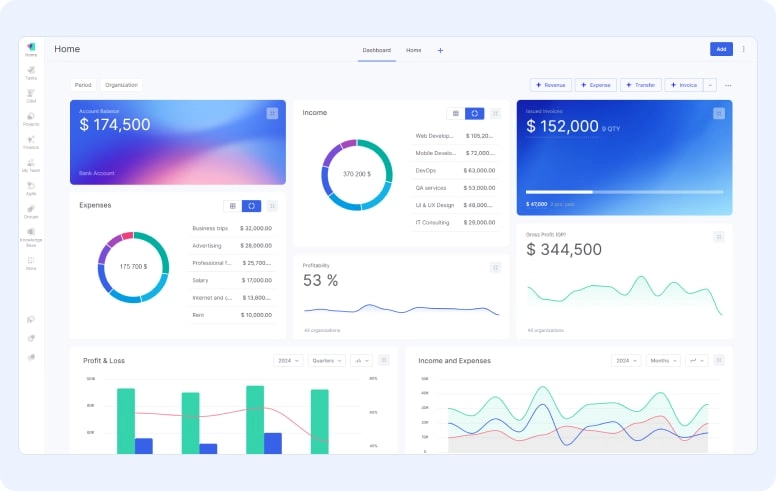
If your team only needs task lists and simple project coordination, many tools can work.
But once you’re managing client delivery, budgets, billing, and reporting, a task-first platform usually turns into a stack of extra tools.
That’s why many teams compare all-in-one systems that combine project management with CRM, finance, and time tracking in one place.

All-in-One Project and Business Management
Flowlu combines tasks & projects, CRM, finance, and team collaboration inside a unified workspace. The plans are built around real business needs: client work, internal requests, and repeatable workflows.
Flowlu’s paid plans add more project management features without splitting core business management into separate add-ons:
- Essential includes Gantt, dependencies, sprints, project workflows, finance reports, and task time tracking.
- Advanced adds client portal access, sales and workflow automations, recurring tasks, portfolio management, billable time, and planned vs logged time reporting.
Built-in CRM, Finance and Client Portal
Flowlu’s pricing plans include CRM functions and financial management features, plus a secure client portal for updates, approvals, estimates, and invoices.
That matters when your projects involve external stakeholders and you want fewer emails and less status chasing.
Task Management, Kanban, and Workflows
Flowlu covers task management with Kanban, Gantt, calendar, and list views, plus project workflows and automation rules to route work, assign tasks, and keep processes consistent.
For teams that run client delivery, a template library matters.
A template turns a repeatable project into a repeatable process: the same task list, the same workflows, the same time tracking steps, and the same reporting every time.
You can build templates for onboarding, monthly reporting, content production, sprint planning, and billing cycles, then reuse those templates across projects to protect team productivity.
Time Tracking and Reporting
Flowlu includes time tracking with task timers, logs, filters, exports, and billing workflows that connect tracked time to invoices.
That means better reporting on project effort, profitability, and workload without a separate tracking tool.
If your main goal is productivity, measure it in time: fewer status meetings, less copy/paste between tools, and less time spent reconciling project data.
When the team can move from task to invoice without leaving the platform, productivity improves for every user, and reporting stays accurate for all users.
Asana vs Flowlu: Detailed Comparison
If you want an Asana project management alternative that covers client work end to end, focus on what’s built in versus what requires extra tools.
Feature Comparison Table
|
Category |
Asana |
Flowlu |
|
Seat flexibility |
Rigid. Seats sold in blocks. |
Flexible. Any number of seats can be added to any paid subscription. |
|
Core task management |
Tasks, projects, list, board, calendar views |
Tasks, projects, Kanban, Gantt, calendar, list views, project milestones |
|
Project planning |
Gantt timeline in paid tiers |
Gantt chart, sprints/backlog in paid tiers |
|
Workflows & automation |
Rules and workflow builder; AI Studio for AI workflows |
Workflow automation across apps, triggers, actions, reusable workflows |
|
CRM |
Not built-in (typically separate tool) |
Built-in CRM with pipelines and email sync |
|
Financial visibility |
Limited. Requires integrations to see project budgets vs. actual spend. |
Real-time. Built-in project cash flow, expense tracking, and profitability reports. |
|
Time-to-revenue |
Manual. Timers exist, but require 3rd-party apps or manual exports to bill clients. |
Automated. Native integration between task timers, billable rates, and final invoicing. |
|
Client portal |
Guest access; dedicated client portal typically via other tools |
Built-in client portal for updates, approvals, estimates, invoices |
|
Reporting |
Dashboards and reporting |
Detailed reports and customizable dashboard widgets |
Free Plan Comparison
Asana’s Personal plan is free forever and supports 2 users with unlimited tasks & projects and list/board/calendar views.
Flowlu’s Free plan is also free and is built as a 2-user workspace, with CRM basics (100 contacts, 1 pipeline), tasks & projects with 1 workflow and Kanban/list views, plus invoices and expense tracking.
Pricing per User per Month
Flowlu Essential is listed at $9 per user per month billed yearly, and Flowlu Advanced is $17 per user per month billed yearly.
Asana Starter is $10.99 per user per month billed annually ($13.49 monthly) and Advanced is $24.99 per user per month billed annually ($30.49 monthly).
Which Platform Is Better for Small Teams?
For a best Asana alternative for small teams, check how many projects, users, and workflows you can run before you hit plan limits.
If your small team is mainly tracking tasks, most tools work.
But if you need CRM, invoicing, and time tracking tied to projects, Flowlu is often a stronger fit because it reduces extra tools, keeps data connected, and simplifies reporting across the whole business.
Best Free Alternative to Asana
If you’re starting small, the free plan should help you build a workflow you can keep using as your team grows.
Many tools offer free task tracking, but growth usually forces you into paid upgrades plus separate tools for CRM, billing, or reporting.
Flowlu works well as a free alternative to Asana because it supports projects and tasks while also covering the basics of client operations—so you can scale without rebuilding your process.
What You Get in the Free Plan
With Flowlu’s Free plan you get:
- a 2-user workspace
- CRM basics for leads and contacts
- tasks and projects with Kanban/list views, stages and milestones
- invoices, estimates, and expense tracking
- collaboration basics and a basic internal wiki
Is Flowlu a Good Free Alternative to Asana?
Yes. For teams that want a free tool that also covers basic project management, CRM, and finance.
In practice, Flowlu can replace Asana on a budget because you can manage projects, clients, and business operations without adding extra software as early.
Cheap and Lightweight Alternatives to Asana
If you want a budget-friendly option with fewer moving parts, focus on the simplest workflow that still matches your project needs.
Cheap Alternative to Asana for Startups
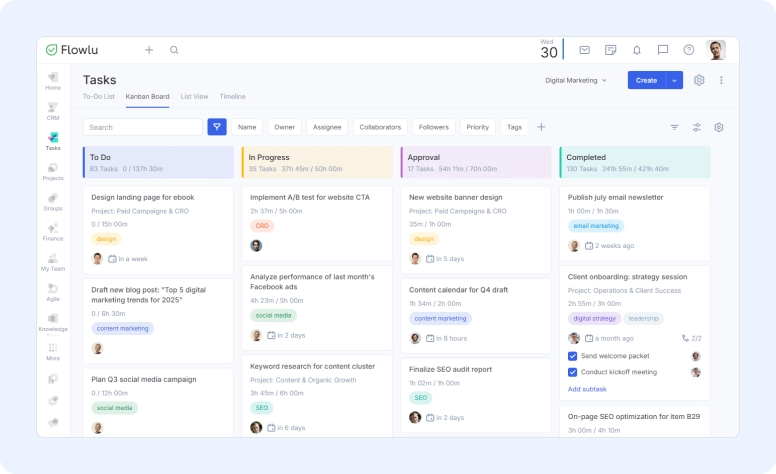
Startups often need a tool that handles projects, tasks, and basic reporting without enterprise overhead.
A best task manager alternative Asana can be a checklist-first app, but many startups outgrow that once client work and billing appear.
Flowlu’s Essential plan is positioned below Asana Starter on annual pricing, while adding CRM and finance features that replace separate tools.
Simple and Lightweight Alternative to Asana
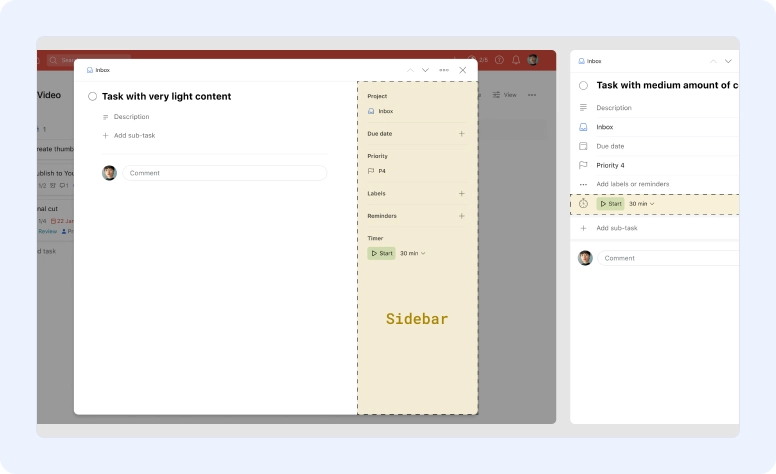
A simple alternative to Asana can be Todoist if your projects are lightweight and you mainly need Kanban or lists.
For many teams, it's a good alternative to Asana until budgets and billing become part of the workflow.
The trade-off is that you may need more tools for client work, time tracking, and reporting later.
Other Asana Alternative Programs
If you’re comparing alternatives, these are the tools that show up most often in review roundups and team recommendations. Each one fits a slightly different workflow.
ClickUp
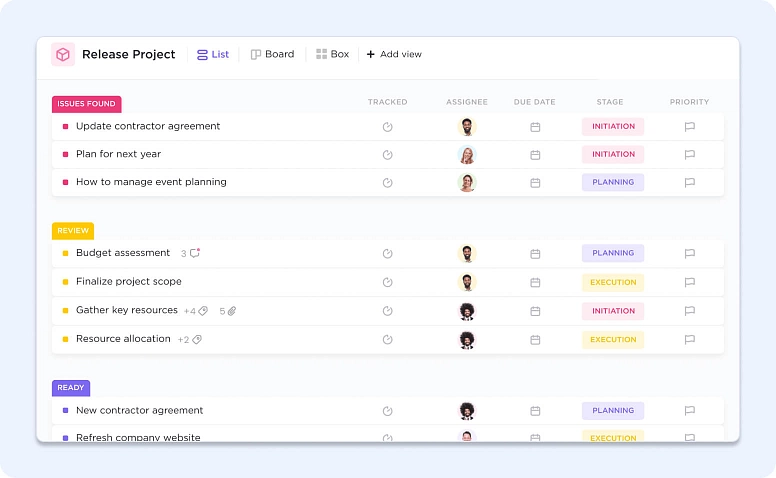
ClickUp is popular for its robust free plan and wide feature set, including many views and automations. Expect a learning curve as you configure the platform for your team workflows.
Pricing: Free Forever is available; paid starts with Unlimited at $7/user/month (billed yearly) and Business at $12/user/month (billed yearly), with Enterprise priced via sales.
Trello
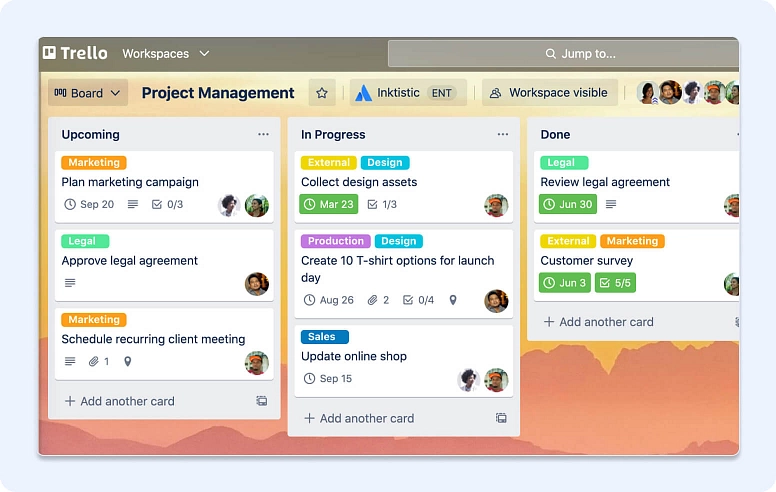
Trello is a classic Kanban board tool with Power-Ups and Butler automation. It’s a good lightweight option for card-based workflows, but some teams outgrow it when they need deeper cross-board visibility, more structured planning, or advanced reporting.
Pricing: Free is $0 (up to 10 collaborators per Workspace); Standard is $5/user/month billed annually ($6 billed monthly), Premium is $10/user/month billed annually, and Enterprise is $17.50/user/month billed annually.
Monday.com
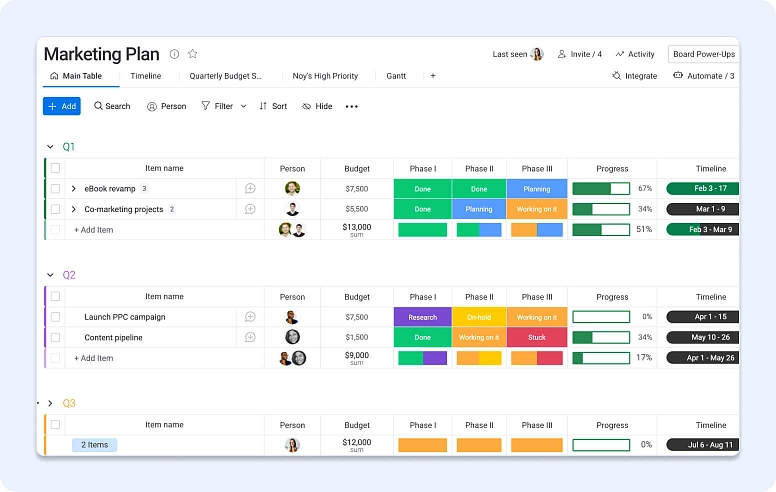
Monday.com is widely used for flexible, visual work management with customizable boards and multiple views; the experience can feel complex if you heavily customize workflows early.
Pricing: Free is $0 (up to 2 seats); paid plans include Basic $9/seat/month, Standard $12/seat/month, and Pro $19/seat/month, billed annually; Enterprise is via sales.
Jira
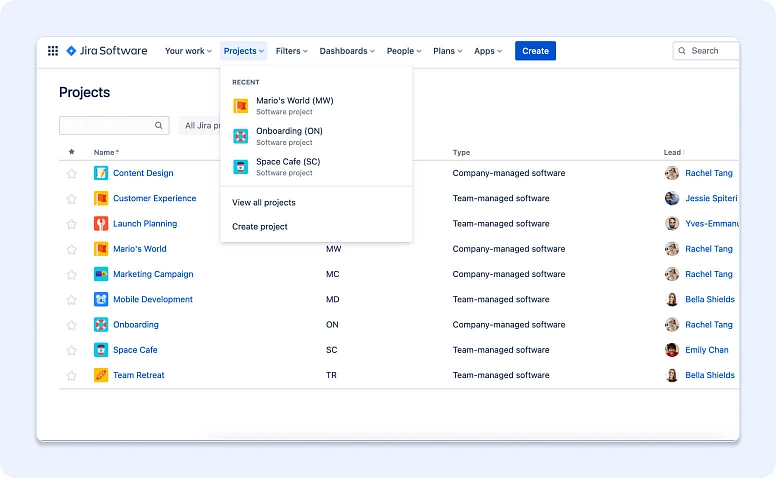
Jira is a standard choice for software teams running Scrum or Kanban, with strong boards, sprints, and backlog planning. Outside dev workflows, it often requires more configuration and can feel heavy for non-technical teams.
Pricing: Free is available for 10 users; Standard is $7.91/user/month and Premium is $14.54/user/month (with Enterprise available).
Airtable
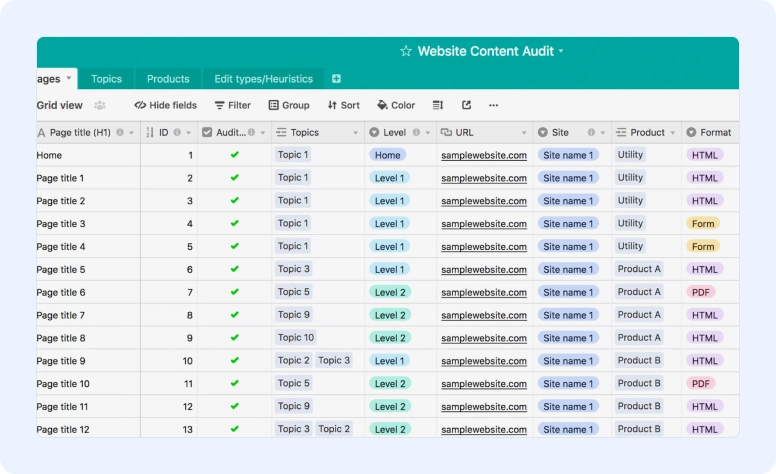
Airtable is great for database-style workflows and data-heavy project tracking, with flexible views and automation options. The trade-off is that you’re often building and maintaining your own system (structure, permissions, and upkeep).
Pricing: Free plan is available; Team is $20/user/month billed annually, Business is $45/user/month billed annually, and Enterprise Scale is custom.
Why Flowlu Is the Best Asana Alternative
So, what's the best alternative to Asana when you want fewer subscriptions, cleaner workflows, and real business visibility?
For many teams, it’s Flowlu because it combines project management, CRM, and finance.
More Features Without Extra Tools
Flowlu is built for client work and internal operations, so you can manage projects, tasks, workflows, time tracking, invoices, and a client portal in one place.
What this means in practice:
- fewer subscriptions to manage
- fewer manual handoffs between tools
- clearer reporting on time, workload, and profitability
Scalable for Small Teams and Enterprises
Flowlu works as a best Asana alternative for small teams because you can start simple (tasks, projects, kanban, workflows) and add structure as your work grows.
For larger organizations, higher tiers support advanced workflows, deeper analytics, portfolio visibility, and enterprise controls such as role-based access and governance.
If you’re evaluating it for enterprise rollout, prioritize:
- role-based permissions and external users
- portfolio reporting across projects
- planned vs logged time tracking and accountability
- knowledge base and standardized templates
Start Free and Grow at Your Own Pace
You can start on the free plan to test real workflows with your team, then move to Essential or Advanced when you need more automation, reporting, and client-facing features.
This pricing model keeps core business tools close to your project work, meaning scaling up doesn’t require rebuilding your process in a new platform.
FAQ
If you need the best Asana alternative for small teams that goes beyond tasks, pick a platform with CRM, finance, and time tracking.
For many small teams, Flowlu is a strong fit because it covers project management and business management in one place.
Yes. Flowlu’s Free plan is a 2-user workspace with project management, CRM basics and invoicing.
If you want a free plan that supports client work, Flowlu is a strong pick because CRM and finances are included alongside features for handling tasks and projects.
Common reasons include needing built-in time tracking and budgets, reducing integration dependency, and keeping project, CRM, and finance data together.
Yes, in Flowlu, you can import structured data and rebuild projects with templates.
A stronger platform connects project work to business outcomes: sales pipeline, client portal, invoices, profitability reporting, and automation workflows. Flowlu’s design centers on those links.
If you specifically need an Asana alternative offline, look for desktop-first tools or self-hosted systems. The trade-off is fewer integrations and less real-time collaboration.
For lightweight web tools, Trello, Flowlu, and Todoist are common picks.
