







Alternative Klaxoon Tools for Creative Team Collaboration


Stickers and markers help you explain what you're working on. But how do you recreate that energy with remote staff? Those who've tried Klaxoon know how easy it can be. If you want to do more, consider project management tools like Flowlu and other alternatives.
TL;DR: Best alternatives at a glance
Interaction with colleagues shouldn't be too dry and formal. Klaxoon set a trend for making discussion engaging and bright. We’ve reviewed apps that offer a similar approach and often go further, letting you plan complex initiatives and run your entire business from one hub.
- Flowlu: All-in-one solution for managing projects, staying connected with your team and clients, organizing documentation, and tracking finances.
- ClickUp: Ideal for discussing complex undertakings. Here the whiteboard meets project management software.
- Mural: Visual AI development. A shared canvas and expert-designed templates speed up your workflow.
- Collaboard: Digital board that prioritizes security across all interactions, from workshops to team coordination.
- Microsoft Whiteboard: Familiar stickers in a connected workspace. User-friendly and packed with many possibilities.
Why users re-evaluate the solution
We’ve looked at feedback across multiple review sites to learn what people value and why some eventually start looking for an alternative to Klaxoon.
Where it stands out
Recent reviews highlight several strengths people consistently appreciate:
- Ease of navigation
- Flexible elements for discussing and sharing content
- Interactive spaces that adapt well to different workflows
- Responsive and helpful customer support
Common reasons teams explore for more
Some customers report difficulties in a few areas:
Interface
One reviewer mentioned that it “can feel slightly overwhelming for first-time users.”
Several reviewers also note the need for better onboarding, tutorials, or guided training to help teams learn the functionality faster.
Mobile experience
Another commenter points out that the mobile experience is less convenient, describing it as “not very user-friendly on the phone.”
Navigation
One more person noted that moving between boards can become challenging, especially in larger workspaces.
Some objective limitations
These aren’t necessarily drawbacks. They’re just areas the app wasn’t primarily designed for:
- Advanced management
- Built-in CRM functionality
- Large-scale operations and scalability
Many alternatives aim to cover these needs while still preserving the collaborative and visual experience teams enjoy in Klaxoon.
Top alternatives compared
|
Criteria |
Klaxoon |
Flowlu |
ClickUp |
Mural |
Collaboard |
Microsoft Whiteboard |
|
Ideal For |
Visual idea-sharing |
Small businesses looking to get organized |
Complex processes and coordination |
Remote teamwork |
Security-focused industries |
Teams already using Microsoft products |
|
Main Focus |
Brainstorming and workshops |
CRM + project management + collaboration |
Planning + teamwork |
Collaboration with AI |
Secure whiteboarding |
Simple visual teamwork |
|
Whiteboard |
High-level |
Basic |
Robust |
Extensive |
Comprehensive |
Basic |
|
Project Management |
Limited |
Strong |
Strong |
Moderate |
Moderate |
Limited |
|
AI |
Limited |
AI integration via MCP |
AI image generator |
AI summaries and suggestions |
AI image background removal + sticky notes detection |
Limited |
|
Weaknesses |
Navigation and mobile usability |
Not a dedicated app |
Can feel overwhelming |
Complex dashboards |
Learning curve |
Limited features |
|
Free Plan |
Trial only |
Yes |
Yes |
Yes |
Yes |
Yes |
|
Starting Price (members/month, except the first one) |
$24/host/month |
$9 |
$7 |
$9.99 |
Approx. $5–6 |
Approx. $6 |
5 Best alternatives in detail
Every platform includes a free plan.
Flowlu
Ratings:
Capterra—4.8
G2—4.7
Who chooses: small, mid-sized, and large companies that want to run all business operations in one space.
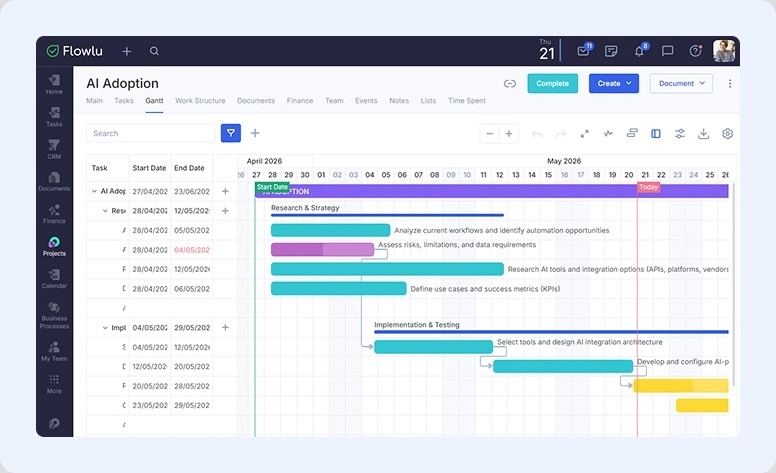
Flowlu helps companies manage projects, process leads, coordinate team workflows, and track finances. The system is flexible enough for small companies while still offering the structure growing businesses need. So you can keep using the same platform as your operations expand.
What’s worth trying:
- Robust CRM. Create a convenient environment for your salespeople: capture leads from web forms or email and track every stage of the sales pipeline. It’s highly customizable and flexible, helping teams build a seamless sales process.
- Projects. Assign a set of tasks and track progress using classic methodology or Agile. Link documents, plan your budget, and monitor deadlines.
- Interactive task views. Manage work with drag-and-drop Kanban. Organize assignments using Gantt Chart, Calendar, To-Do List, or List View depending on your workflow.
- Real-time dashboards. Choose the widgets and metrics you want to monitor. Build separate dashboards for finance or sales. All information updates instantly.
- Mind-maps. Structure ideas visually, discuss with colleagues, and edit maps together.
- Built-in communication. Comment on tasks, use the internal chat, publish updates in the company feed, or connect WhatsApp, Telegram, and Viber.
|
What people love: |
Weak points: |
|
|
Pricing
The paid plans start at $9 per user per month.
Verdict
Flowlu gives better capabilities for complex operations. It provides stable, secure communication and remains suitable for both solopreneurs and large organizations. It helps smaller companies scale operations more smoothly.
BUT
As it’s not a dedicated product, you won’t find classical virtual board elements here.

ClickUp
Ratings:
Capterra—4.6
G2—4.6
Who chooses: teams in creative industry
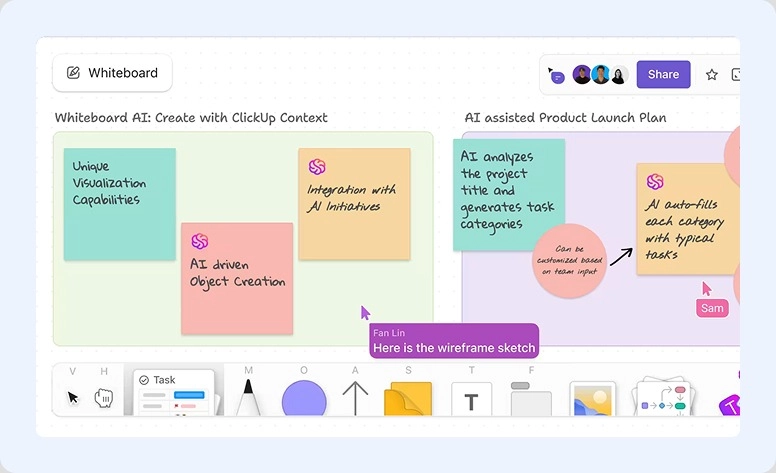
A comprehensive solution that offers many tools within one system. ClickUp combines strong planning with the interactivity of digital boards. So when you capture an idea as a draft, you can turn it seamlessly into an assignment.
What’s worth trying:
- Interactive canvas
- Customizable mind maps
- AI image generator
- Goal tracking
- Automated workflow coordination
| What people love: | Weak points: |
|
|
Pricings
Subscription starts at $7/month per user.
Verdict
It’s a good option to switch if you want to manage larger undertakings and still have fields for note-taking and drafting. Built-in AI generators make some work easier to do.
BUT
It can feel a bit confusing for beginners because of how many features it has.
Mural
Ratings:
Capterra—4.5
G2—4.6
Who chooses: sales, marketing, consulting, or research and development.
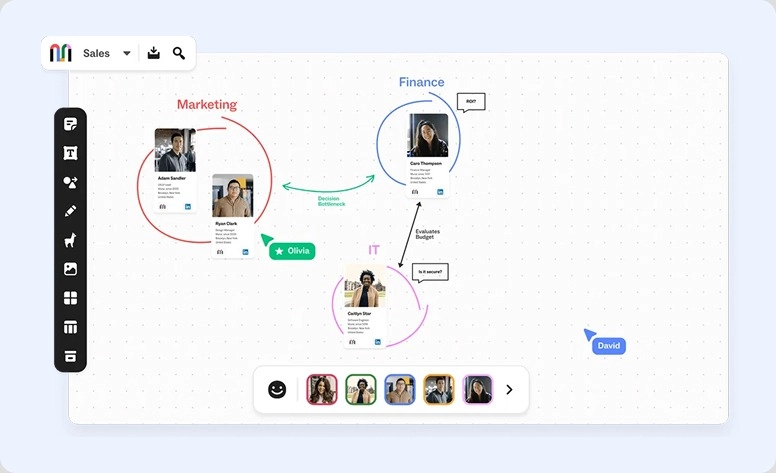
It’s built around the idea that visibility improves teamwork. That’s why Mural positions itself as a visual product with strong AI support. It helps connect strategy with execution through real-time interaction in a single workspace.
What’s worth trying:
- AI summary and suggestion
- Drag-and-drops elements
- Mind-mapping
- Agile ceremonies templates
- Voting sessions
- NPD (new product development) features
|
What people love: |
Weak points: |
|
|
Pricings
The paid plan starts at $9.99 per member per month.
Verdict
A simple and convenient option that has become even more powerful with AI support.
BUT
When it comes to managing larger canvases, the experience may start to feel overwhelming.
Collaboard
Ratings:
Capterra—4.6
G2—4.7
Who chooses: organizations that need robust data protection (Banking, Insurance, or Critical Infrastructures).
A single hub for productive workshops, daily meetings, and creative sessions. Collaboard offers all the familiar whiteboard capabilities while placing a strong focus on security and data protection. The system works well both for collaboration and for strategic planning.
What’s worth trying:
- Brainstorming with timers, presentation mode, and guest controls
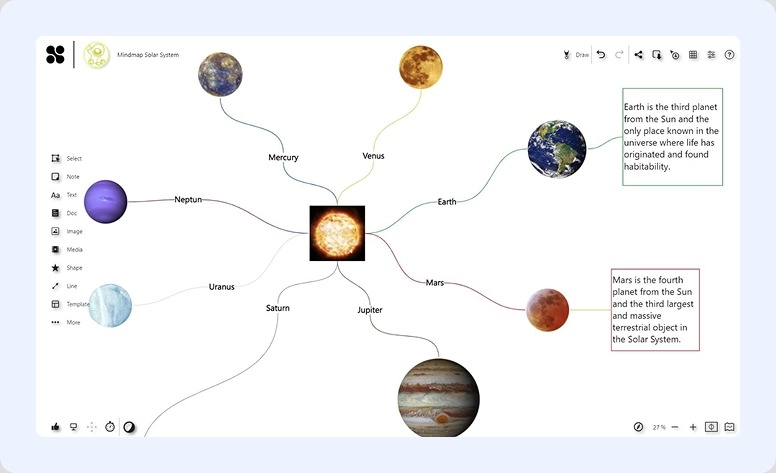
- Mind mapping
- Event planning
- Business Model Canvas
- SWOT analysis
| What people love: | Weak points: |
|
|
Pricings
The Basic plan starts at €5 per user per month (approximately $5–6).
Verdict
A worthy Klaxoon replacement that not only helps create mood boards with pictures, screenshots, and charts but also keeps data sharing secure.
BUT
It takes a lot of time to adapt to all the features and build workflows that fit industry needs.
Microsoft Whiteboard
Ratings:
Capterra—4.4
G2—4.5
Chooses: teams already operating within the Microsoft ecosystem.
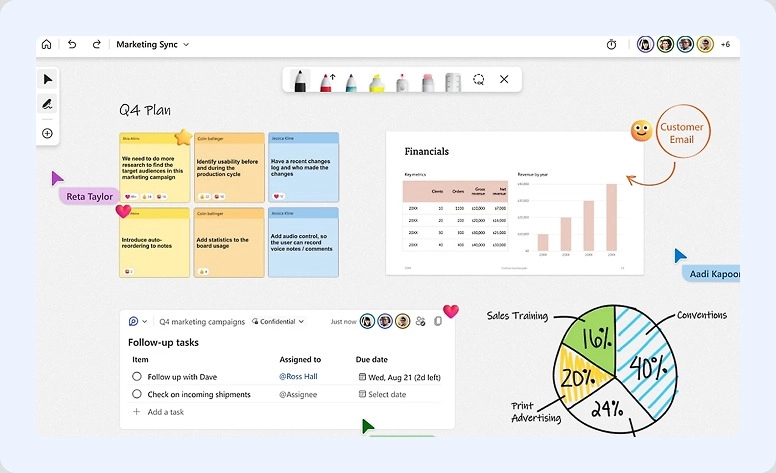
It’s a virtual canvas for idea-sharing, meetings, and teamwork. The software focuses on simplicity and smooth collaboration inside the familiar ecosystem. Users can sketch concepts, organize notes, and edit together during calls and workshops.
What’s worth trying:
- Infinite canvas
- Sticky notes and drawing
- Prebuilt layouts
- Touchscreen and stylus support
| What people love: | Weak points: |
|
|
Pricing
The product comes with Microsoft 365 subscription. The Basic plan starts at £4.60, which is approximately $6 per user/month, paid yearly.
Verdict
A convenient variant for those who already rely on Microsoft products and need a simple tool for meetings, discussions, and quick planning sessions.
BUT
May slow down performance when the board becomes overloaded with elements.
What to look for when choosing something new
Klaxoon sets a pretty high standard. So when comparing similar options, pay attention to whether they offer the following:
Easy-to-use interface
A good system should have clear navigation and intuitive controls so your colleagues stay focused on ideas instead of struggling with the interface.
Real-time teamwork
Imagine editing a design with colleagues or clients and asking whether a color or element should be changed. Your comment appears instantly, but the reply takes minutes or even hours. Make sure those delays come from people, not from poor synchronization or slow updates.
Creative flexibility
Sometimes insights are difficult to express with words alone. Many modern apps now include AI-powered and visual capabilities. Try creating diagrams, charts, maps, or workflows. And ask yourself: does the canvas actually support the way I think and work?
Project and task management
If you want to turn insights into actual results, look beyond the visuals. Strong planning and coordination are what actually turn thoughts into reality.
Integrations
Maybe the software doesn’t include built-in video conferencing or drawing capabilities. That’s not always a dealbreaker. Check whether it integrates with popular third-party solutions so you can build a workflow that fits your needs.
Security
Sharing content is convenient, but it also comes with data protection risks. Look into how developers protect your information. Useful capabilities may include two-factor authentication, single sign-on, password-protected boards, and permission controls
Finding a better fit
With so many options on the market, it may take a long time to find the perfect setup.
We understand how important that choice is, and with Flowlu, we offer a flexible space where everyone can organize operations and keep communication in one place.

FAQ
Mural and ClickUp are strong choices for that. They have virtual boards, idea-mapping capabilities, and AI-powered support.
From our review, we chose Mural. It offers online interaction, workshop setups, and easy idea-sharing during online sessions.
Yes. Flowlu, ClickUp, Mural, Collaboard, and Microsoft all have no-cost access with basic capabilities.
Flowlu and ClickUp. They help turn ideas into structured workflows and operations.
Security depends on the software. Collaboard focuses heavily on data protection with options like 2FA and SSO, while Flowlu and Microsoft products also provide strong access control and protection systems.
