







Whimsical Alternatives: 5 Top Mind-Mapping Tools for Your Workflow


Whimsical is one of the apps that takes the idea of the whiteboard and makes it digital. Although its simple and clear structure finds fans all over the world, many users search for more. If your project grows in detail and requires a more elaborated workflow beyond simple visual idea-drafting, platforms like Flowlu can be a timely replacement.
TL;DR SHORTLIST
We didn't search for exactly the same options but picked only those that can help you solve different challenges. Learn more about:
- Flowlu: if you want to turn your visual representation into a complex project with customization, automated processes, and detailed task monitoring.
- Miro: a universal solution with more than 250 integrations and a rich base of ready-to-use templates.
- Microsoft Visio: for those who want to try something more classical and technically powerful and tie processes with a familiar environment.
- Lucidchart: worth setting up if you want advanced diagramming and your projects focused more on concepts like website or mobile app wireframes.
- FigJam: if you know Figma, this variant will also be a great helper in moving creative collaboration forward.
Why People Look for Whimsical Alternatives
Visiting review sites, you won’t encounter negative feedback.
What Whimsical Is for
Whimsical is appreciated for its friendly onboarding and usage, neat elements, easy teamwork (just share a link and go), and helpful AI. Versatile functionality lets you create wireframes, brainstorm, build org charts, make maps, and much more.
Key Limitation
The main (and honestly, the only substantial) complaint we've found is expressed in user feedback:
“Great for simple visuals, but not ideal for large cross-team collaboration.”—G2 feedback
Although the product covers basic planning well, when your processes scale up, Whimsical's canvas feels restrictive. The same applies to coordination capabilities as your company grows.
Whimsical Alternatives at a Glance
|
Criteria |
Whimsical |
Flowlu |
Miro |
Microsoft Visio |
Lucidchart |
FigJam |
|
Ratings (Capterra/G2) |
4.7 / 4.6 |
4.8 / 4.7 |
4.7 / 4.6 |
4.5 / 4.2 |
4.5 / 4.5 |
4.8 / 4.6 |
|
Best for |
Quick brainstorming |
Business & project management |
Remote team interaction |
Technical structures |
Collaborative flowchart building |
Creative teamwork |
|
Key features |
Mind maps, wireframes |
Project management, CRM, Kanban |
Infinite canvas, templates |
UML, process maps |
Flowcharts, integrations |
Whiteboards, live chats |
|
Limitations |
Limited advanced features |
Not a true whiteboard |
Can feel overwhelming |
Harder for beginners |
Less creative/freeform |
Weak for technical diagrams |
|
Free plan |
Yes |
Yes |
Yes |
No |
Yes |
Yes |
|
Paid plan per user/month |
From $10 |
From $9 |
From $8 |
From $5 |
From $7.95 |
From $3 |
|
When to choose it |
Fast and simple idea mapping |
Universal workspace |
Flexible collaboration |
Enterprise documentation |
Balanced visualization |
UX/UI workshops |
5 Best Whimsical Alternatives: Detailed Comparison
From basic mapping to complex task building—look closer at platforms that may become strong competitors while supporting Whimsical's core ideas.
Flowlu
Ratings:
Capterra—4.8/5
G2—4.7/5
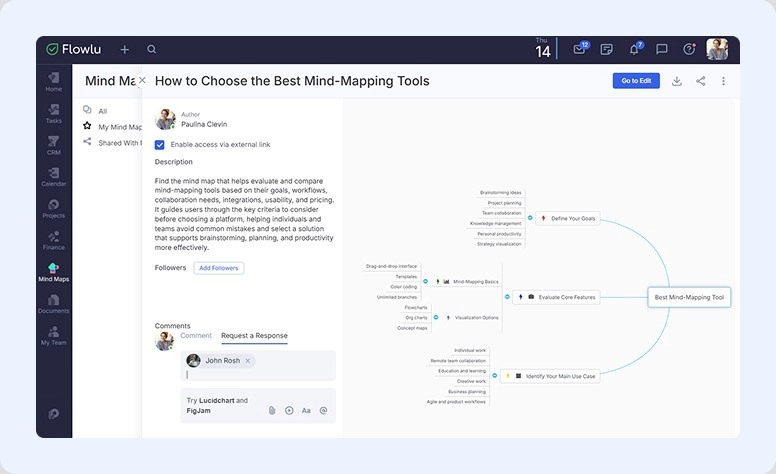
It's designed as an all-in-one, powerful software to manage your projects and track deals. But what makes Flowlu really convenient is that it also pays attention to detail.
Within a shared space, you get clear visibility of tasks in drag-and-drop Kanban, Gantt charts, and other views. Build maps with insights and edit them with colleagues, leave comments, create custom documentation, and accumulate instructions and insights within your company's knowledge base.
Perfect for: both solo project managers and large organizations.
As a keeper of your precious ideas, you should try Flowlu's features:
- Mind Maps. Prepare a visual structure of your idea. Customize elements with icons, set prioritization, and add subtopics.
- Organizational Structure. Functions similarly to the previous one but is designed specifically for creating a clear structure of your company’s hierarchy, including departments and staff.
- Knowledge Base. Write onboarding guides, client communication instructions, finance reports, and a poem about your dog. Add anything that matters for your productivity. Sort reasonably, search quickly. If you notice a mistake, tag a colleague to correct it.
- Record Lists. Keep records of equipment needed for a project, furniture to buy for the office, or gifts to get colleagues for their birthday.
- Communication. Use an internal chat messenger or integrate Viber, WhatsApp, or Telegram. Leave comments even when out of the office, from your mobile app. Flowlu provides instant cross-device updates.
|
Main benefits: |
Potential gaps: |
|
|
Pricing:
Try all features with a 7-day trial. Forever free for up to 2 people. If your company is larger, pricing for the Essential plan starts at $9 per member per month when billed annually.
Fair assessment:
You'll find everything for comfortable project and client management. Flowlu's modules let you build a flexible working environment, even for larger and more complex undertakings. But as a non-dedicated solution, it lacks the familiar digital board and creative canvas.

Miro
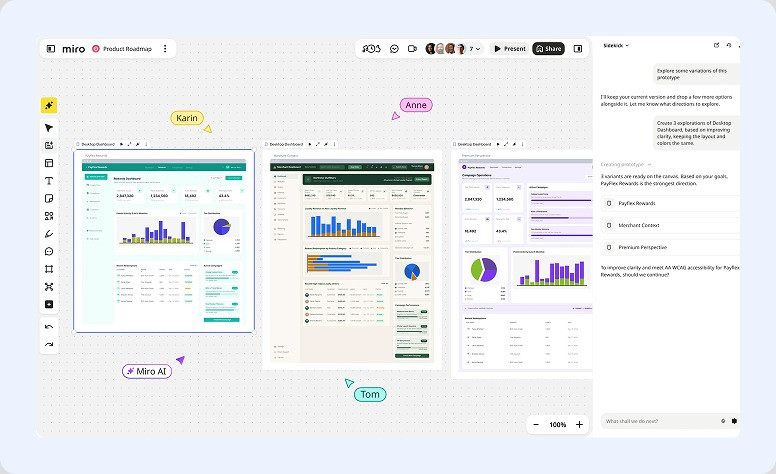
A rich collaborative space that helps capture ideas and insights and develop them together. It’s a well-organized and convenient environment for teams whose members work remotely or from different locations outside the office.
Also, Miro stands out for its flexible interactive elements. Businesses with different needs can customize structure without a long learning curve.
Perfect for: hybrid or remote collectives.
You may like these capabilities:
- Boundless intelligent canvas
- Rich library of ready-made layouts
- Flowcharts
- Access rights management
- Talktracks
- Automation
- Background music tool
|
Main benefits: |
Potential gaps: |
|
|
Pricing:
The app has free usage. Paid Starter plans cost $8 per member/month.
Fair assessment:
Miro offers more flexible opportunities for brainstorming and planning. It goes beyond standard mapping and allows users to manage projects in a creative and straightforward way.
Microsoft Visio
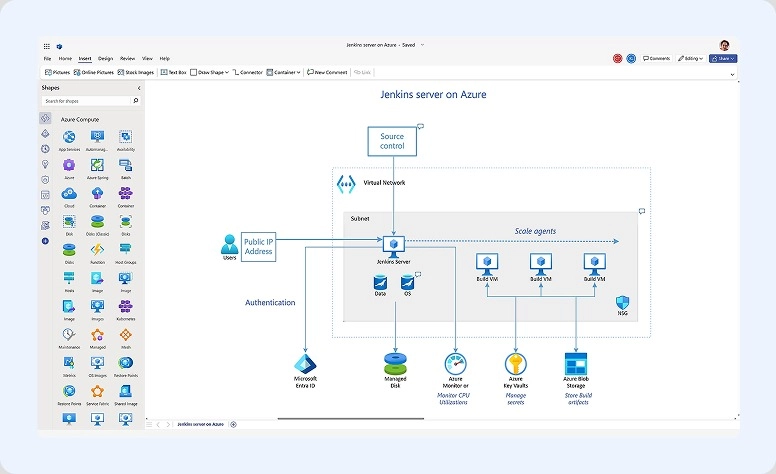
It’s a more professional choice for diagramming and visualization. Here, you can create structured schemes, technical layouts, and business process maps.
It’s a great choice for those who want to keep all materials within the familiar ecosystem. A unified digital environment lets specialists build complex visual processes with high precision and standardized formatting.
Perfect for: organizations that want to document processes in detail and create advanced visual structures.
You may like these capabilities:
- Flowcharts
- Extensive shape libraries
- UML diagrams and network mapping
- Data-linked schemes
- Auto-alignment and smart layouts
|
Main benefits: |
Potential gaps: |
|
|
Subscription:
No free plan. Paid subscriptions start at $5 per user/month for Visio Plan 1.
Fair assessment:
It’s more powerful than Whimsical for technical mapping, enterprise documentation, and structured visualization. However, it’s less intuitive and requires more effort to adapt.
Lucidchart
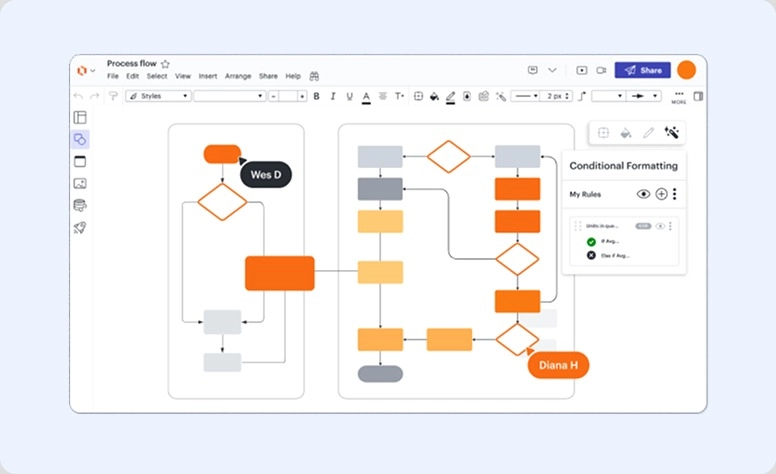
Another powerful option, but more user-friendly. Developers managed to find a balance between simplicity and functionality. Even non-technical employees can easily use it: organize ideas, create visual structures, and project frameworks.
At the same time, the platform remains a powerful choice for those who want to create detailed processes and system visual schemes.
Perfect for: remote specialists, analysts, and businesses that need to collaborate on planning and mapping without a steep learning curve.
You may like these capabilities:
- Flowcharts
- Brainstorming boards
- Live interaction with colleagues
- Large library of multiple layouts
- UML and technical maps
- Smart data linking
- Drag-and-drop editor
|
Main benefits: |
Potential gaps: |
|
|
Subscription:
You can use the basics without paying. Subscriptions start at $7.95 per seat/month.
Fair assessment:
As one of the closest competitors, it supports simplicity and visual clarity. However, here, developers included more tools for technical mapping. As a result, you get a stronger business-oriented solution.
FigJam
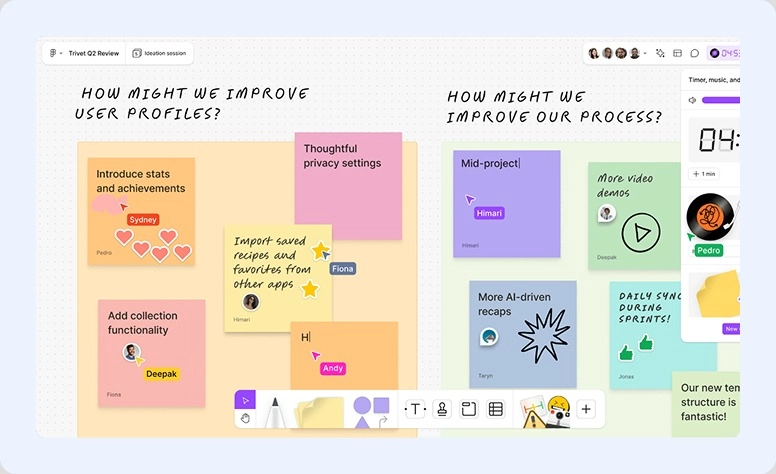
A collaborative whiteboard created by the developers of Figma. It feels like a familiar designer-focused environment transformed into a space for discussing plans and undertakings. Here you’ll find interactive stickers, notes, comments, reactions, and more. So it keeps a creative atmosphere while adding planning and organizational features.
It supports Agile workflows and allows running meetings and workshops directly within the app.
Perfect for: creative teams, like designers and website developers
You may like these capabilities:
- 300+ ready-made templates for projects, meetings, reviews, and more
- Open canvas for brainstorming and organizing ideas
- Audio and live chats
- Sketch out on iPad
- AI support
|
Main benefits: |
Potential gaps: |
|
|
Pricing:
No-cost starter plan. Professional starts at $3 per member/month if billed annually.
Fair assessment:
Great creativity tools are the main reason to try it. The platform works especially well for UX design, prototyping, and web design. However, as your team grows, workflow organization may become harder to navigate. Also, if you need advanced diagramming, it’s better to consider other options.
Essential Features Any Whimsical Alternative Must Have
Looking for a close replacement? Evaluate candidates based on the following features:
Hassle-Free Navigation
A clear UX structure is your best support when you need to capture ideas quickly. Make sure you can easily access tools and related modules whenever a valuable insight appears. Also, in the long run, it should remain easy to find, edit, and organize what you’ve already created.
Flexible Canvas
An infinite or spacious digital canvas gives more freedom for creativity and visual thinking. Check whether the platform supports different formats, such as diagrams and flowcharts. Test how smoothly the canvas works: elements should display correctly, and updates should happen without delays.
Simultaneous Teamwork
Must-have features for remote or hybrid teams. If you work this way, test live collaboration and make sure there are no lags while editing together. Also, explore communication capabilities like chats, comments, activity feeds, or messenger integrations.
Artificial Intelligence Support
Most modern solutions already include AI-powered features. Try asking built-in assistants to complete tasks and evaluate how useful their responses are. If the platform doesn’t offer it, check whether it supports an MCP server. This allows you to connect your preferred model yourself.
Mind-Mapping Without Boarders
With the right solution, you don’t have to worry about how to capture and organize your concepts. It not only supports your inspiration. It can inspire you on its own. Flexible elements, vivid visuals, a convenient environment, and ready-made templates do more than just organize notes. Sometimes, they even help you see things from a completely different perspective.
Turn the app into your teammate and boost your personal efficiency or the productivity of your entire company.

FAQ
There’s no single best option. We recommend trying different software depending on your needs: Flowlu for stronger project management, Miro for universal diagramming, or FigJam for design-focused collaboration.
From our review, the two strongest options for advanced functionality are Microsoft Visio and Lucidchart.
Yes, absolutely. The main reason why people choose it is that it’s a dedicated whiteboard solution with specialized features like an infinite canvas, brainstorming, and note-taking.
Among the tools from our review, Microsoft Visio offers the strongest offline functionality through its desktop application. Lucidchart and FigJam have limited offline support, while Miro, Flowlu, and Whimsical mainly depend on an internet connection for full collaboration features.
