







Slite Alternatives & Competitors in 2026: Best Solutions for Note-Taking


Companies and solopreneurs might want to look beyond Slite if they need stronger content structuring, a more complete knowledge base, or better collaboration. Flowlu is worth considering as an option—it offers solid, purpose-built functions for all of those areas. In this article, we also review six more platforms you may try instead.
TL;DR
We explored about 20 solutions that put collaborative note-taking and document management at their core. We chose only 6 not because they're exceptional (there are many others equally worth trying), but because they cover different use cases—the scenarios you might actually need an alternative for.
Read on to see how each one stacks up:
1. Flowlu. A universal platform with 15+ modules for any business.
Why switch: you get advanced managing and automating of growing file volumes, projects, and opportunities—all in one place.

2. Nuclino. A simple wiki for personal purposes or team coordination.
Why switch: it's easier to set up and doesn't burden you with unnecessary elements.
3. Notion. Flexible software for both insights and project handling.
Why switch: you get more ways to customize your workflow to fit your exact needs.
4. Evernote. Classic app for capturing ideas quickly and organizing them.
Why switch: it offers convenient note-capturing and makes archiving effortless.
5. Document360. Dedicated platform for building large knowledge bases.
Why switch: it's a better choice if you're creating internal or customer-facing resources at scale.
6. Archbee. Knowledge portal specially designed for technical content.
Why switch: it works like Git, but for documentation. Here you can edit, review, and merge files.
Why You May Look for a Slite Alternative
Using Slite, people get a structured space where they can share ideas and edit files together simultaneously. Developers offer a good balance between simplicity and functionality—that’s what users appreciate most.
Although there are no serious cons that Slite users notice, based on reviews, comments, and objective assessment, we've identified 3 reasons why people may search for alternatives.
1. Document Management
Slite falls short when it comes to:
- Search functionality—only finds documents if you know the exact title; partial searches don't work well (here).
- Update reliability—document updates sometimes fail to register, requiring a page refresh that can cause changes to be lost (here).
- Complex workflows—excellent for structured docs, but feels limited for more intricate processes (here).
2. Navigation & Interface
Friction points include:
- AI support—the Ask AI dialogue opens in a separate window instead of being built into search (here).
- Content organization—with many interlinked documents, users need better structure to avoid feeling overwhelmed (here).
- Offline access—no offline capabilities, limiting activities in disconnected environments (here).
3. Customization & Flexibility
Limited in:
- Formatting options—basic formatting controls; poor customization for document layouts (here).
- Dynamic tables—tables lack advanced flexibility (here).
- Page design—inflexible top banners and control over document appearance (here).
Slite Alternatives at a Glance
|
Tool |
Best for |
Starting price |
Free plan |
Key strength |
Rating G2/Capterra |
|
Slite |
Teams, internal resources |
~$8/user/month |
Yes (limited) |
Clean interaction & knowledge sharing |
4.6/4.7 |
|
Flowlu |
Any businesses |
$9/user/month |
Yes (up to 2 users) |
All-in-one business management (CRM + projects + finance) |
4.7/4.8 |
|
Nuclino |
Small & mid-sized companies |
~$5/user/month |
Yes |
Simplicity, speed, easy collaboration |
4.7/4.7 |
|
Notion |
Solo users, startups, teams |
~$10/user/month |
Yes |
Flexibility and deep customization |
4.6/4.7 |
|
Evernote |
Individuals, small collectives |
~$7.99/user/month |
Yes (limited) |
Note-taking and information structuring |
4.3/4.4 |
|
Document360 |
Enterprises, SaaS, support services |
Custom (quote-based) |
No (trial only) |
Advanced knowledge base & security |
4.7/4.7 |
|
Archbee |
Developers, product teams |
$80/month |
No (trial only) |
Technical documentation & API docs |
4.6/4.7 |
6 Top Slite Alternatives
Let’s dive into the details.
Flowlu
Rating:
G2—4.7/5
Capterra—4.8/5
GetApp—4.8/5
SoftwareAdvice—4.83/5
This all-in-one platform could be a good shift if your business is scaling and there is no more room for growth within simple apps. Flowlu was created with the idea that specialists don’t need to switch between several tools for content operations, CRM, finances, projects, task tracking, and more. All these are represented as modules within a unified space.
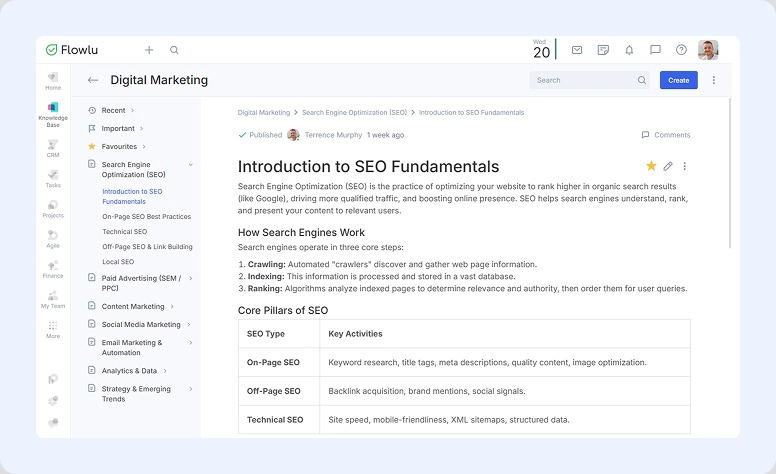
Such complexity doesn’t necessarily mean a steep learning curve or functionality overload. About a third of Flowlu users are solopreneurs and freelancers. Even when working alone, you can create a convenient space—thanks to its versatility and customization.
Who choses:
Any teams (even if it consists of just you) and industries: IT, Marketing, Engineering, Non-profit, and more.
What’s worth exploring:
- Document management. Create, customize, edit, store, automate approvals, send, and more.
- Collaboration. Build an internal knowledge base, organize ideas through mind mapping, and use workspaces to structure teams and tasks.
- Communication. Send instant messages via internal chat, leave comments on specific operations, and integrate Google Mail or convenient messengers (Viber, WhatsApp, or Telegram).
- Projects and tasks. Track all activities, customize and automate processes, and follow progress in Kanban, Gantt, and more.
- Reports. Study stats on deals, finances, and more—add widgets to a dashboard to monitor key data simultaneously.
| What stands out: | Limitations: |
|
|
Pricing:
Anyone can try all the features during a 7-day trial. If your group has no more than 2 people, you don’t need to pay. As your company grows, rates start at $9 per user per month when billed annually.
Verdict. Where it objectively wins:
Flowlu offers more powerful tools when your project and content scope is growing and requires advanced features for automation.
Nuclino
Rating:
G2—4.7/5
Capterra—4.7/5
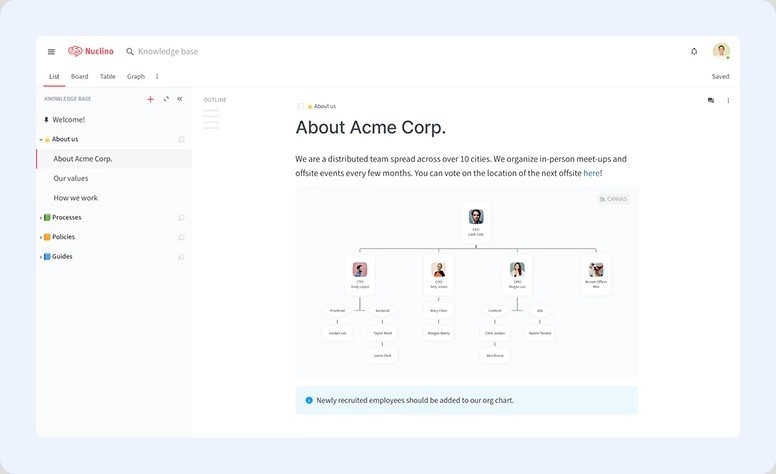
This option, on the other hand, is a suitable choice for those who prefer a more minimal approach. Nuclino promotes the idea of simplicity and speed. At the same time, it maintains the concept of a unified space for sharing ideas, editing files, managing tasks, and collaborating. All these functions are supported by solid capabilities within the app.
Who chooses:
Small and mid-sized companies.
What’s worth exploring:
- Infinite canvas
- Task and project planning
- Content and knowledge arrangement
- Help of Sidekick—AI assistant
| What stands out: | Limitations: |
|
|
Pricing:
The basic version is available at no cost. Paid plans start at approximately ~$5 per user per month.
Verdict. Where it objectively wins:
Nuclino is easier to adopt. It doesn’t burden beginners with unnecessary features, and it doesn’t take long to set up your own workspace.
Notion
Rating:
G2—4.6/5
Capterra—4.7/5
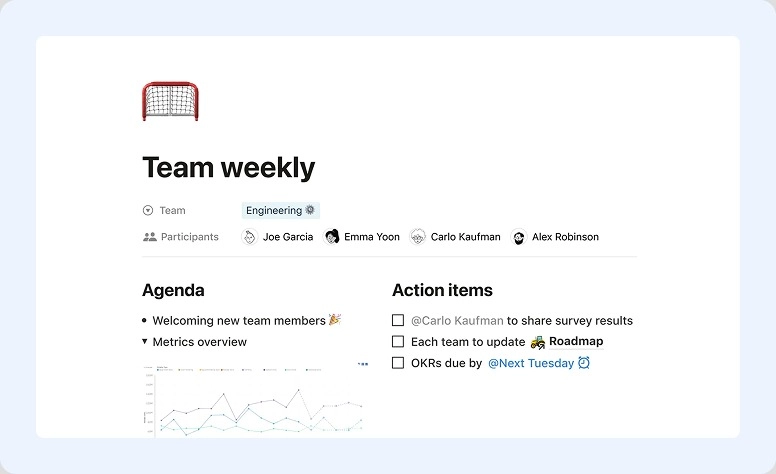
It’s a good option for those who prefer a more flexible and customizable approach. In Notion you can create a unified space for capturing ideas, organizing content, managing tasks, and collaborating—everything with great versatility and depth.
Who chooses:
Solo users, startups, and growing companies.
What’s worth exploring:
- Databases with flexible structures (tables, Kanban boards, and calendars)
- Task and project coordination
- Content and knowledge structuring
- AI assistance
| What stands out: | Limitations: |
|
|
Pricing:
Set it up for free right away for personal usage. Paid plans start at approximately ~$10 per user per month.
Verdict. Where it objectively wins:
Notion provides greater flexibility and customization. It allows companies to build a workspace tailored to their needs. It’s a strong choice for more complex scenarios.
Evernote
Rating:
G2—4.3/5
Capterra—4.4/5
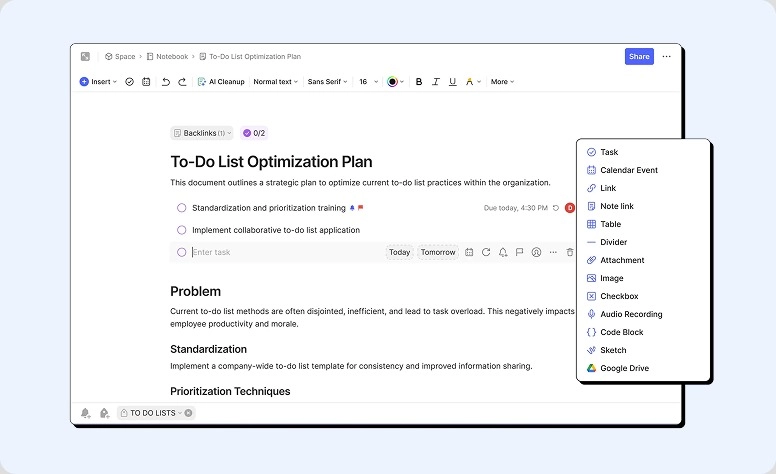
This software was designed with a more traditional note-taking approach. Here, you can capture ideas, organize your thoughts, and store information. In addition, Evernote has basic collaboration tools and scheduling features.
Who chooses:
Those who work solo or with small collectives.
What’s worth exploring:
- Note-taking and file organization (try scanning the document )
- Task control
- Web clipping
- Search across notes and files
- Support of AI assistant (the whole ecosystem)
| What stands out: | Limitation: |
|
|
Pricing:
Try a basic version at no cost with limited functionality. Paid plans start at approximately ~$7.99 per user per month.
Verdict. Where it objectively wins:
Evernote is more suitable for personal organization and note-taking.
Document360
Rating:
G2—4.7/5
Capterra—4.7/5
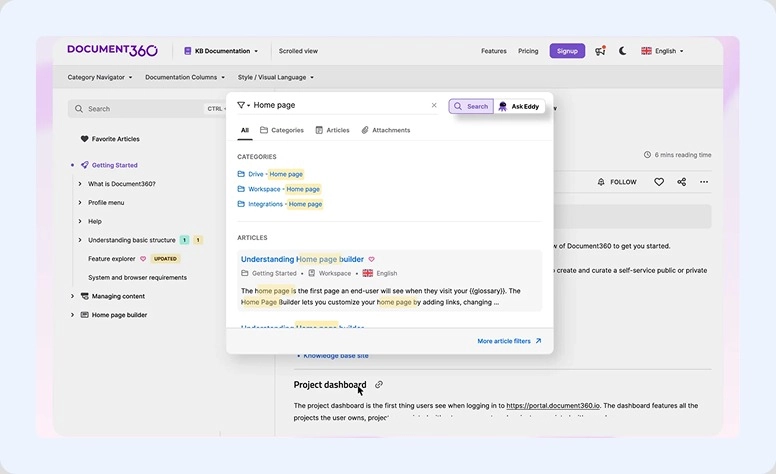
A more professional and structured AI-powered solution for organizing information. Document360 allows you to create detailed knowledge bases for staff and customers. The developers have placed a strong emphasis on security, as the platform is used by enterprises more.
Who chooses:
Companies, support teams, and SaaS businesses.
What’s worth exploring:
- WYSIWYG (What You See Is What You Get) editor
- Knowledge base builder (internal and external)
- File organization with categories and versions
- User roles and access control
- Analytics and reporting
| What stands out: | Limitation: |
|
|
Pricing:
Although a free trial is available, only paid plans are offered. To get details, you need to request a quote.
Verdict. Where it objectively wins:
Document360 offers more advanced capabilities for building structured and scalable knowledge bases for big teams.
Archbee
Rating:
G2—4.6/5
Capterra—4.7/5
A perfect solution for those who prefer a developer-focused approach to organizing information. Archbee is designed for organizations that need to create structured databases for internal deals and external sharing.

Who chooses:
Product teams, developers, and SaaS companies.
What’s worth exploring:
- Docs and knowledge base builder
- API documentation support
- Content organization with structured pages
- Collaboration and commenting
- Integrations with developer tools
| What stands out: | Limitations: |
|
|
Pricing:
You can test it for free only during a trial. Paid plans start at $80 per month.
Verdict. Where it objectively wins:
Archbee fits better for technical documentation and developer-focused workflows.
What Should You Look for in Slite Alternatives?
Delegate your note-taking process to a worthy app. Check if the platform incorporates the best Slite-like ideas and offers strong functionality in the following areas:
Search and Navigation
No one likes it when finding certain documents turns into looking for a needle in a haystack. Organizational principles are one of the most important aspects when working with a lot of content. Check if the app allows you to organize everything with tags or specific categories. Such structuring lets you find necessary files within seconds.
Content Customization
In this aspect, pay attention to creative and editing capabilities. Does the platform allow personalization with custom fields, colors, fonts, and more? Or maybe there is a rich library of ready-made templates?
Collaboration
Slite is equipped with a solid solution for this, so your alternative should be as well. Check if you can share materials or edit them simultaneously with colleagues.
Integration
No single solution can cover all your needs. That’s where compatibility comes in. Prepare a list of apps you can’t go further without and check if the alternative supports connection with them.
AI Assistance
Advances in artificial intelligence significantly boost productivity. Virtual assistants simplify interactions, guide users through uncertainty, and reduce the need for human support.
Tools That Bring Structure to Work and Mind
Collaboration in the digital environment is a must-have standard for both personal and professional settings. It not only connects us across distances but also helps organize our way of thinking. Note-taking apps are valuable helpers for building useful habits and bringing order to every aspect of our lives, including daily routines, work processes, and idea capture.
Nowadays, with a wide range of options, anyone can find a suitable solution that fits their business size, budget, functionality needs, and accessibility requirements.
Only through testing can you determine whether it’s more comfortable to stick with minimalism or choose a more powerful solution. Or maybe it’s worth trying something more universal, like Flowlu?
Continue your exploration and create the best conditions for growth and idea organization.

FAQ
From our review, Flowlu, Nuclino, Notion, and Evernote provide access to basic toolkits at no cost. If you need more, all of them offer advanced capabilities through paid plans.
Document360 and Archbee offer a free trial.
Flowlu, Nuclino, and Notion support working on the go on both iOS and Android. All these solutions are fully usable on smartphones, with syncing and collaboration features.
We conducted research but did not include all available tools in this review. Here are some additional options you may consider:
- Slab—simple and clear
- ClickUp—more complex and powerful
- Confluence—a well-known product from the Atlassian ecosystem
- Guru—focused on knowledge management
- GitBook—similar to Archbee
- Coda—an internal wiki tool
- Tettra—AI-driven software
For strong offline capability, consider Evernote.
If you are comfortable with partial offline access and can prepare materials in advance, Flowlu, Notion, Nuclino, and Archbee may allow some features to function without an internet connection.
