



Project Timeline vs Calendar: Which View Helps Teams Plan Work Better?

Quick answer
Most of today’s online tools allow you to see your workflow through different project views, using different configurations. Nevertheless, many teams continue to make one costly mistake: they see and use timeline and calendar features the same way, although the first is created to show project sequence and dependencies, and the second is for monitoring date-based workload and deadlines. Getting this distinction right is central to effective calendar vs timeline project management and smarter scheduling.
Let us explain in more depth why you shouldn't mix the two, and how each view helps you organize different parts of your work more effectively.
What a project timeline view is best for
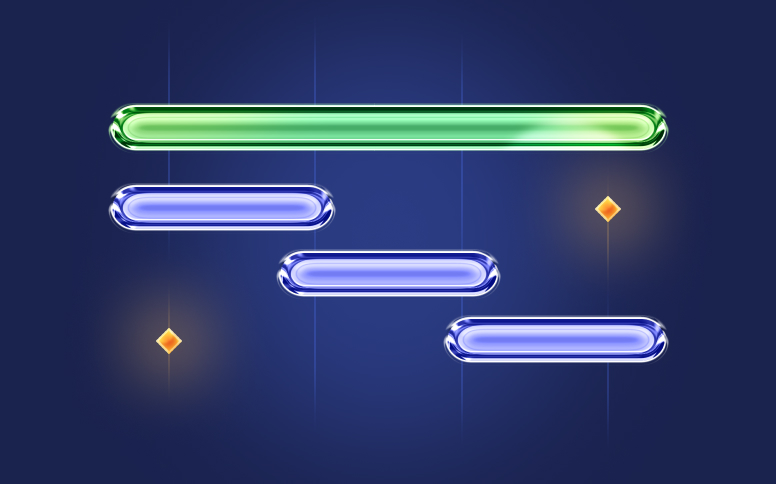
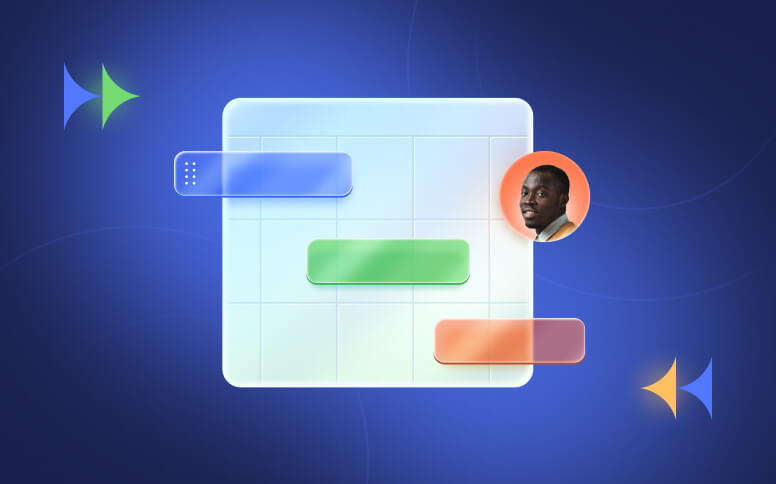
A project timeline view is a predictive, systematic, and strategic way to visualize your workflow, and it's what makes project timeline planning manageable at scale. It uses a horizontal axis (X-axis) to display the tasks that will happen over time. You'll be able to see (when using the zoom tool) tasks ranging from days to years. The work will also be divided by departments or teams.
With this kind of visualization, you'll immediately identify the duration, sequence, and overlap of the different tasks in the project. This makes it incredibly powerful for:
#1: Predictive portfolio planning and long term roadmap strategy
Since the project manager can see all the activities that need to be completed within a given timeframe, it's easier to define a strategy for the short and long term.
#2: Visualizing complex task dependencies
In the project management world, it's normal to have dependent tasks. These are tasks that need to be completed so that others can begin. Timelines are perfect for showing these dependencies, using different dependency types:
- Finish to start: “B” can't start until “A” is completed.
- Start to start: “B” can't begin until “A” has started.
- Finish to finish: “B” can't be completed until “A” has been finished.
- Start to finish: “B” can't be completed until “A” begins.
#3: Dynamic risk management and automation using the ripple effect
As we already mentioned, tasks are linked through dependencies on the timeline view. This means you can look at the timeline as a dynamic calculation engine.
Imagine that in the research stage of the project you run into unexpected bottlenecks and the scheduled completion date is delayed. If you've defined the timeline the right way, all the dependent tasks will slide to the right, absorbing that delay in real time. This is called the ripple effect, and it acts as an early warning signal.
#4: CPM (Critical Path Method) isolation
The Critical Path is the longest sequence of dependent tasks in the project — and, because of that, it's also the shortest possible timeframe in which the whole project can be completed. So if there's a delay, even a small one, in one of these critical tasks, the final completion date will slip by that same amount.
On the other hand, you still have tasks that are outside the Critical Path, which may also be a bit delayed. However, these delays don't affect the launch window.
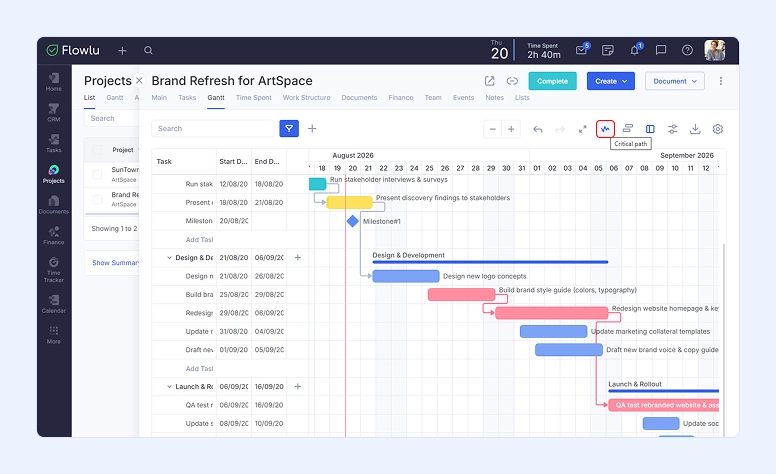
Project management tools can calculate CPM automatically. Most teams visualize this as a Gantt chart, where horizontal bars and dependency lines trace the critical path.
For example, in Flowlu's Gantt view, you can enable Critical Path, and it highlights the critical tasks in pink, connected by dependency lines, so you can see the exact chain of tasks driving your project's completion date.

#5: Multi-user resource leveling and overlap detection
Since all tasks are displayed on the horizontal bar and show their start and end dates, you can immediately see when there are conflicts in resource allocation.
What a calendar view is best for
It's important to make a clear distinction between the project timeline and the calendar view. We already took a look at the first one — the project management calendar can simply be seen as your control panel for daily execution. There are no critical paths, float times, or dependency calculations. It just shows the commitments you have each day.
You should consider using a project management calendar for:
Hourly time-blocked execution and daily agenda clarity
Looking at an overly complex timeline can be overwhelming for some workers. Some employees simply want to know what they need to do next or what's on their plate today, not what's due in a couple of days or weeks. The calendar view gives them exactly that.
Hard commitments, drop-dead dates, and transactional events
One of the things that makes it a bit difficult to keep track of is events or actions that don't have a specific duration — they occur at a specific time on a specific day. Some examples include corporate events and compliance deadlines that businesses need to meet, such as contract submissions, payroll processing, and tax filings. Missing these due dates can create real compliance risk.
Fleet capacity auditing and real-time availability scans
When you're using calendars instead of timelines, resource managers' lives get a lot easier. It's simply easier for them to aggregate individual calendars and do a quick audit.
Managing recurring operational cadences and rhythms
One of the things to always keep in mind is that healthy businesses run on structural rhythms — recurring processes that need to happen like clockwork, such as quarterly maintenance checks, biweekly sprint planning sessions, weekly newsletter dispatches, and monthly financial auditing. Calendars are perfect for displaying these patterns, since you only need to set them up once and they'll repeat automatically after that. This makes calendars the natural home for recurring tasks like these.
Timeline vs calendar: key differences
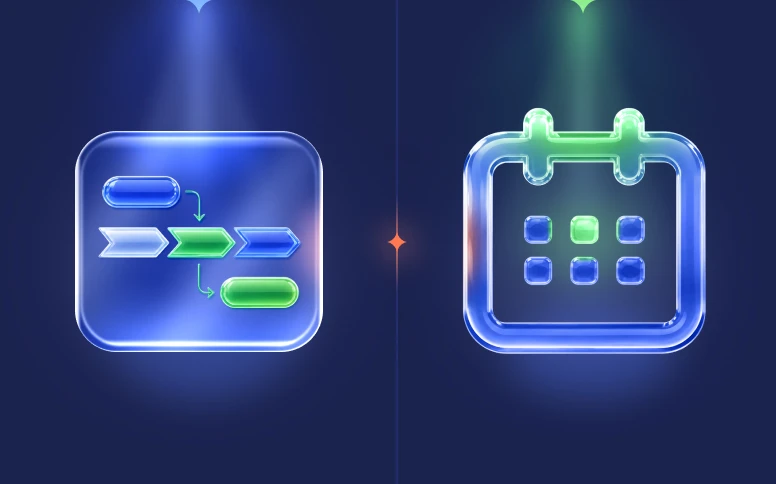
The reality is that many businesses and teams continue not knowing whether they should use project timeline planning or a calendar. So, here are the main project timeline vs calendar differences you need to take into consideration to make a better decision:
T — timeline
C — calendar
#1: Primary visual indicator
| T | C |
| You'll get the length and span of the task bar: the lifecycle, the duration, and even the progress velocity of a task. | You'll see a static box that shows the specific deadline or the hour when the event will occur. |
#2: Temporal focus & scope
| T | C |
|
You can see the progression across weeks, months, or longer. |
You get the micro-level view, which means you only see the hours or days. |
#3: Dependency mapping
| T | C |
| Fully integrated dependencies. | No dependency mapping — entries stand alone. |
#4: Handling of spatial overlaps
| T | C |
| You'll see different tasks stacked in parallel horizontal lines, so everything stays readable. | Items are displayed vertically inside the same daily box, which can get hard to read if you have too many. |
#5: Target audience & stakeholders
| T | C |
| Project managers, product owners, director-level executives, and external clients. | Operations specialists, account executives, individual contributors, and front-line support teams. |
#6: Ideal project methodologies
#7: Main question answered
| T | C |
|
"When will this project be completed, and what's affecting it right now?" |
“What do I need to do today? |
#8: Data density capacity
| T | C |
| Exceptionally high — it can include hundreds of nested resources, tasks, and phases. | Low to moderate — it's limited to the dimensions of a standard 7-column calendar grid. |
How to use both views together
Up until now, we've been looking at timeline vs calendar view. However, more than ever, many companies use both views for the same project. All you need to do is establish when to use one and when to use the other.
Here's a practical scenario. Let's imagine you have a software company and you're dealing with a marketing campaign launch. The best way to use both views is to divide the project into two parts: the planning horizon, which uses the timeline, and the execution horizon, which uses the calendar view.
The planning horizon (Timeline)
The department and the program director will need to work together to structure the two-month roadmap using a timeline. They'll begin by defining the macro phases of the project (which may include Core Engineering, Creative Asset Production, Ad Account Configuration, Quality Assurance, Localized Translation Sprints, and Deployment), then map the dependencies between them.
For example, they know Ad Account Configuration can't begin until Creative Asset Production is completed and approved.
The execution horizon (Calendar)
As soon as the timeline is locked, the daily executors can start using the calendar view. Each worker will only see their own tasks.
For example, the copywriter will only see their own tasks, not the engineers' or anyone else's. They'll just see the schedule for each week, with clear deadlines they need to meet.
Three most common mistakes you should avoid
#1: Overcrowded calendar grid

As we mentioned, your calendar view can easily get overcrowded if you add too many tasks to each day. So if your project is very complex, you should consider using the timeline instead.
After all, the calendar view doesn't let you see continuous horizontal duration cleanly — if you have a task that takes weeks to complete, you'll need to add it to every single box. As you can imagine, this makes the view feel a bit claustrophobic, and it will almost certainly cause you to miss milestones or deadlines.
#2: Micro-managed Gantt timeline
On the other side, you have all those simple tasks that just need a quick phone call to a client, an individual edit, a 15-minute sync, or minor content editing. Adding these to a horizontal timeline will just make it noisy without any real benefit. In these cases, it's much better to use calendars.
#3: Static calendar disconnect
The last common mistake we need to cover happens when you move the asset submission deadline out by a few days because the person responsible for the task got sick.
You can't do this — you'd be creating a huge bottleneck, since calendars don't use dependency lines. Since the person making this change won't get any alert, the project will be immediately compromised without anyone realizing it.
Two best practices
1. Continuous duration
Use the Timeline view whenever a task needs multi-tiered effort to execute, takes more than three consecutive days to complete, or its delay will impact the start of a different task.
2. Event localization
Use the Calendar view whenever there's a recurring corporate cadence, a single asset's drop-dead delivery date, an action that occurs at a specific time, or a meeting that needs active human participation.
How Flowlu brings timeline and calendar together
More and more companies are eliminating manual data entry to ensure there are no duplicates or errors. When comparing gantt vs calendar functionality, Flowlu is one of the popular platforms that offers both a Gantt chart and a calendar view in the same project. But more than just having these views, you can use them together, not separately.
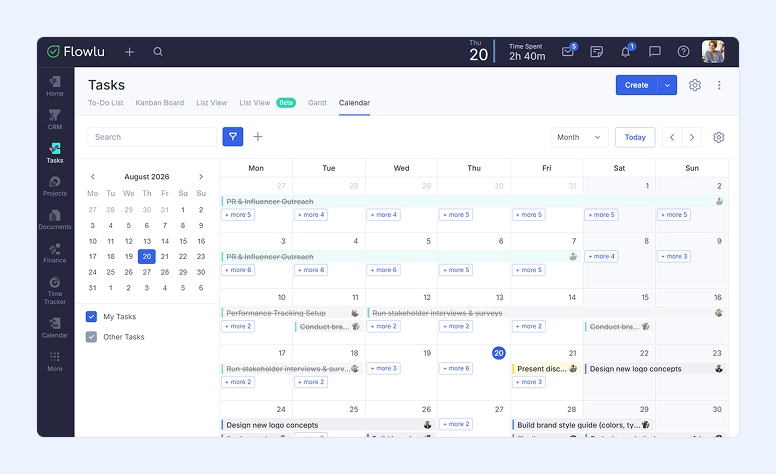
When you're using Flowlu and need to add a high-level operational roadmap, you'll draw dependencies and set up milestones. With this information in place, Flowlu can help surface scheduled events, sub-tasks, and delivery cutoffs across your calendar. This is a real time-saver.
But there's more. Imagine you get a message from a vendor saying a major delivery is delayed. All you need to do is drag and extend the timeline in Flowlu, and the tool will recalculate the dependent tasks automatically — no manual updates needed.
Choosing the right view for the job
By now, you already understand the project timeline vs calendar differences, and you're probably already thinking about which of your projects should use a timeline and which one needs a calendar instead. Perfect. So, just to recap: timelines show your long-term strategy (macro) for the project, while calendars help you manage daily activities (micro).
However, instead of choosing just one view, you can use a tool like Flowlu to run both views for the same project — giving your management team a clear strategic vision while keeping your team focused on daily milestones, without anyone feeling overwhelmed or distracted.

FAQ
Even though both the project timeline and the calendar let you see the tasks that need to be completed, they offer different information.
The calendar offers a more rigid and concise view of tasks — you only see the daily/hourly tasks — while the timeline view offers more information but may also be more overwhelming. In this view, you can see not only the tasks but also their dependencies, milestones, and overlaps.
When you have a complex project with many dependencies, you should use a timeline view. It's also a better option when the project you'll be working on has clear milestones and needs cross-functional handoffs.
It be used when you're dealing with projects that include real-time events and quick tasks. This includes auditing a team's real-time availability, coordinating client calls or team meetings, organizing daily and weekly personal task queues, and tracking weekly payroll.
Yes, and it's a good approach to take. In most cases, managers use the timeline to define the overall structure of the project, then use calendars for individuals and teams to keep track of what needs to be done.
A calendar view is the better fit for deadline management, since it's built around specific dates rather than duration. Timelines are stronger for tracking a delay's ripple effect across dependent tasks, but if the goal is simply keeping every due date visible and on track, the calendar view is the more direct tool.