


Best CRM Software for Small Business: Features, Use Cases, and Selection Criteria


Quick answer
A simple CRM for small businesses will serve as the central hub of your entire operation.
This is where you can find all the data you need anytime, with just a few clicks. And while CRM is the solution, you still have to choose the best one for your company. But with plenty of options on the market, it can be hard to cut through the noise.
So just keep reading to find out how to choose the best CRM for your small business.
What small businesses need from CRM software
As a small business owner, you need to look for a solution that actually helps you manage your business — not one packed with features you'll never get around to using.
Even though your goal is to grow your business, there's no point making things harder than they need to be and creating a huge learning curve for you and your employees.
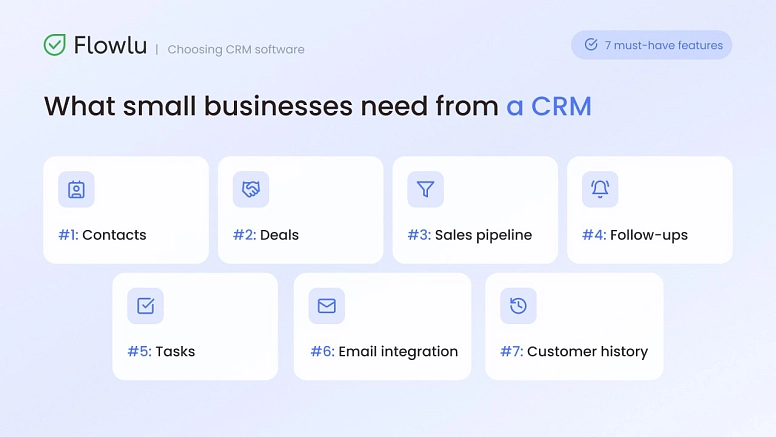
Instead, the best CRM for small businesses should include the following features:
#1: Contacts
One of the most basic but also one of the most important features of any CRM. When we talk about contacts, we mean storing a person's basic details — things like email addresses and phone numbers, but also social media profiles, custom tags, and more.
#2: Deals
As a small business, you're always looking for ways to act on an active sales opportunity. With CRM software for small business, you get a visual view of all of these in one place.
#3: Sales pipeline
Incredibly helpful for a growing company. After all, a pipeline with detailed stage management lets you spot exactly where a deal is stuck, for example.
#4: Follow-ups
We're all human, and we just can't remember everything. That's why you've been using sticky notes up until now.
But as you know, you can't keep using them forever, because they stop working. There are just too many.
So instead, you need a simple CRM for small business that helps you stay on top of follow-ups. If you promised to get back to a customer or a lead tomorrow at 2pm, the CRM will remind you.
#5: Tasks
Just like with follow-ups, if you don't write down all the tasks you need to do, you'll forget some of them. And that just can't happen. You could use a simple paper to-do list, but it's a lot easier to add your tasks to the customer relationship management software.
There, you'll be able to see how they fit together within the project itself. You'll monitor not just your own tasks but everyone else's too, and who's assigned to what. With this tool you can also track when each task started and when it's supposed to be finished.
#6: Email integration
One of the integrations you can't skip. After all, email is a tool you're using all the time, and it wouldn't make sense to keep opening a new browser tab every time you send one.
Besides, it would be a lot harder to keep everything in sync within the CRM. This is why you should look for a simple solution for a small business that allows easy integration.
#7: Customer history
Having all your customer data easily accessible isn't just a dream anymore. It can become reality.
Have you ever imagined a customer calling, and you simply open their file and see all their previous communications, purchases, and past support issues? Your customers will definitely notice the difference, since they won’t need to keep repeating the same thing over and over again to different people.
All these functions are combined in Flowlu. Try it now for free and see how all your operations become more organized and your staff better coordinated.

Key CRM features to compare
Up until now, we've covered the basic features the best CRM for small business needs to include. However, for a proper SMB CRM comparison, there are other features that might come in handy on a daily basis. Keep in mind that you probably won't need all of them — just the ones that fit how you work.
1. Automation
The simpler the rule builders, the better. You should look for those like “if this, then that” kind of automation rules.
Example: Let's say people can sign up on your website by filling out a form. You may use automation to add all details to the system, assign the lead to a sales rep, and send a welcome email that is already in place.
2. Integrations
While the CRM that you choose may have plenty of features, most of them allow you some integrations to ensure that you can keep using some of your favorite tools.
Example: Most systems let you connect with some accounting tools like QuickBooks, calendars such as Outlook or Google Workspace, payment systems like PayPal, among many others.
3. Customization
The more customizable the app you choose, the better. The last thing you want is to use that tedious terminology that you don’t even know. You need a CRM to make your life easier and not even more complicated.
Example: At a minimum, it should let you hide features you don't use, add custom data fields, and rename pipeline stages.
4. Reporting
Reporting doesn't need to be exhaustive or lengthy. Ultimately, you need reports that make sense and are actually useful — there's no need for overcomplicated charts.
Example: Reports should cover metrics like sales revenue per rep, deal win rates, lead source performance, and anything else that matters for your business and industry.
5. Mobile access
It seems that having an app is crucial for all tools that you use. But while that's a real need for some small businesses, for others it's more of a nice-to-have.
Example: If you have remote teams or your industry has employees out of the office for long stretches, mobile access to your CRM is a must.
6. Permissions
While all your employees should be able to access most of your data — projects, tasks, and customer details, for example — some information should be more restricted.
Example: Sensitive financial data should be limited to a small number of users. A good platform can offer custom access rules for cases like this.
7. Price transparency
Many systems claim to be a free CRM for small business, but once you sign up, you find out you actually have to pay for basic features. So it pays to be careful.
Example: Make sure you check exactly what's included before committing, and that basic features like color customization or adding new contacts aren't locked behind a paywall.
Main types of CRM tools for small business
When you're looking for a platform for your small business, keep in mind that there are different types of solutions to choose from. Developers know that each small business has its own needs, and that's why they offer dedicated software. Here's a breakdown of the main CRM types to consider:
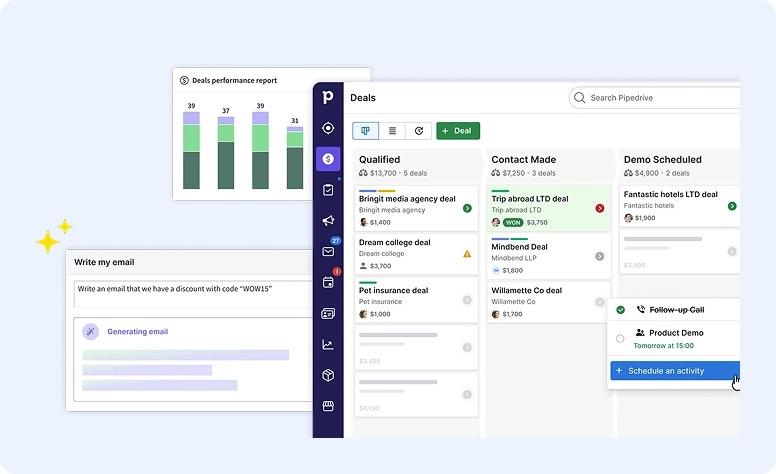
Sales CRM
The main goal of these platforms is lead management — keeping track of leads and pipelines in one place. They're especially suited for dedicated sales teams looking to close more deals.
Where to start: one of the more popular choices on the market is Pipedrive.
All-in-one CRM
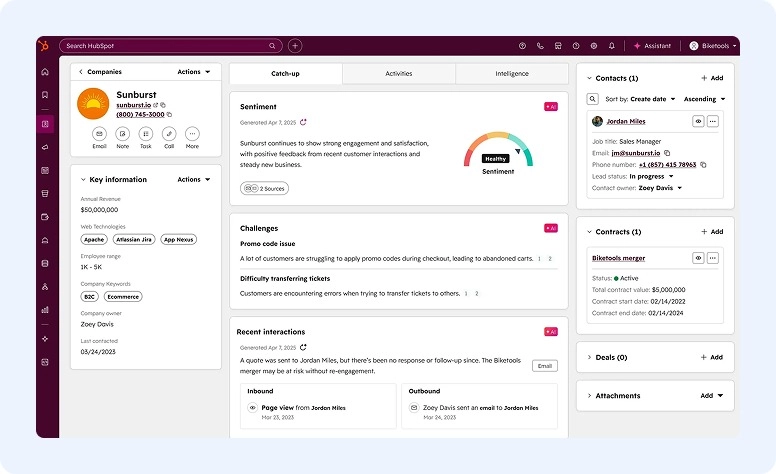
These tools combine multiple functions in one platform. They aim to handle marketing email campaigns, sales, and customer support ticketing, all in one place. They're better suited for small teams or solopreneurs.
Where to start: one platform users appreciate is HubSpot (Starter).
Industry CRM
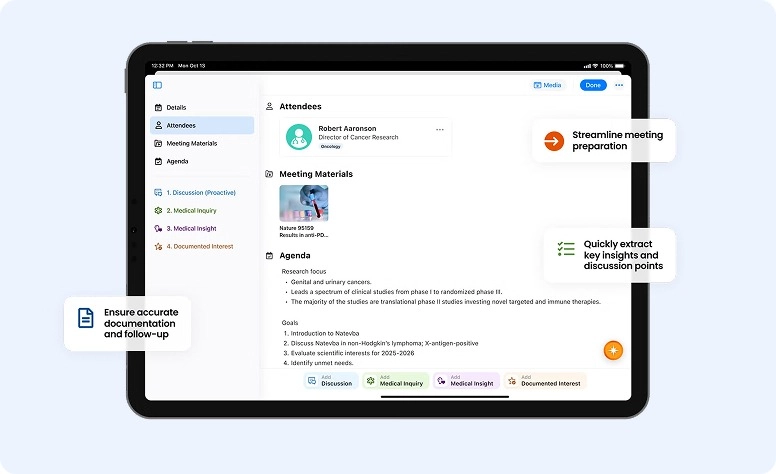
These are built for specific industries and workflows, like healthcare or real estate. They're perfect for businesses with unique operational and compliance needs.
Where to start: based on reviews, we recommend Veeva CRM (for pharma, biotech, and medical device companies).
CRM with project management
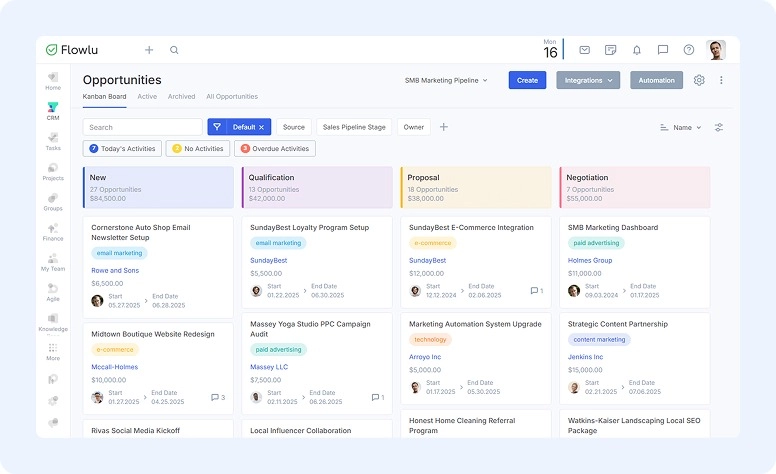
These solutions are designed to connect sales directly to client fulfillment. This is the choice for contractors, agencies, or service providers whose work starts after the deal is won.
Where to start: Flowlu offers the best balance of features here.
How to choose the best CRM
To make sure your team will quickly adapt to the small business CRM software that you choose, use the following checklist:
- Do you have a map on paper of all your manual sales processes?
- Do the integrations of the new software include the email tracking and calendar you already use?
- Can your employees learn to use the platform within one hour, without any prior or specific knowledge?
- How much will you pay if you need to add another 3 users in the next year? (Don’t forget to add implementation fees and add-ons).
- Is good customer support included?
Common buying mistakes
One of the biggest mistakes many small business owners tend to make when buying a new system is that they look more at the future and tend to forget about the present.
While you may want to grow your small business fast over the next few years, it's important to focus on your needs right now.
Looking for a tool that has a lot more features than the ones you need right now may be counterproductive, since your employees may not have the ability to use it. They'll take a lot of time to learn it, and in most cases, they'll give up since it's too frustrating. them.
Instead of planning for a 5-year time span, look at the needs your business has today and the ones it might have 18 months from now — not longer.
Implementation tips for success
#1: Clean your data
Don't add your data as-is to your new system. Make sure it's cleaned and free of errors first.
#2: Nominate the platform master
Choose one of your employees and make them responsible for learning the platform. They'll be the person everyone turns to when they have a question or doubt.
#3: One-week testing phase
To make sure everything goes smoothly, dedicate one week to fully testing the new platform. Just put the platform master and one sales rep to work finding any mistakes, missing features, and so on.
#4: Full launch
From this date on, any deal, note, call, interaction, or anything else that isn't documented in the CRM didn't happen.
Finding the best fit
For some small businesses, the customer relationship only starts once a prospect signs a contract.
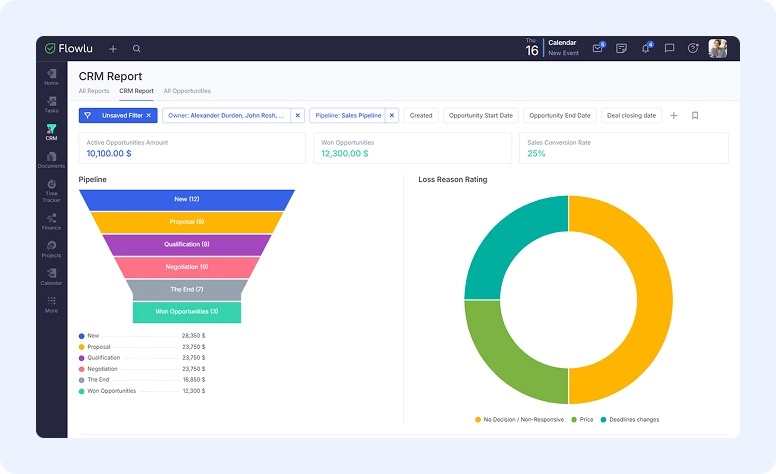
This is where a platform like Flowlu can be a huge help. It handles the entire customer journey in one workspace.
But that's not all — you'll also be able to:
- keep track of the lead as it moves through the sales pipeline
- close the deal
- convert it into a project using templates
- bill the customer
- study detailed reports
All without ever leaving the platform.
Wrapping up: finding your best-fit CRM
If you've finally realized that your small business needs a customer relationship management software to help it grow, it's time to start looking for one. The best solution is the one that adapts to your business needs, not the other way around. Remember that you and your employees will be using it daily. So it pays to carefully look at the features it includes and make sure it delivers what you need now, not a bunch of features you might need 3 or 4 years from now.
FAQ
We can't say there's one best solution for all small businesses. The best one is the one that fits your business, and your team needs to be able to use it without any problems.
These products usually come with plenty of features. Some are considered basic, like contacts, customer history, email, tasks, and follow-ups, while others are more specific.
This is where you need to know your business needs. For example, you may require integrations and automation, but be perfectly fine without mobile access.
It depends on your business needs. To make sure you pay a fair price, make a list of the features your business needs. Then, based on that, search for systems on the market. Don't forget to look for any hidden fees or add-ons.
Good options can start at less than $10 per user, per month, and some even offer basic, limited features for free forever.
While it may be a good starting point for some small businesses, we don't actually recommend it.
There are a couple of reasons why.
First, free plans usually require you to pay extra for basic features, since they're pretty restricted to begin with.
Second, it can be more difficult to switch to a different app as your business grows than it would be to simply upgrade the plan you already have with your current tool.