Project Management for Consulting Firms: How to Control Scope, Clients, and Delivery


Quick answer
Professional services project management adds layers that standard frameworks don't account for. That's why the main secret behind successful consulting work is staying proactive. You need a structure that can adapt to each process and client without burning out your staff.
This means having the right tools to maintain good communication, track finances in real time, manage resources, and keep tight scope control from start to finish.
We'll walk you through what makes consulting unique and what it takes to get these kinds of jobs right.
Why consulting projects are hard to manage
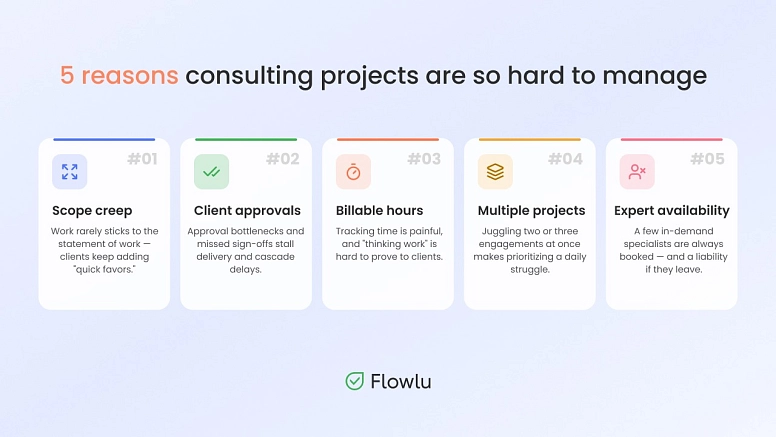
As we mentioned above, consulting work isn't easy and requires a constant balancing act.
It almost seems like you have no control over anything, especially compared to a typical engagement where you actually control both the environment and the resources.
#1: Scope creep
This is tricky in consulting because the work almost never sticks to the statement of work. Scope creep becomes almost inevitable. But why does this happen?
Unlike fields where processes work more like math, consulting is a lot more fluid.
Most clients only figure out what they really want as the project goes on, usually once they see the different options in front of them. That's when they start asking for quick favors or extra details here and there. They assume these add-ons aren't a big deal, but they're usually more than enough to cause scope creep, since you don't want to say no.
#2: Client approvals
No matter the framework you're using, approval bottlenecks are extremely common here.
There are several reasons this happens.
For example, they ask other experts for feedback and they can't agree, or one key stakeholder misses the feedback meeting for some reason. All of this usually leads to delays in delivery, which then affects other work you've already scheduled.
#3: Billable hours
One of the things that you may not know is that it is incredibly hard to keep track of billable hours with consultants.
Most consultants hate the process, and it's not always easy to prove they were actually working for the client. Sometimes they're thinking through a problem or researching options, and clients don't always understand that this counts as real work.
#4: Multiple projects
The most frequent scenario is that you'll be handling more than one client engagement at a time, which makes your job a lot harder.
Just think about this for a minute. You could be running two or three different jobs at once, which is exhausting and overwhelming on its own. Then you've got emergency situations where more than one client needs to talk to you about changes. How do you prioritize?
#5: Expert availability
In most cases, a consulting firm has two or three main experts who are always booked. Having multiple specialists on your roster is a good thing, but it can also become a liability. After all, what happens if one of these in-demand employees gets sick or decides to leave the firm?
A solution like Flowlu helps with all of this. It’s flexible enough to adapt to different industries and client requirements, which is exactly what consultants need when they're juggling shifting scope, approvals, tracked hours, multiple engagements, and unpredictable staff availability all at once.

Core consulting project management workflow
Consulting firms need a firm structure in place to work well. It's necessary to manage not only the budget but also the scope and expert availability, all at the same time.
Ultimately, a strict workflow looks like this:
Step #1: The proposal & SOW
Parameters need to be defined well before work starts to ensure success and prevent scope creep.
This means you'll need to review key tasks with the client. Explain the methodology and framework you'll be using, along with your estimates on utilization rates, resource hours, and budget. Also prepare your own statement of work (SOW) for them to approve. Strong proposals lay the groundwork for every milestone that follows. The milestone here is getting the contract signed off.
Step #2: Planning & mobilization
This is when planning starts. At this stage, the sales and delivery teams need to meet to make sure they're aligned on everything.
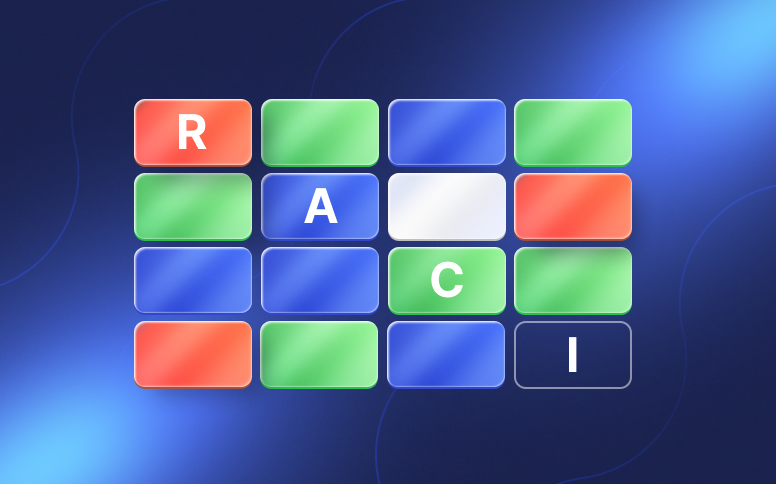
Resource planning starts here: take care of resource allocation, configure all the systems you'll be using, and create a RACI matrix to keep everything under control.
The goal at this stage is to put together a resource allocation plan and make sure everyone is informed and aligned to meet those requirements.
Step #3: The launch
This is when the work actually begins. But first, make sure you have everything from the proposal in place. Meet with the client and share the roadmap, the milestones you defined, and all key dependencies. Get formal sign-off once they've reviewed everything.
Step #4: Execution & monitoring
This is, without question, the longest phase of an engagement. Here you'll be working, getting constant feedback, and adapting whatever needs adapting.
Most of the work at this stage will involve gathering data, performing financial analysis, and conducting workshops. This is also when consultants log their billable hours. As for the project manager, they'll need to monitor progress on a weekly basis.

Step #5: Closure & evaluation
As the name suggests, this is when you hand off the final client deliverables for approval. Prepare a report or presentation, the final invoice, and make sure the acceptance sheet is signed off. This is the formal closeout.
What software for consultants should include
If you want your work to go smoothly, consider using project management software built for consultants. These platforms are genuinely key to success for firms like yours.
You may be working across different apps at the same time. But if you set up the right project management platform for your consulting firm, things get a lot easier.
Here's what features these solutions need to include.
1. Client portal
If you remember, above we mentioned how consulting projects can be delayed when you're waiting for approval. One of the best ways to fix this is to have a dedicated project portal you update regularly.
Here, clients can see the progress of the work, leave feedback, and even upload assets.
As you can easily understand, this is the kind of feature that drastically improves the communication with the client.
2. Task management & milestones
The platform you choose should offer different views, depending on whether you're part of the team or the client.
External users don't need access to every detail; they just need a general overview. Your employees, on the other hand, need to see their full list of tasks.
Look for a project management software for consultants that lets you switch between lists, Kanban boards, and Gantt charts. It should also let you create your own templates for specific project types.
3. Time tracking
Consulting time tracking software is crucial since your most valuable asset is working hours.
This means the right software for consultants needs manual timesheets, one-click timers, and a mobile app for those always on the go. It should also be able to categorize hours as billable or non-billable.
4. Documents
Documents are a huge part of both client deliverables and communication. Therefore, you need a platform that lets you easily exchange files with clients and supports digital signatures, among other things.
5. CRM
If you're looking for a platform that gives you an edge over your competitors, look for consulting workflow software that doubles as a CRM — customer relationship management. It should track account history, leads, and deal stages.
For example, for Bićanić Consulting, Flowlu CRM became one of the most important features. Sales pipelines brought all leads, conversations, and follow-ups into one system. The firm cut redundant follow-ups by around 25% as a result.
6. Invoicing
As a consulting firm, you want to spend most of your time on work that actually pays off. And invoicing definitely isn't one of them. Fortunately, to help you out, many consulting platforms now let you generate invoices automatically based on milestones and tracked time.
7. Dashboards
The best project management software for consultants is the kind that lets you see everything you need at a glance. That's why you should choose a platform with fully customizable dashboards.
Best practices for consulting teams
#1: Control the scope
Scope management is essential in consulting work. Before the work begins, it's important to clearly define what's included, and just as important to spell out what isn't.
It's normal for clients to ask for special requests during the process.
And while you may be tempted to accept it or not, instead say something like, "Considering what you asked, we need to adapt the project to see if it will fit your requirements". This is when you take the time to adjust any milestones, budget, and other details.
#2: Status reporting
Status reports should go out to clients on a regular basis. They help everyone always know where the project stands.
Add a color scheme to make it easy to spot:
- everything is going as planned
- risks (but you already have a plan to manage them)
- delays.
3: Risk management
As we mentioned at the beginning of this article, to make sure your consulting engagement is a success, you need to be proactive, not reactive.
This is where risk management is so important. Before the work even starts, sit down with your team and imagine you're looking back months from now after it's failed. What went wrong? Use that to figure out what could cause it to fail.
Whenever you identify a risk, come up with a plan to mitigate it.
#4: Profitability checks
These should be done in real time. Track utilization alongside costs to catch margin issues early. Never wait until the work is finished to check.
#5: Use an integrated tools
For example, Flowlu is the perfect tool for consulting firms, because it comes with:
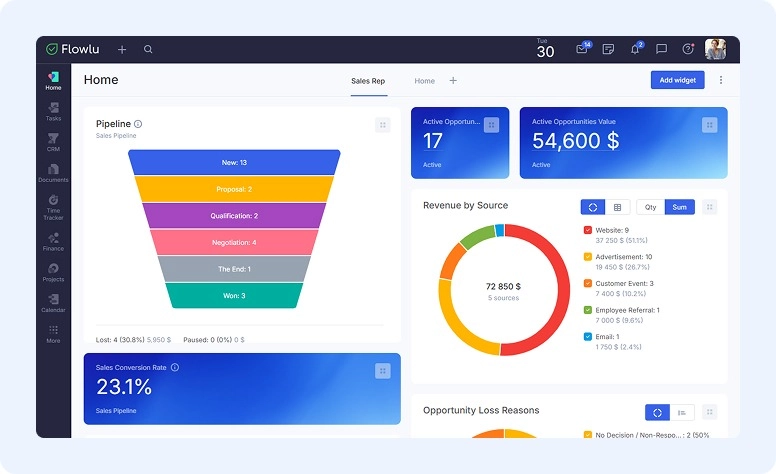
CRM
Build custom pipelines, capture leads from your website or email, and automate sending estimates. Add live widgets to your dashboard to track opportunities — stages, sources, lost reasons, active deal value — so your sales team always sees what matters.
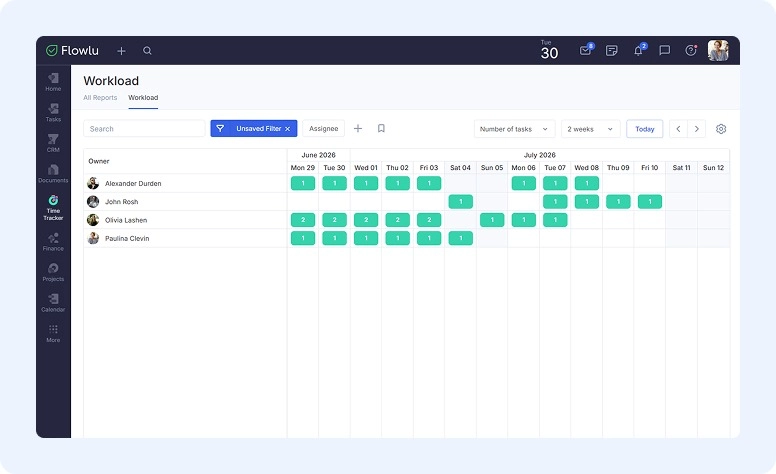
Time tracking
Flowlu's timesheet feature logs and reports time per team member, so you can quickly see who's overloaded and who has room for more. Classic time tracking is also built into every task — enable billable rates in settings, and once a task wraps up, turn it straight into an invoice.
Client portal
Clients stay in the loop and can share feedback or communicate with you directly, with nothing getting lost in the shuffle. Invite them by link or email and set access rights as needed.
Multiple project views
Monitor details using lists, Kanban boards, or Gantt charts. Everything stays flexible and editable on the fly.
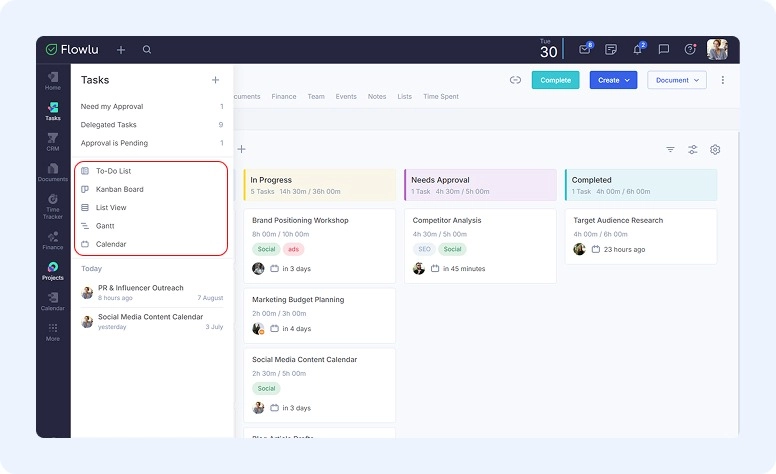
All told, Flowlu's mix of CRM, time tracking, and client collaboration in one place makes it a smart pick for consulting teams juggling multiple accounts at once.
Deliver winning consulting projects
Consulting processes aren't easy to manage, but you can still deliver one winning project after another. You just need the right project management software for consultants on your side. With the right tool, it's easier to communicate with clients, avoid scope creep, and head off risks and bottlenecks before they hit.
You could get by with a simple project management tool, but you'll be better off with a complete one like Flowlu. It handles all those day-to-day details, plus lets you check a client's full history in one place, gives you a client portal, and comes with everything a CRM has to offer.

FAQ
It's a bit different from standard practice since your main asset is time. With this kind of work, you need to have special consideration over time, budget, and scope.
In many cases, consulting firms are using PSA — Professional Services Automation software. However, if you want a more efficient solution that centralizes all your operations in just one platform, try Flowlu.
Scope management is critical in consulting, since clients often don't know what they really need until they see the work take shape.
Other times, they bring in extra opinions from different experts who end up disagreeing with each other.
The best way to handle scope: whenever a client asks for an add-on, say "yes, let's look at this and figure out how it affects the overall project." That way, you're not committing to including the request, but you're not saying no either. They can then decide whether to accept or decline the change.
Consultants should be able to start and stop time tracking with a single click — ideally right from the task they're working on, so nothing gets logged after the fact from memory. Once the time's tracked, set a rate per hour for each specialist, task, or project.
Solutions like Flowlu can then multiply tracked hours by the rate and generate the invoice automatically, so you're not stuck doing the math by hand.
Professional services project management is distinct from general practice because time is your primary product, not a physical deliverable. Scope, billing, and client relationships are all intertwined in ways that don't apply to fields like construction or software development. Standard frameworks don't account for the fluidity of consulting engagements, where what the client wants tends to shift as work progresses.